node-machine-id报错 Can't resolve "child_process"解决方法

文章目录
在Vue中导入node-machine-id后显示Can't resolve "child_process"
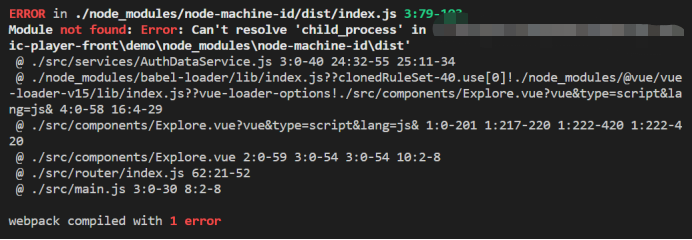 解决方法:
安装webpack(npm install webpack)
在vue.config.js添加如下代码
const { machineId, machineIdSync } = require('node-machine-id')
const webpack = require('webpack')
module.exports = {
configureWebpack: {
 plugins: [
   new webpack.DefinePlugin({
     VERSION: JSON.stringify(machineIdSync({original: true}))
   })
 ],
}
}
let id = machineIdSync({original: true})
3. 在main.js添加Vue.prototype.$VERSION = VERSION
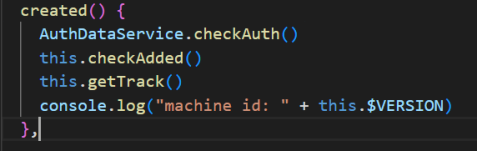
4. 在组件中通过this.$VERSION
``` 即可调用id
- 示例

评论
登录后参与技术讨论,分享你的经验与见解。
登录 / 注册暂无评论