Chai 3D之形状基元

文章目录
推荐:将 NSDT场景编辑器 加入你的3D开发工具链介绍
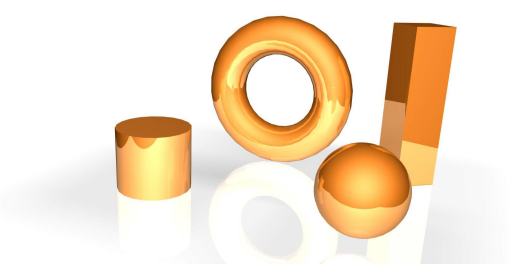
虽然网格对象的通用性令人难以置信,但当多边形数量变大时,在工具和对象之间执行碰撞检测所需的计算量可能会变得很大。为了解决这个问题,CHAI3D 提供了一系列可用于模拟简单形状的基元,如球体、圆柱体、盒子等。隐式模型不是计算与大型三角形集的碰撞,而是用于快速计算工具是位于形状内部还是外部。通过将这些模型与触觉效果相结合,我们可以大大减少计算触觉设备和环境之间交互力所需的计算量。
形状基元长方体对象下面的示例演示如何创建框对象并指定表面触觉效果。using namespace chai3d;// create a box and define its dimensionsobject = new cShapeBox(0.1, 0.2, 0.3)// add object to worldworld->addChild(object);// set haptic propertiesobject->m_material->setStiffness(500);// create a haptic surface effectobject->createEffectSurface();球体对象下面的示例说明如何创建球体对象并指定表面触觉效果。using namespace chai3d;// create a sphere and define its radiusobject = new cShapeSphere(0.3);// add object to worldworld->addChild(object);// set haptic propertiesobject->m_material->setStiffness(500);// create a haptic surface effectobject->createEffectSurface();圆柱体对象下面的示例演示如何创建圆柱对象并指定表面触觉效果。using namespace chai3d;// create a cylinder by defining its bottom and top radius, and its heightobject = new cShapeCylinder(0.1, 0.1, 0.3)// add object to worldworld->addChild(object);// set haptic propertiesobject->m_material->setStiffness(500);// create a haptic surface effectobject->createEffectSurface();圆环体对象下面的示例说明如何创建圆环对象并指定表面触觉效果。using namespace chai3d;// create a torusobject = new cShapeTorus(0.25, 0.50);// add object to worldworld->addChild(object);// set haptic propertiesobject->m_material->setStiffness(500);// create a haptic surface effectobject->createEffectSurface();line对象下面的示例说明如何创建线条对象并分配磁性触觉效果。using namespace chai3d;// create a lineline = new cShapeLine(cVector3d(0.0, 0.0, 0.0), cVector3d(1.0, 1.0, 1.0));world->addChild(line);// set color at each pointline->m_colorPointA.setWhite();line->m_colorPointB.setWhite();// create haptic effect and set haptic propertiesline->createEffectMagnetic();line->m_material->setMagnetMaxDistance(0.05);line->m_material->setMagnetMaxForce(5.0);line->m_material->setStiffness(500);
评论
登录后参与技术讨论,分享你的经验与见解。
登录 / 注册暂无评论