react18中使用react-router-dom v6浏览器前进后退没有正确选中菜单的解决办法

文章目录
事情起因就是发现在浏览器点击前进后退的时候,menu的选中状态并不会自动更新,如下图所示:
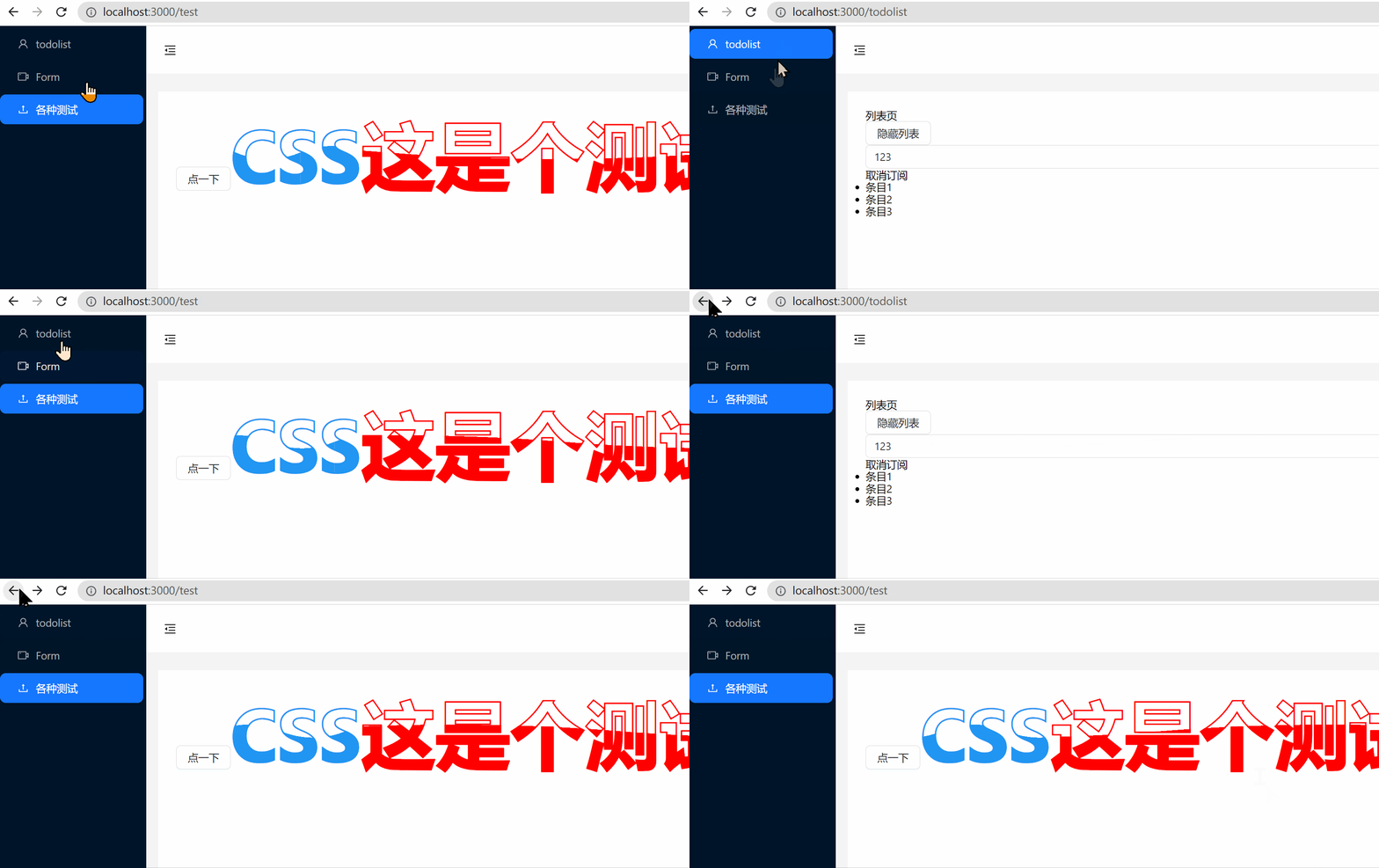
想要的正确效果如下:

那话不多说,开始思考解决办法
使用的ui库是antd的,旁边的menu即Menu, 查阅官方相关组件资料可知,需要在menu组件上加上selectedKeys属性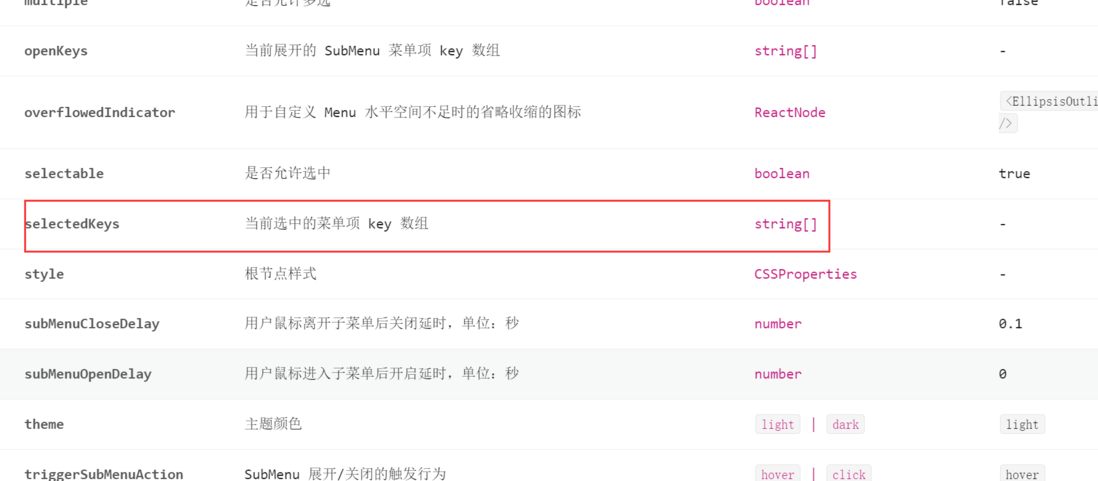
本地的menu部分代码如下
<Menu
  theme="dark"
  mode="inline"
  defaultSelectedKeys={[defaultSelectedKeys]}
  onClick={onClick}
  items={[
    {
      key: '/todolist',
      icon: <UserOutlined />,
      label: 'todolist',
    },
    {
      key: '/form',
      icon: <VideoCameraOutlined />,
      label: 'Form',
    },
    {
      key: '/test',
      icon: <UploadOutlined />,
      label: '各种测试',
    },
  ]}
/>把defaultSelectedKeys换成selectedKeys={[selectedKeys]}
<Menu
  ...
  selectedKeys={[selectedKeys]}
/>之所以这么做,是因为在加上了selectedKeys以后,实际上defaultSelectedKeys已经完全被前者替代了,后者要不要都不影响页面表现。
但是,很重要的一点就是换成了selectedKeys以后,需要手动在点击事件中更改其对应的值,不然选中的项永远不会改变,如下图所示
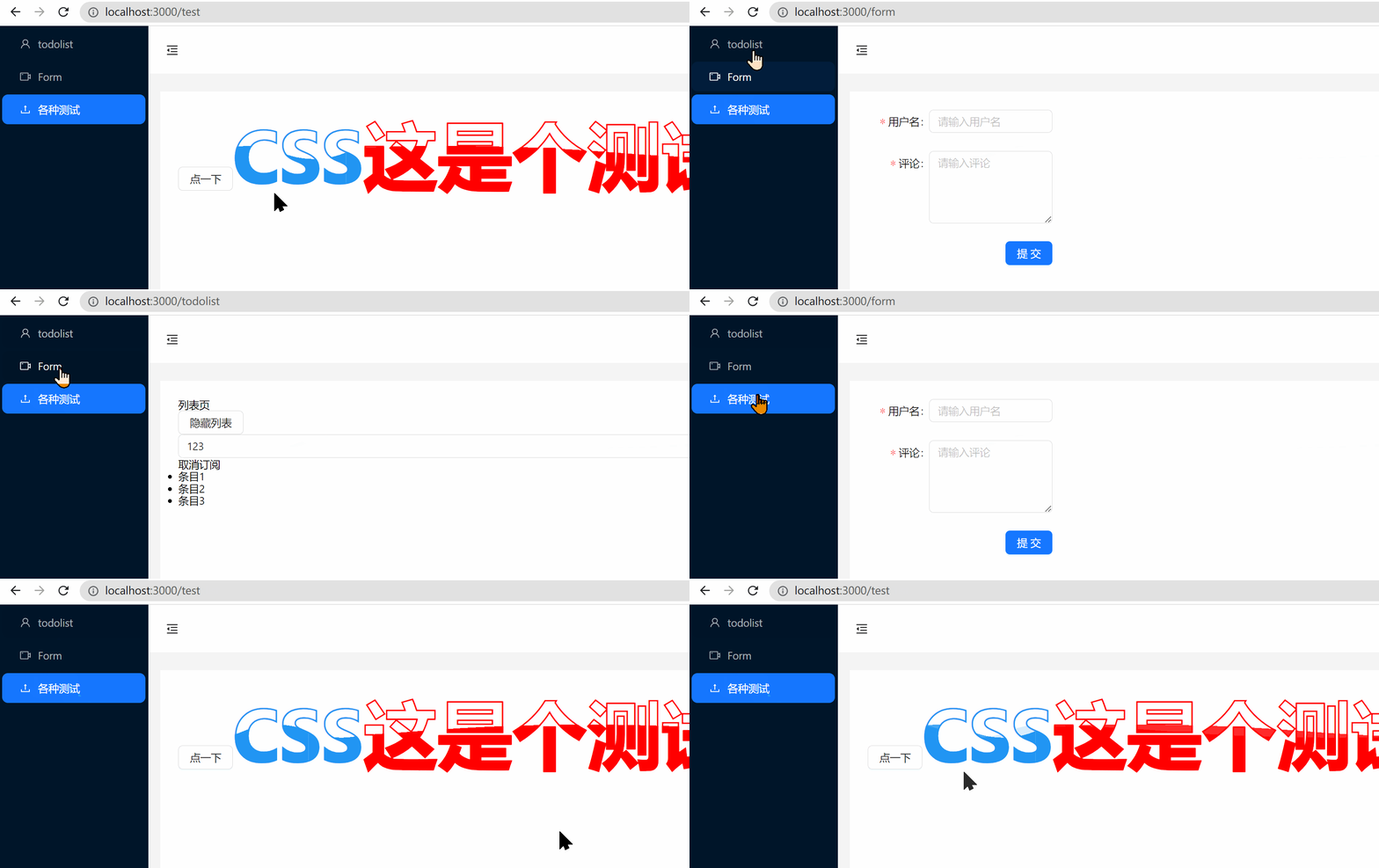
另外,记得给selectedKeys加上初始值,不然页面第一次进来的时候是没有选中项的
替换完后,接下来就是需要获取当前页面上的url地址了,因为selectedKeys是根据Menu中items的key来进行精确匹配的。
引入如下代码
import {useLocation} from 'react-router-dom'

const location = useLocation();

useEffect(()=>{
  window.onpopstate = function (e: PopStateEvent) {
    console.log('location',location)
  };
  return (()=>{
    window.onpopstate = null;
  })
},[])useLocation为react-router-dom自带的方法,返回当前路由的相关信息如下:
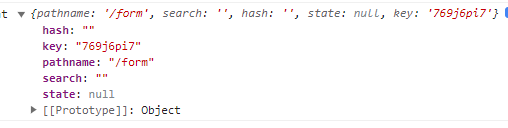
window.onpopstate为浏览器点击前进后退的时候触发的方法,传递的参数不用管,在这里也用不上。
即,现在具体思路为:
在浏览器点击前进后退的时候,拿到当前浏览器的url,返回给selectedKeys从而使menu组件能够正常选中对应的菜单项
然而,问题出现了
在控制台打印console.log(location,location.pathname)
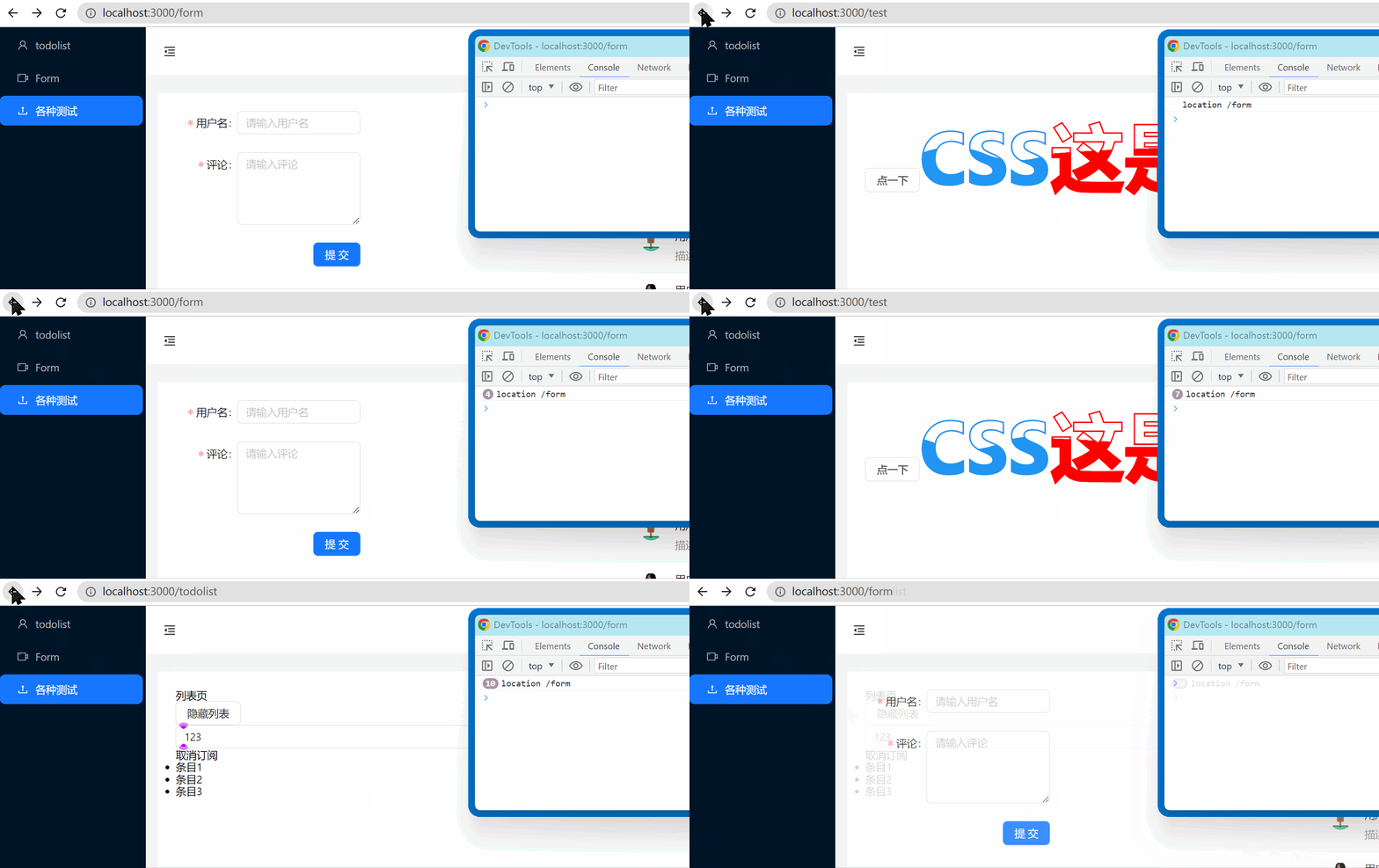
可以看到,打印出来的pathname的值只会是第一个路由的值,再也不会变了,这就很奇怪了啊,明明url都变了, 为什么这个值不会变了呢?
但是,当把pathname的值打印到页面上的时候,情况发生了变化

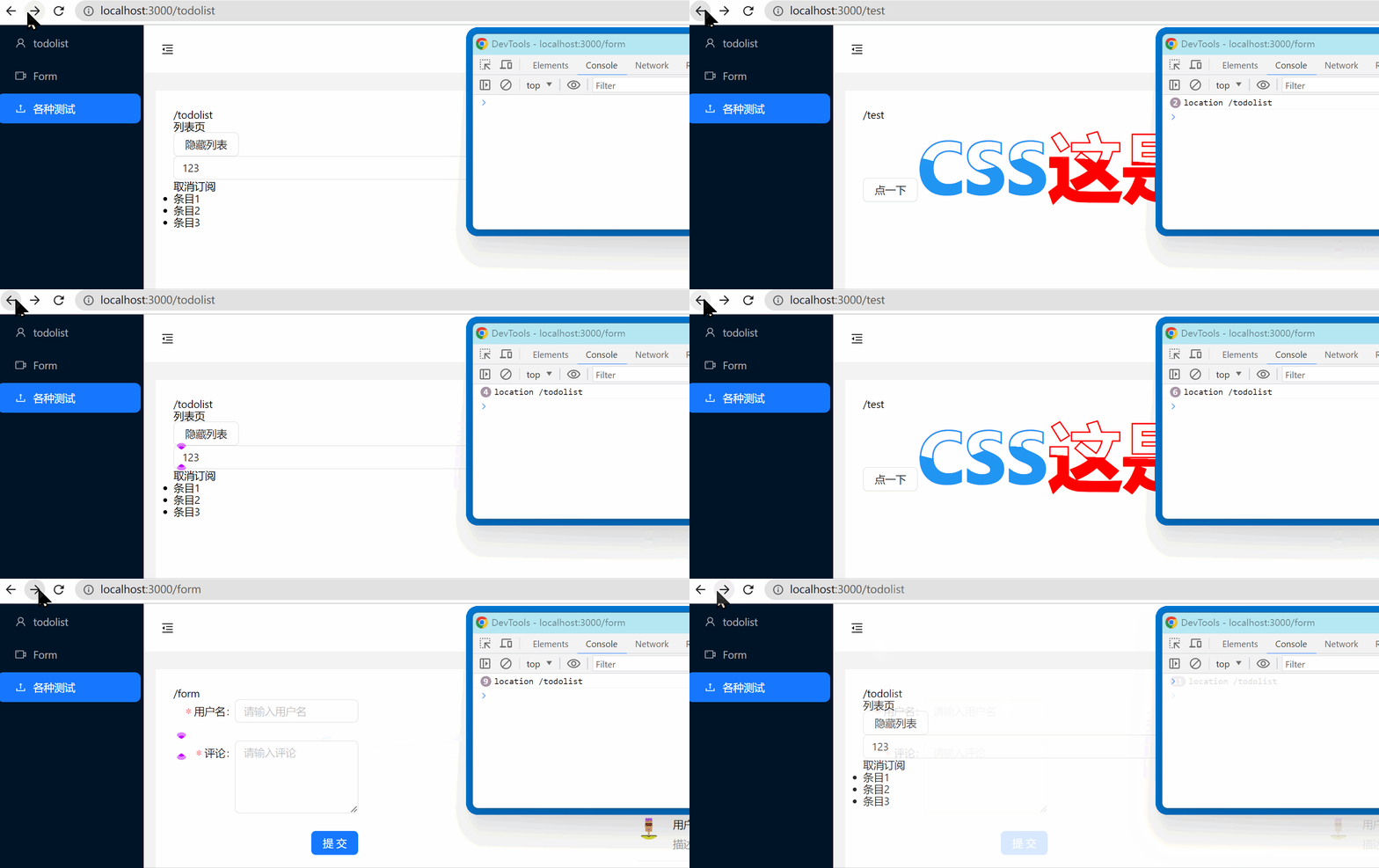
可以看到,页面上的pathname 是显示正确的,和url保持一致!
这说明在事件中的pathname值固定为赋值时候的值,不会自动更新,而页面跳转时候的pathname会保持更新!
解决办法:使用useRef对pathname的值进行跟踪更新,代码如下
import { useRef } from 'react';

const locationRef = useRef(location);
locationRef.current = location;

useEffect(()=>{
  window.onpopstate = function (e: PopStateEvent) {
    console.log('location',location.pathname,'locationRef.current',locationRef.current.pathname)
  };
  return (()=>{
    window.onpopstate = null;
  })
},[])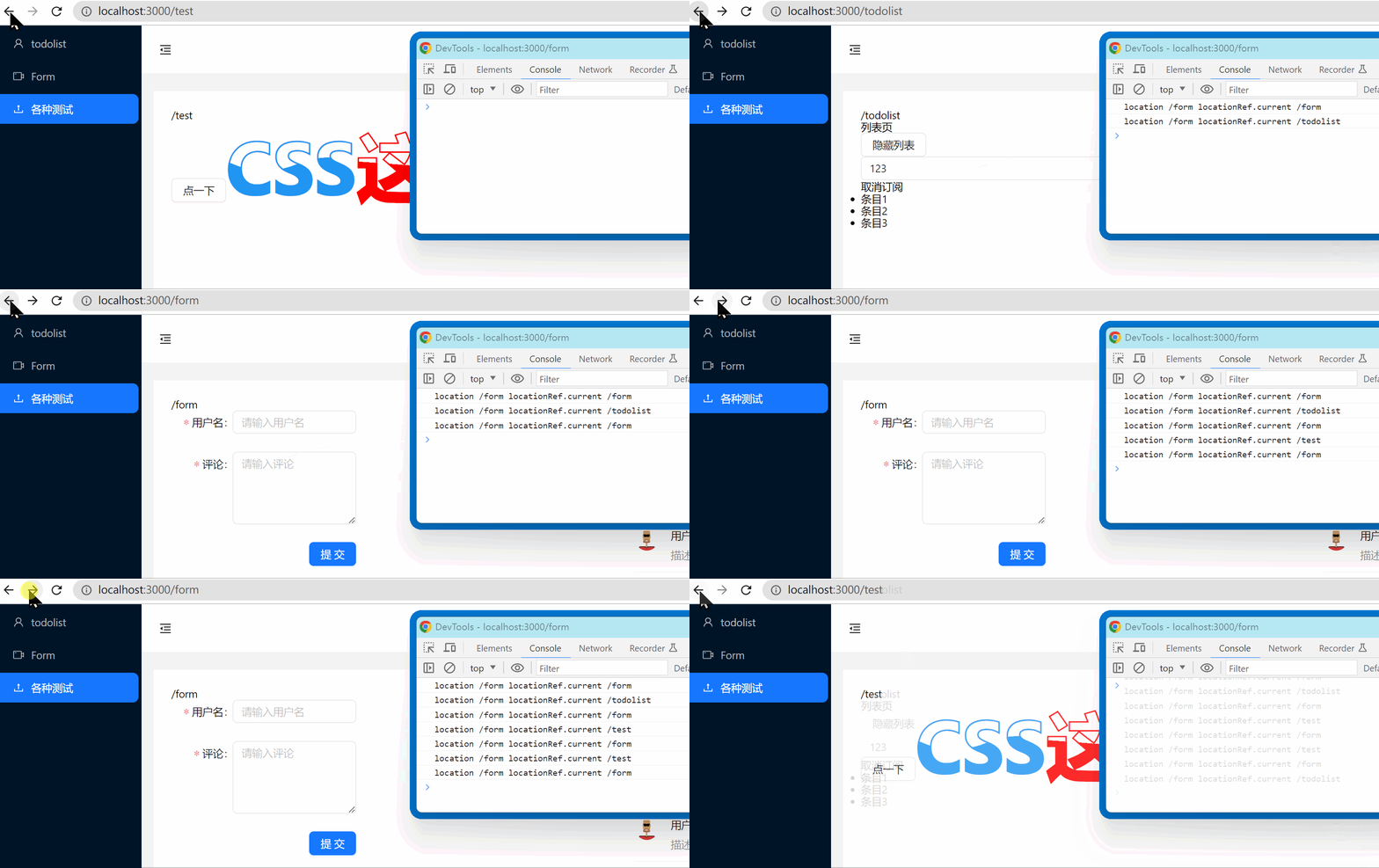
可以看到,使用useRef 打印出来的值是正确的
所以在useEffect中,加上赋值语句,所需要的效果就完成啦
useEffect(()=>{
  window.onpopstate = function (e: PopStateEvent) {
    setSelectedKeys(locationRef.current.pathname);
    console.log('location',location.pathname,'locationRef.current',locationRef.current.pathname)
  };
  return (()=>{
    window.onpopstate = null;
  })
},[])
评论
登录后参与技术讨论,分享你的经验与见解。
登录 / 注册暂无评论