VS Code实现markdown画流程图

文章目录
安装最新的vscode编辑器,原生支持markdown语法。不会markdow的人可以去好好学下,写文档神器!!!
1、安装Markdown Preview Enhanced插件
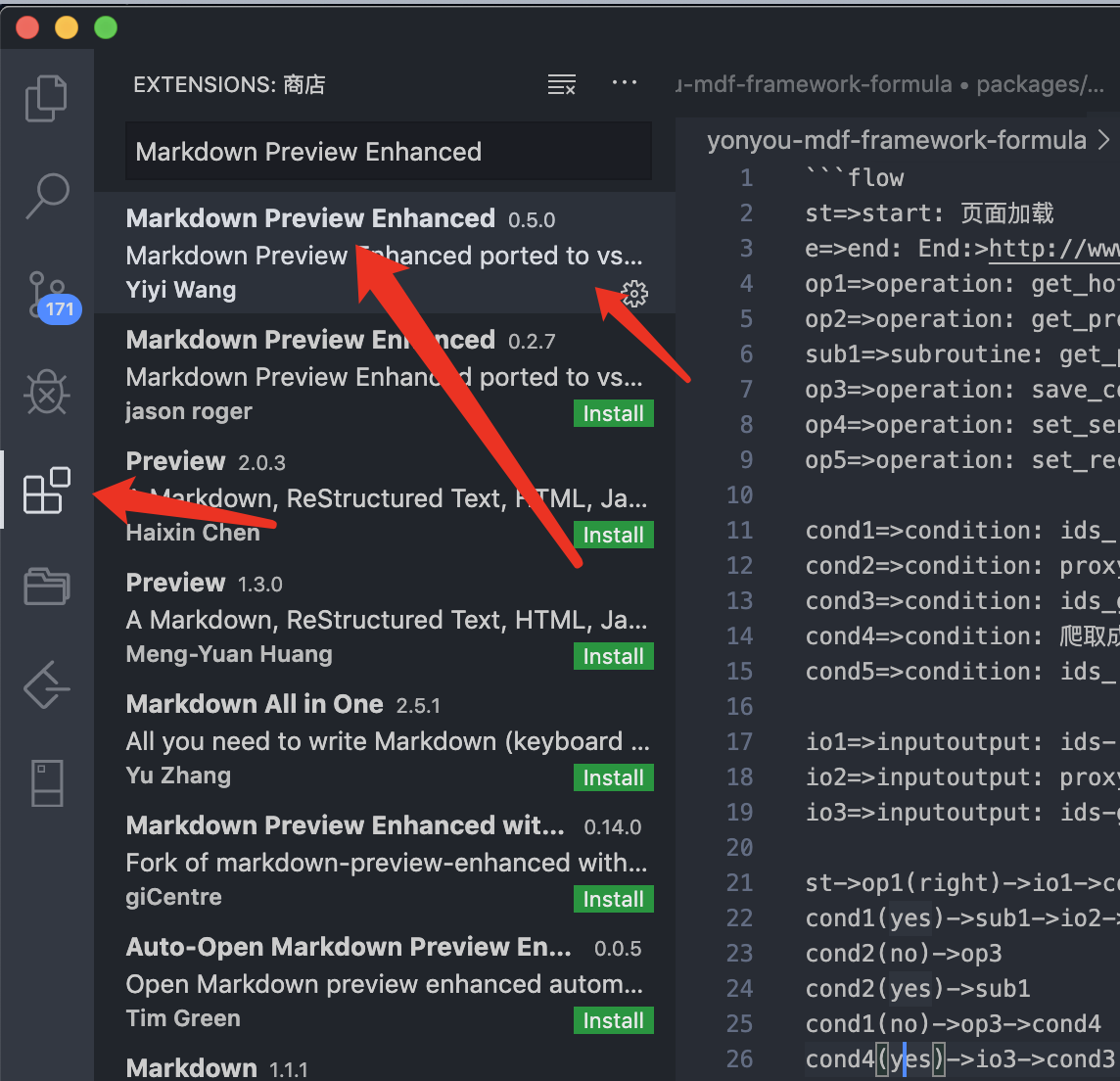
2、本地新建test.md文件
输入:
```flow
st=>start: 页面加载
e=>end: End:>http://www.google.com
op1=>operation: get_hotel_ids|past
op2=>operation: get_proxy|current
sub1=>subroutine: get_proxy|current
op3=>operation: save_comment|current
op4=>operation: set_sentiment|current
op5=>operation: set_record|current
cond1=>condition: ids_remain空?
cond2=>condition: proxy_list空?
cond3=>condition: ids_got空?
cond4=>condition: 爬取成功??
cond5=>condition: ids_remain空?
io1=>inputoutput: ids-remain
io2=>inputoutput: proxy_list
io3=>inputoutput: ids-got
st->op1(right)->io1->cond1
cond1(yes)->sub1->io2->cond2
cond2(no)->op3
cond2(yes)->sub1
cond1(no)->op3->cond4
cond4(yes)->io3->cond3
cond4(no)->io1
cond3(no)->op4
cond3(yes, right)->cond5
cond5(yes)->op5
cond5(no)->cond3
op5->e
```
3、右键实时预览效果
就会看到下面的预览效果: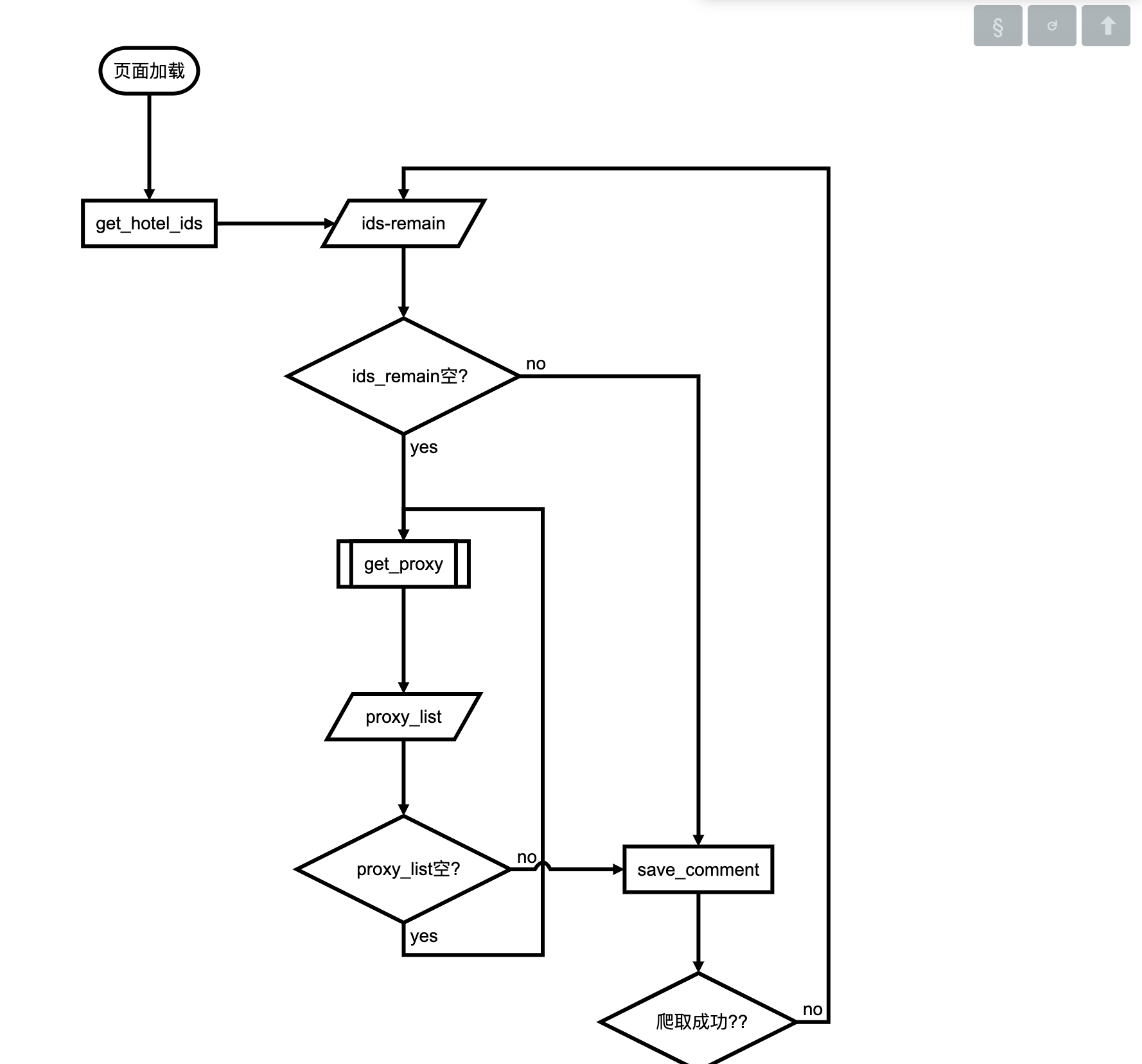
编辑器右键还可以将流程图存为html,图片,用浏览器打开等!
欢迎大家试用! 写好文档也是一项必备技能呦!
评论
登录后参与技术讨论,分享你的经验与见解。
登录 / 注册暂无评论