上传本地代码到github

文章目录
1.创建公钥、私钥
1) ssh-keygen -t rsa -C "liyang105@baidu.com"
2) 连续按回车
3)
- 若存在id_rsa文件会显示
XXX/.ssh/id_rsaaalready exists.此时需要
rm -f id_rsa,再重复以上操作。
[ .ssh是隐藏文件,若想显示出来,键盘command+shift+.] - 若之前不存在id_rsa文件,回车之后会看见:

4) vi id_rsa.pub

2.复制这段公钥到github上
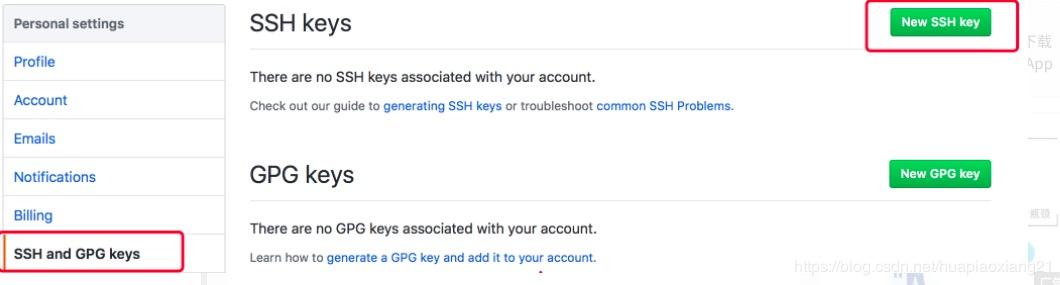
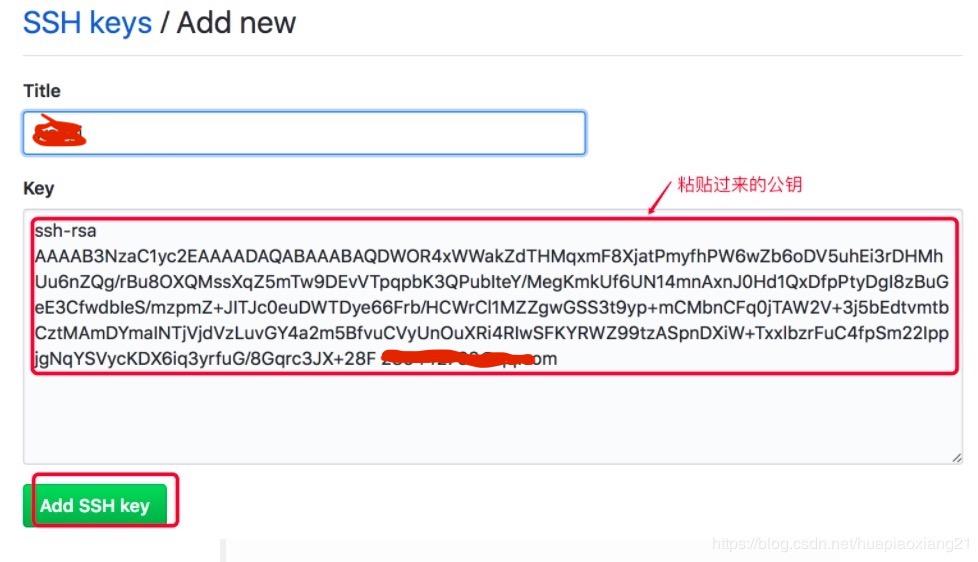
3.测试是否链接成功
ssh -T git@github.com
4.github中创建仓库
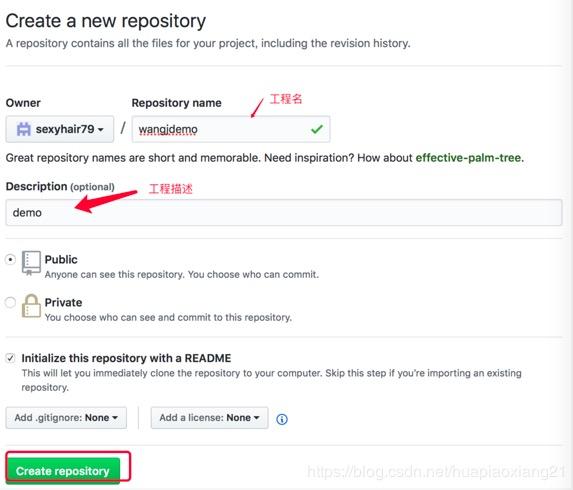
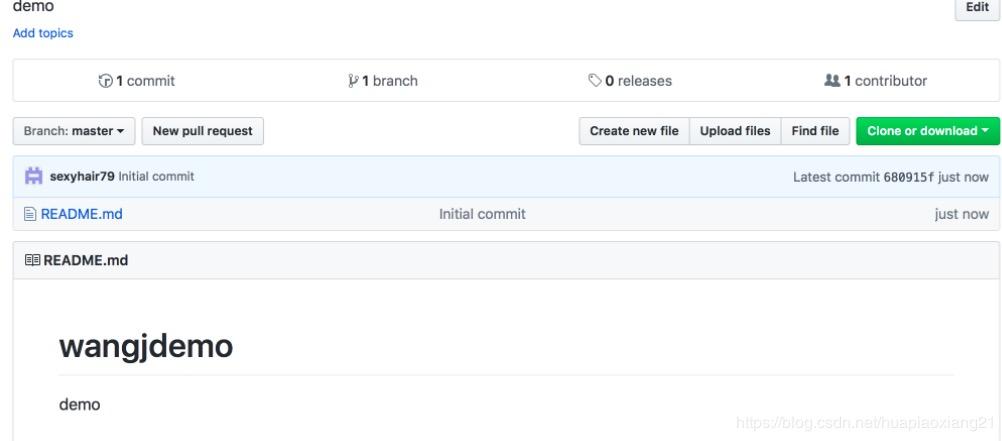
- 上传项目
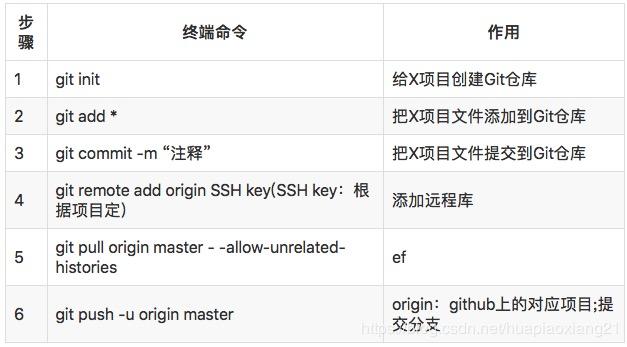
[第4步可能会报错 fatal:remote origin alreaady exists.]
解决方法:
git remote rm origin`
- git push -u origin master
评论
登录后参与技术讨论,分享你的经验与见解。
登录 / 注册暂无评论