【Vue+Element】只能输入数字和控制小数点位数的文本框组件(自动填充小数位0)

文章目录
效果图
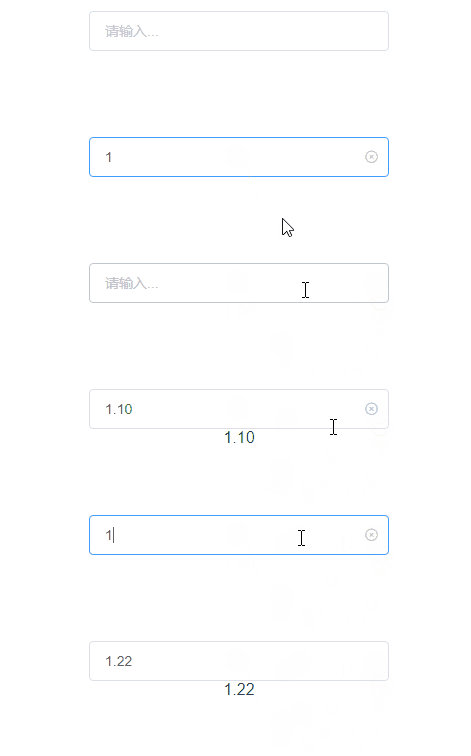
主要功能
- 只能输入数字和小数
- 可以自定义指定的小数点位数
- 自动填充小数点位数的0
预备工作
有一个能使用Element的Vue项目
子组件
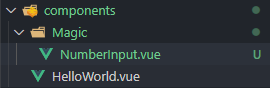
- 在components/Magic目录下创建NumberInput.vue文件
- 根据自己的需求自定义所需的属性值和事件,这里就只写了想到可能需要的,需要更多的属性可以自己在props里添加
<template>
  <el-input v-model="val" :placeholder="placeholder" @input="input" @change="change" clearable />
</template>

<script>
export default {
  name: "NumberInput",
  props: {
    placeholder: {
      type: String,
      default: "请输入...",
    },
    value: {
      //默认值
      type: undefined, //undefined表示能通过任何类型
      default: "0",
    },
    decimal: {
      //控制小数位数,默认是2位
      type: Number,
      default: 2,
    },
  },
  model: {
    prop: "value", //传递的值(文本框的value)
    event: "change", // 定义的事件
  },
  data() {
    return {
      val: this.value,
    };
  },
  mounted() {
    if (this.value) {
      //判断初始值是否是正常的浮点数,并进行处理
      this.val = this.handelValue(this.value);
      this.change();
    }
  },
  methods: {
    //input
    input() {
      this.val = this.handelValue(this.val);
      this.$emit("input", this.val);
    },
    //处理输入的值,返回数字和小数点
    handelValue(value) {
      return value
        .replace(/[^\d.]/g, "") //控制只能输入小数点或者数字
        .replace(/\.{2,}/g, ".") //控制只能有一个连续的小数点
        .replace(".", "_") //将第一个小数点替换成其他字符
        .replace(/\./g, "") //将其他小数点设置为空字符串
        .replace("_", ".") // 最后将其他字符替换成小数点
        .replace(
          new RegExp(`^(-)*(\\d+)\\.(\\d{${this.decimal}}).*$`),
          "$1$2.$3"
        ); //控制小数点的位数(decimal)默认是最多两位
    },
    //change
    change() {
      this.val = this.fillZero(this.val);
      //通过$emit触发model内定义的change事件,将内部值传递给给父组件
      this.$emit("change", this.val);
    },
    //更改后小数位数自动添加0
    fillZero(value) {
      //判断有没有小数点
      if (/(?<=\.)\d*$/g.test(value)) {
        //判断小数点位数是否与decimal值相等
        if (value.match(/(?<=\.)\d*$/g)[0].length != this.decimal) {
          //匹配小数点和其后面所有数字,然后在后面填充0
          value = value.replace(
            /\..*$/,
            `.${value.match(/(?<=\.)\d*$/g)[0].padEnd(this.decimal, "0")}`
          );
        }
      } else {
        if(value != '' || value != 0){
        value = `${value}.${new Array(this.decimal).fill("0").join("")}`;
        //利用数组填充方法填充字符串,如果有更好的方法评论区里请告诉我
        }
      }
      return value;
    },
  },
};
</script>

<style lang='scss' scoped>
</style>
父组件
<template>
  <div class="Test">
    <number-input v-model="value" :value="value" style="width:300px;"/>
    <div>{{value}}</div>
  </div>
</template>

<script>
import NumberInput from "@/components/Magic/NumberInput"; //引入子组件
export default {
  name: "Test",
  components: { NumberInput },
  data() {
    return {
      value: "",
    };
  },
};
</script>

<style>
</style>
最后
该组件如果有任何问题和改进的方法,可以在评论区告诉我,谢谢
评论
登录后参与技术讨论,分享你的经验与见解。
登录 / 注册暂无评论