搭建多个远程仓库,将代码同时提交Github、Gitee

文章目录
搭建多远程仓库
1、查看远程仓库
查看下当前项目的远程仓库
git remote默认的话应该会输出:
origin这个origin就是一个指向远程仓库的名称,是你在clone时 git 为你默认创建的。
可以通过命令查看origin指向的远程仓库地址:
git remote -v输出结果:
origin  https://github.com/SoftLeaderGy/StartRedis.git (fetch)
origin  https://github.com/SoftLeaderGy/StartRedis.git (push)
该命令会显示读写远程仓库的名称和地址,我这里指向的是Github。
2、远程仓库重命名
既然这个地址是Github,为了好识别,就将名称改成 github 吧。输入命令: git remote
rename <old_remote> <new_remote>
git remote rename origin github输入查看远程仓库命令,验证下是否成功,输出结果:
github  https://github.com/SoftLeaderGy/StartRedis.git (fetch)
github  https://github.com/SoftLeaderGy/StartRedis.git (push)
3、添加另一个远程仓库
下面我们再添加Gitee上的远程仓库,首先在Gitee上创建一个空的仓库,名称与Github上相同。
然后在【克隆/下载】处复制地址。
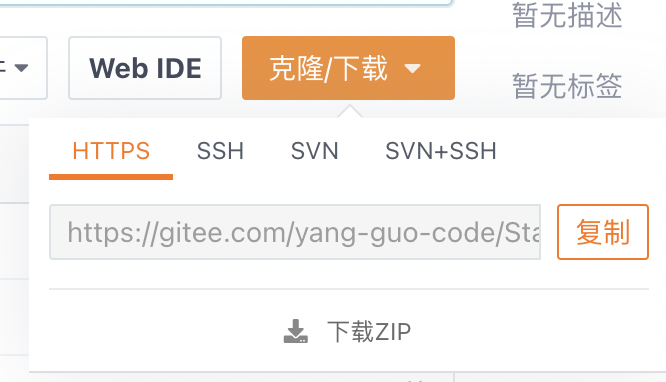
输入添加远程仓库命令:git remote add <remote> <url>
git remote add gitee https://gitee.com/yang-guo-co...
再来验证下是否成功,输出结果:
gitee   https://gitee.com/yang-guo-code/StartRedis.git (fetch)
gitee   https://gitee.com/yang-guo-code/StartRedis.git (push)
github  https://github.com/SoftLeaderGy/StartRedis.git (fetch)
github  https://github.com/SoftLeaderGy/StartRedis.git (push)
4、多个远程仓库的推送/拉取
有了多个远程仓库,推送和拉取再也不能像以前那样git push和git pull了,必须得加上远程仓库的名称,以识别操作的是哪个远程仓库。命令如下: git push <remote> <branch>、git pull <remote> <branch>:
git push github main
git pull github main

git push gitee main
git pull gitee main
如果不想每次操作都带着分支,需要将本地分支与远程分支进行关联: git branch --set-upstream-to=<remote>/<remote_branch> <local_branch>
git branch --set-upstream-to=gitee/main main关联后就可以不指定分支了
git push github
git pull github

git push gitee
git pull gitee
评论
登录后参与技术讨论,分享你的经验与见解。
登录 / 注册暂无评论