SpringBoot高级用法

文章目录
动态赋值操作
背景需求:为了避免频繁的修改数据,降低代码的耦合性,提高可维护性.
配置yml文件

赋值操作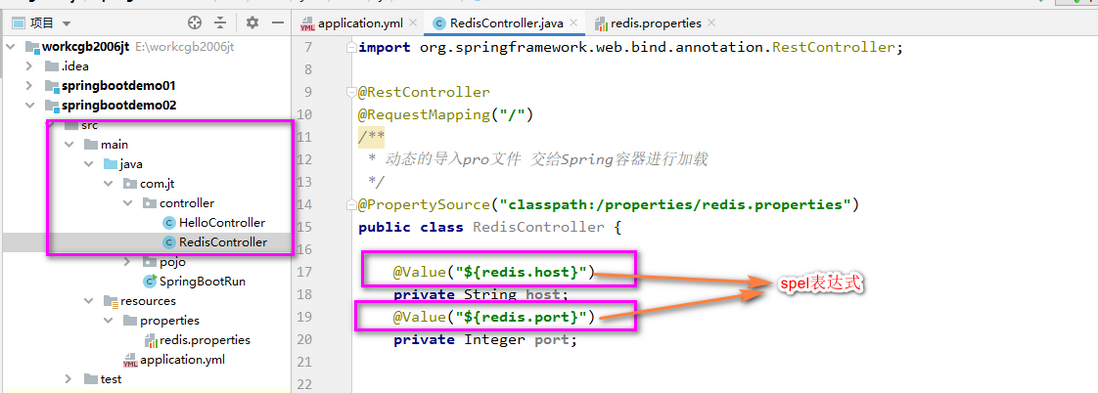
@RestController
@RequestMapping("/")
public class RedisController {
    @Value("${redis.host}")
    private String host;
    @Value("${redis.port}")
    private Integer port;

    @RequestMapping("getMsg")
    public String getMsg(){
    //yml文件中动态获取
          return host+":"+port;
}
@Value("${yml中数据key}")
由于YML配置文件中的数据一般都是系统级别的数据,所以一般的业务数据都会写到properties的配置文件中.
创建properties文件
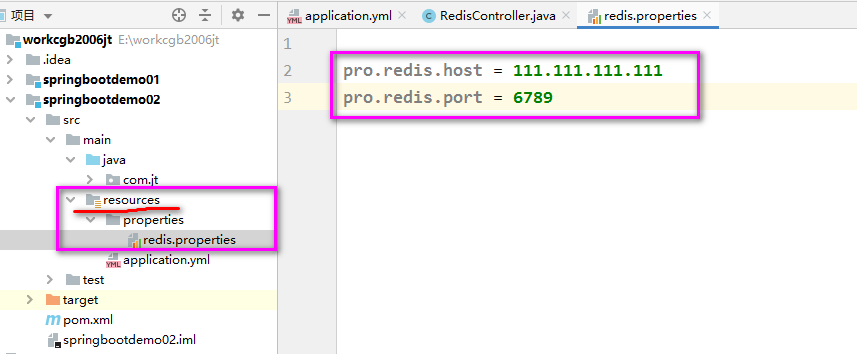
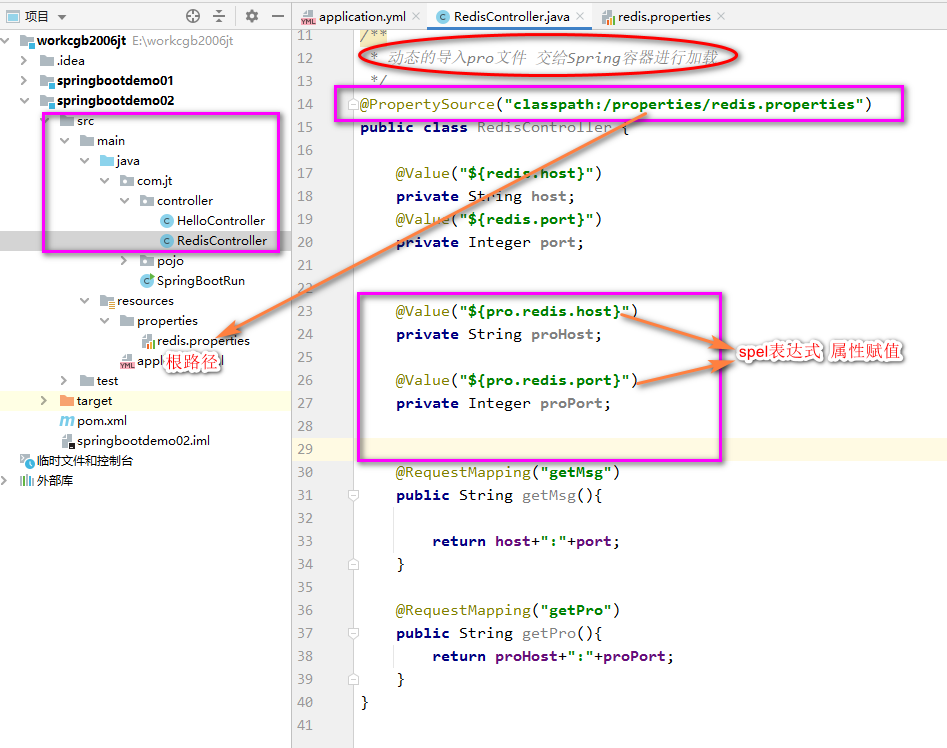
属性赋值操作
环境切换
背景业务说明:开发时使用的都是自己公司的数据库和服务器,这个环境称之为开发环境.当项目开发完成后需要上线部署,需要连接生成环境.
频繁的修改环境 可能会出现错误,可否提供一种方法 简化上述开发过程
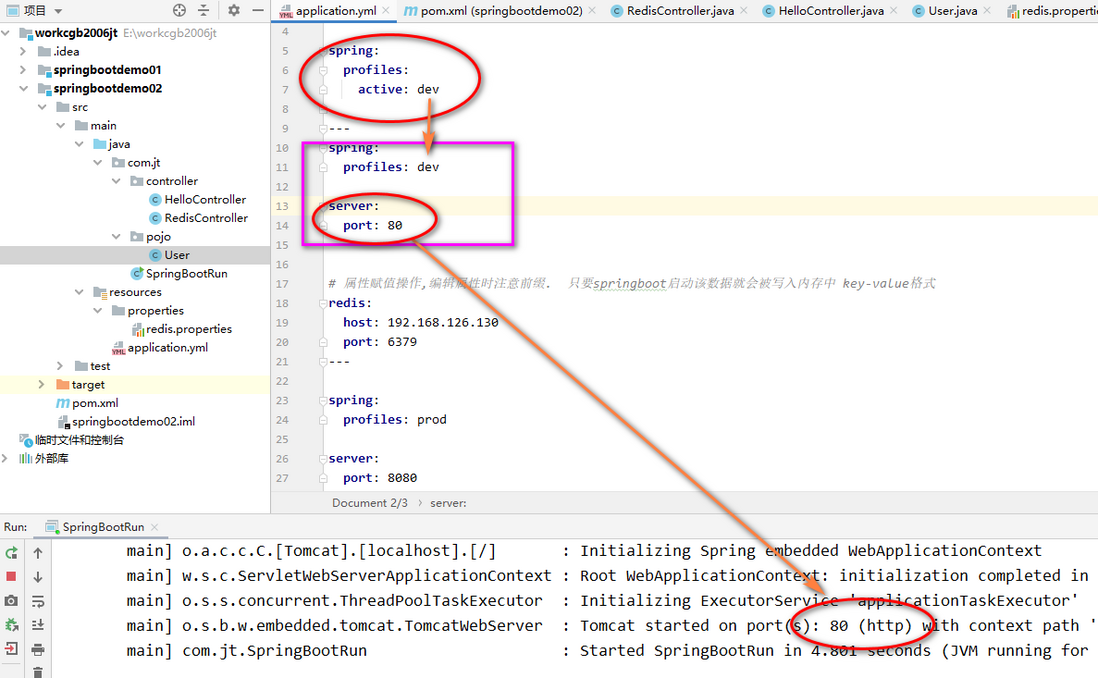
首先切换环境 那么得提供至少2种以上环境 ,并指定默认环境

指定使用环境
spring:
  profiles:
    active: dev/prod
设置环境用---分割
---
spring:
  profiles: dev
server:
  port: 80
# 属性赋值操作,编辑属性时注意前缀. 只要springboot启动该数据就会被写入内存中 key-value格式
redis:
  host: 192.168.126.130
  port: 6379
---
环境设置
spring:
  profiles: dev
切换环境 只需要修改如下内容

spring:
profiles:
active: 此处为所需要的运行的环境
如下测试结果
prod环境
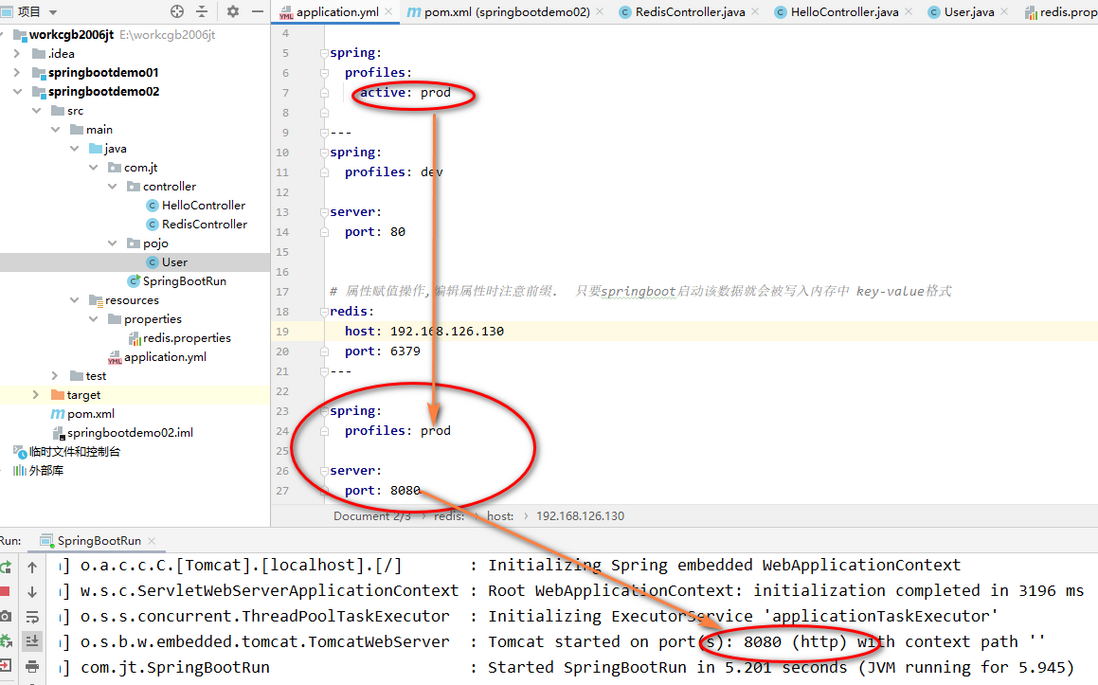
dev环境
评论
登录后参与技术讨论,分享你的经验与见解。
登录 / 注册暂无评论