How To Setup GTID Replication In MySQL 5.6

文章目录
How To Setup GTID Replication In MySQL 5.6

Written by Santosh Prasad
What is GTID?
GTID (Global Transaction Identifier) is a unique identifier created and associated with each transaction committed on the server of origin. It consists of two parts separated by a column:
GTID = source_id:transaction_id
Where,
source_id : Server’s UUID
transaction_id : Sequence number
GTID Benefits
- Easy to setup MySQL replication.
- Consistency is guaranteed between master and salves.
- Fail-over process become easy.
- Automatic fail over script is not a pain now.
- Simple to determine inconsistency.
Setting Up Replication Using GTIDs
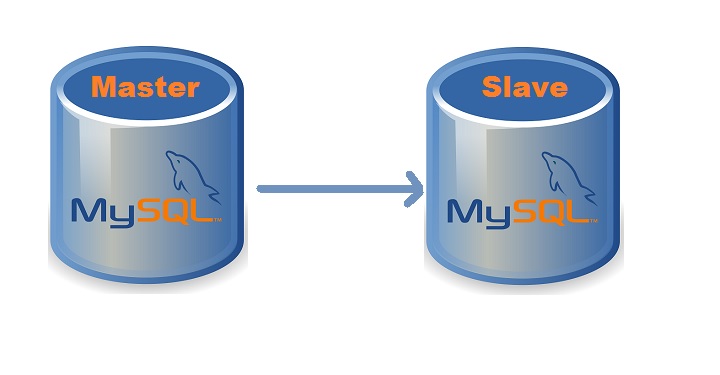
MySQL master side configurations
MySQL slave side configurations
Master Side Configuration
Add the following variables to /etc/my.cnf.
# vim /etc/my.cnf [mysqld] log-bin = mysql-bin server-id = 1 relay-log = relay-log-slave gtid-mode =ON enforce-gtid-consistency binlog_format = MIXED log_slave_updates
Save and close file.
Restart MySQL to apply the configuration changes:
# service mysql restart
Now create a MySQL user to be used by the slave.
mysql> GRANT REPLICATION SLAVE ON *.* TO 'slave_user_name'@'slave_ip' IDENTIFIED BY 'password';
Slave Side Configuration
Add the following variables to /etc/my.cnf.
# vim /etc/my.cnf [mysqld] log_bin = mysql-bin server_id = 2 binlog_format = ROW skip_slave_start gtid_mode = on enforce_gtid_consistency log_slave_updates
Save and close file.
Restart MySQL to apply the configuration changes:
# service mysql restart
Now run the CHANGE MASTER TO command:
mysql> CHANGE MASTER TO MASTER_HOST='master_ip', MASTER_PORT=3306, MASTER_USER='slave_user_name', MASTER_PASSWORD='password', MASTER_AUTO_POSITION=1;
Start the replication
mysql> start slave;
Check The Replication
Now check the replicatin status by running below command:
mysql> show slave status\G; Slave_IO_State: Waiting for master to send event Master_Host: 192.168.0.5 Master_User: repleuser Master_Port: 3306 . . . Slave_IO_Running: Yes Slave_SQL_Running: Yes . . . Retrieved_Gtid_Set: b9b4712a-df64-11e3-b391-60672090eb04:1-2 Executed_Gtid_Set: b9b4712a-df64-11e3-b391-60672090eb04:1-2 Auto_Position: 1
Add New Slave To A GTID Replication
Follow the below steps to add a new slave to GTID replication:
1. Teka master server backup using mysqldump.
mysql> mysqldump -u root -p --all-databases –flush-privileges --single-transaction --flush-logs --triggers --routines --events –hex-blob > /path/to/backupdir/full_backup-$TIMESTAMP.sql
2. Edit the new slave’s /etc/my.cnf file as described above.
3. Now restore the master backup file on the slave server.
4. Execute the CHANGE MASTER TO command with MASTER_AUTO_POSITION=1
5. Start MySQL slave.
mysqldump knows about GTID
-- -- GTID state at the beginning of the backup -- SET @@GLOBAL.GTID_PURGED='b9b4712a-df64-11e3-b391-60672090eb04:1-7';
Thanks:)
评论
登录后参与技术讨论,分享你的经验与见解。
登录 / 注册暂无评论