ubuntu 使用ssh登录github 避免提交时输入用户名和密码

文章目录
原文链接: ubuntu 使用ssh登录github 避免提交时输入用户名和密码
ssh免密需要使用ssh方式clone仓库
本地安装 git
sudo apt-get update
sudo apt-get install git
在用户主目录下,看看有没有.ssh 目录,如果有,再看看这个目录下有没有 id_rsa 和 id_rsa.pub 这两个文件,如果已经有了,可直接跳到下一步。
如果没有,打开 Shell(Windows 下打开 Git Bash),创建 SSH Key:邮箱地址为 github 邮箱地址
ssh-keygen -t rsa -C "youremail@example.com"
把 id_rsa.pub 内容添加到 github 的 SSH keys 页面。
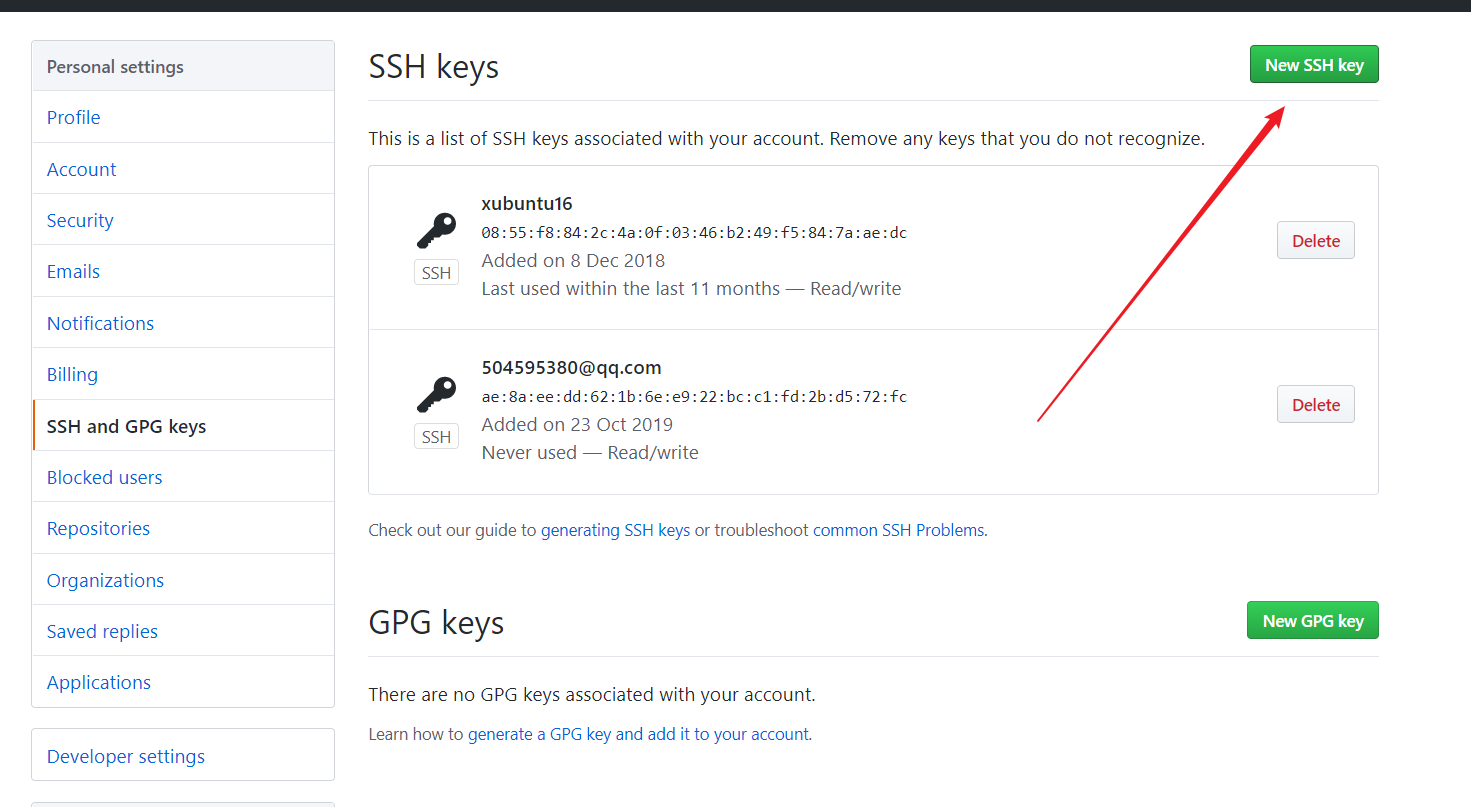
5 验证是否连接成功
ssh -T git@github.com
成功结果为:
Hi yourname! You've successfully authenticated, but GitHub does not provide shell access.
如果出现 Permission denied (publickey). 错误,参考:https://help.github.com/articles/error-permission-denied-publickey/
eval "$(ssh-agent -s)"
ssh-add
SSH 警告
第一次使用 Git 的 clone 或者 push 命令连接 GitHub 时,会得到一个警告,输入 yes 回车即可。
The authenticity of host 'github.com (xx.xx.xx.xx)' can't be established. RSA key fingerprint is xx.xx.xx.xx.xx. Are you sure you want to continue connecting (yes/no)?
评论
登录后参与技术讨论,分享你的经验与见解。
登录 / 注册暂无评论