Monitor name :Windows Resources. Cannot create

文章目录
软件
LoadRunner Controller(我的LoadRunner是12.55版本的)
背景
综合场景测试
报错内容
Monitor name :Windows Resources. Cannot create measurement Server|Pool Nonpaged Bytes| on machine localhost.
Details: 在计算机上找不到指定的对象。Hint:
Check that there is such a measurement on this machine.
Check that you selected the right platform for the monitored machine in the Add Machine dialog box.
Note: When you monitor a Win2000 machine from an NT, some counters may not be available.Try to delete this measurement and add it again(use the Add Resources dialog box ) (entry point: CFactory::Addmeasurement ). [MsgId: MMSG-47296]
解决
其实上面报错说了大致解决方法,就是让你删掉,手动添加。具体如下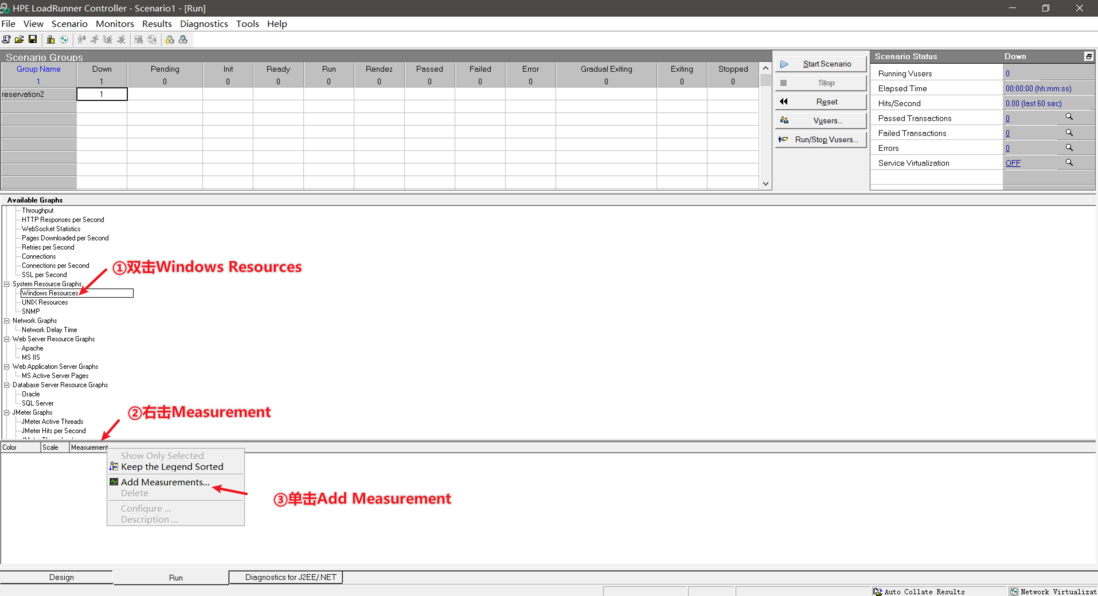

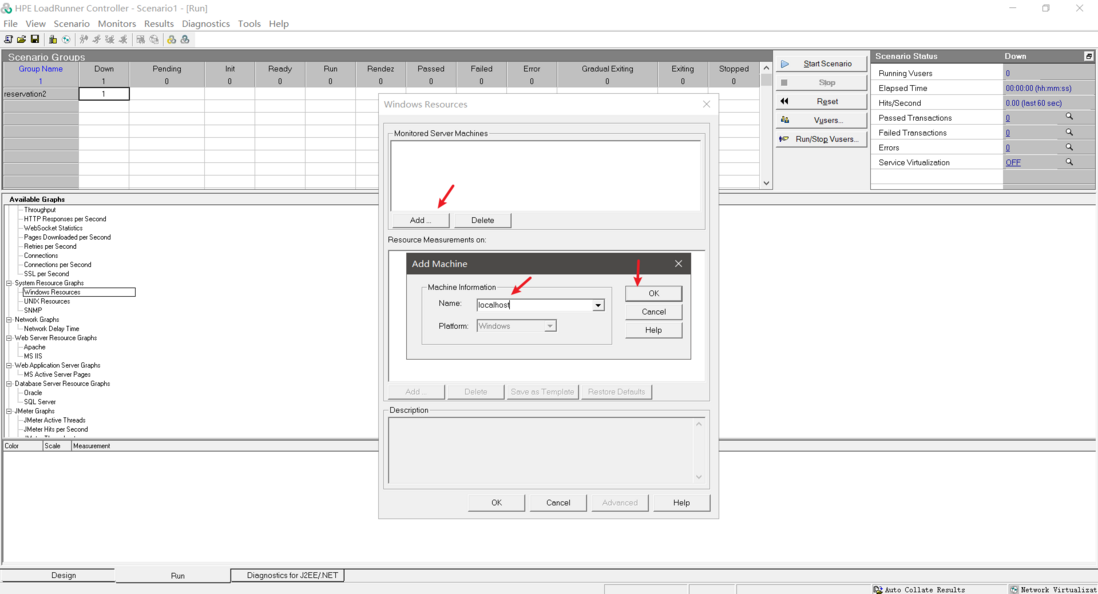
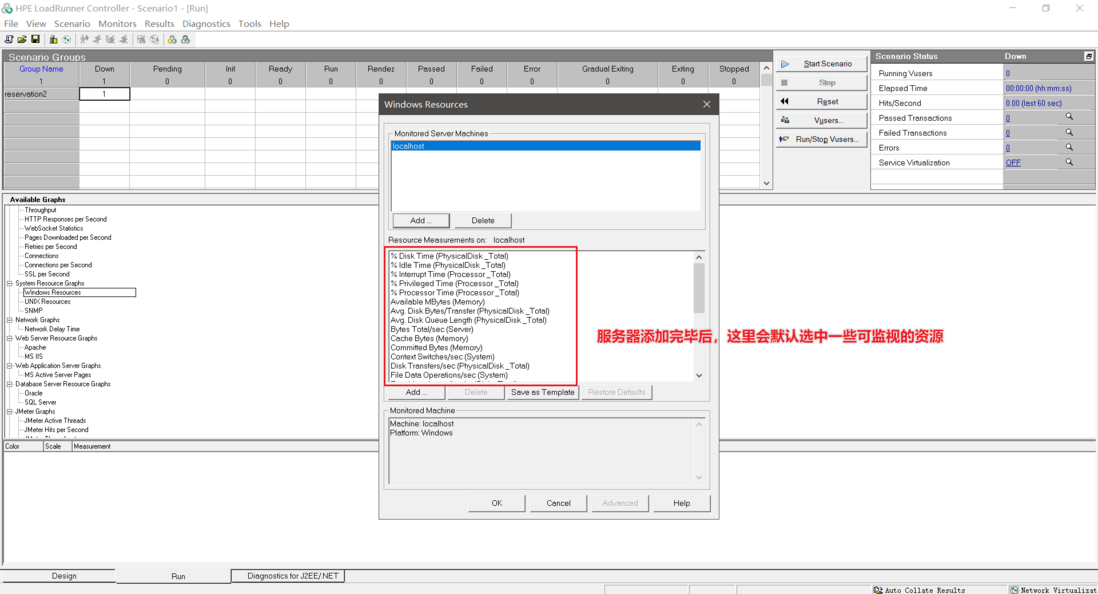

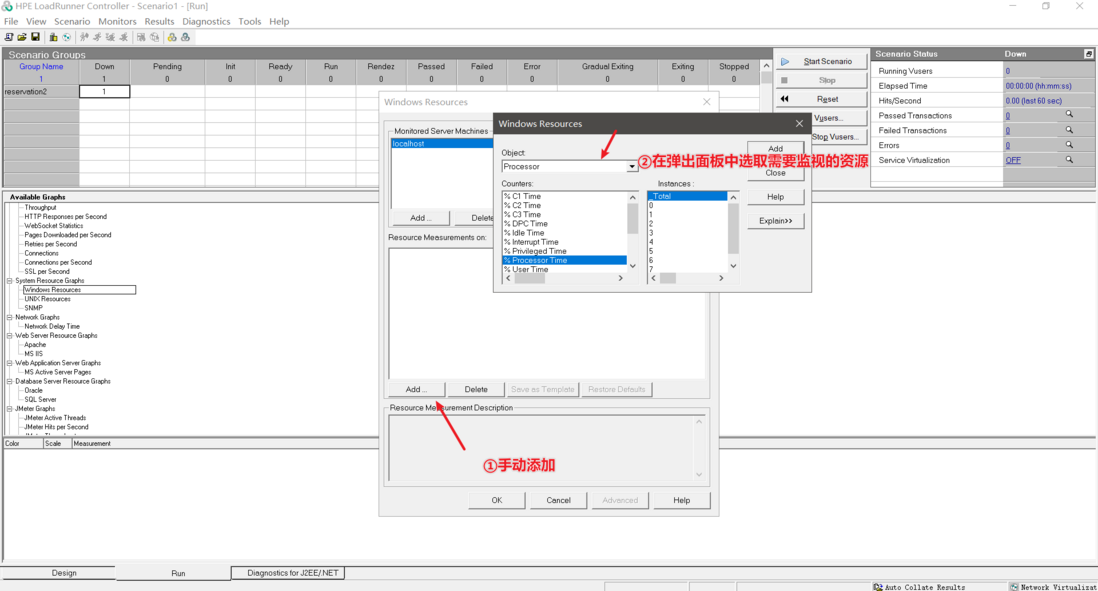
添加完毕后,再次运行,无报错。
评论
登录后参与技术讨论,分享你的经验与见解。
登录 / 注册暂无评论