mac vscode不能识别 npm

文章目录
配置 VScode
打开 settings.json 文件:
‘command’ + ‘,’ 键
然后输入:shell,如下图,点击修改:
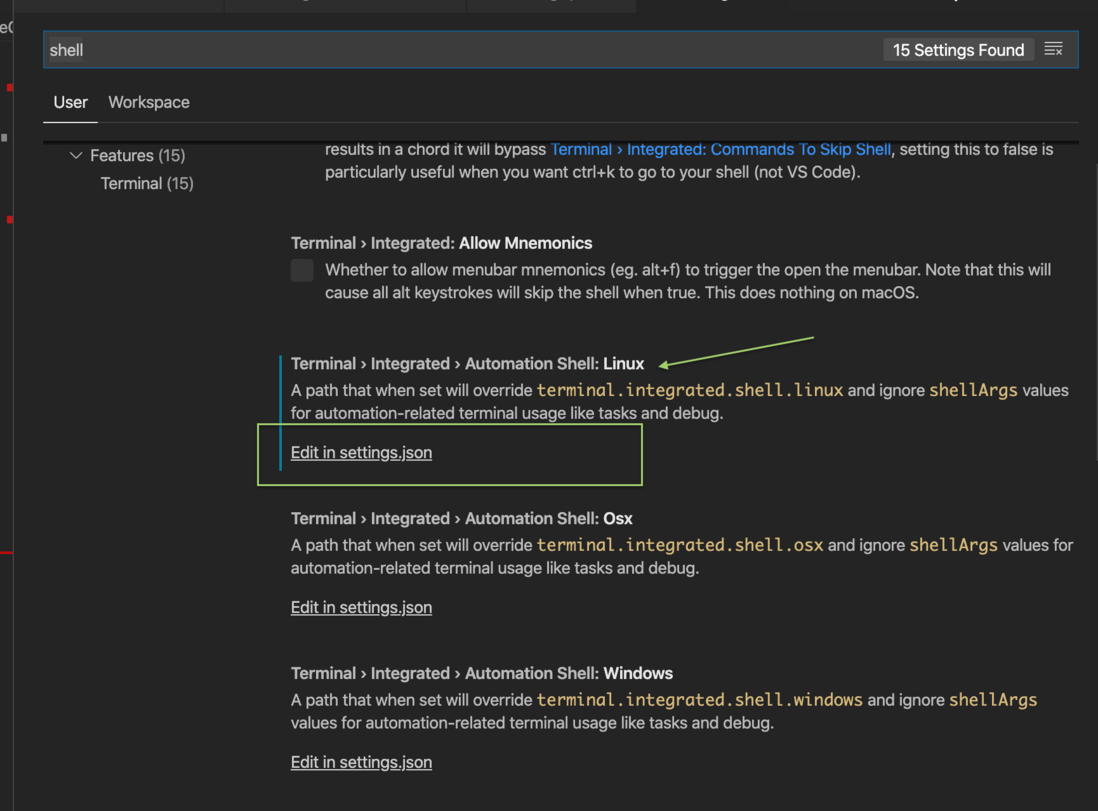
settings.json 文件主要内容如下(主要是增加 ‘.osx’ 和 ‘.linux’ 结尾的属性值):
{
    "editor.fontSize": 14,
    "files.autoSave": "onFocusChange",
    "git.autofetch": true,
    "window.zoomLevel": 0,
    "terminal.integrated.shell.osx": "/bin/zsh",
    "terminal.integrated.automationShell.linux": "/bin/zsh",
    "workbench.colorTheme": "Dark Chrome DevTools"
}
最后重启命令行,即可在 VSCode 运行 npm 等命令
评论
登录后参与技术讨论,分享你的经验与见解。
登录 / 注册暂无评论