Git and IDEA中设置Git笔记

文章目录
1.Git
Git安装
下载与安装
Windows和Mac系统, 可以直接从 http://git-scm.com/downloads 网址下载并运行安装程序.
设置全局变量
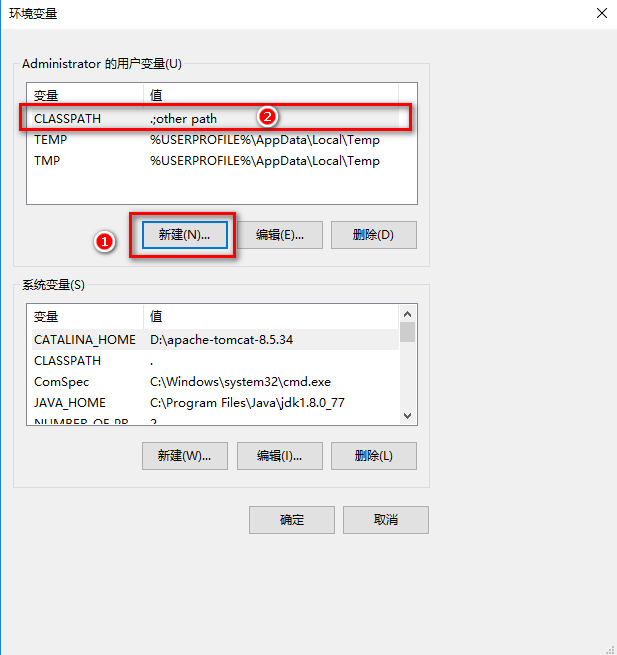
全局用户信息配置
配置用户和密码
$ git config --global user.name "your-name"
$ git config --global user.email "your-email@youremail.com"
检查配置信息
$ git config --list
user.email=xxxxxx@xxxxxx.com
user.name=xxxxxx
显示如图及成功!!!
2.IDEA中Git配置
2.1.查看配置


2.2.创建本地仓库

2.3.设置Git上传过滤文件
文件路径: E:\学习笔记\SpringBoot\Git图片
2.4.添置至暂存区

2.5.上传至Gitee


2.6.Commit(提交),Push(上传)

2.7.从Git上克隆项目

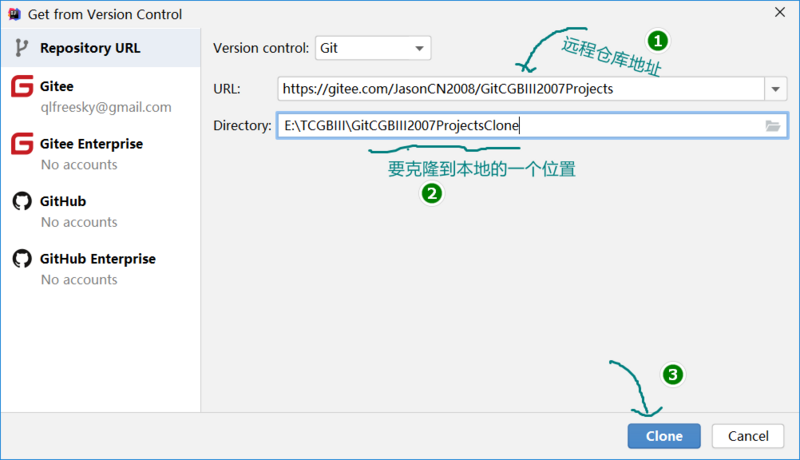

2.7.1.配置maven
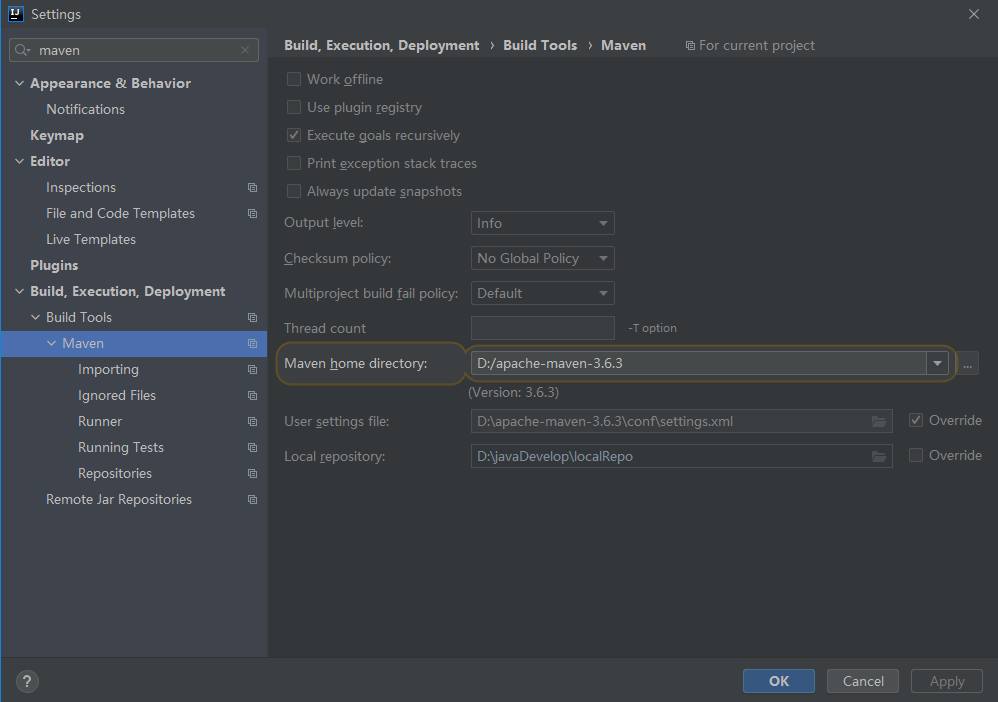
2.7.2.配置编码

2.7.3.配置自动编译

2.7.4.配置JDK


2.7.5.maven项目设置

2.7.6.JAVA项目配置
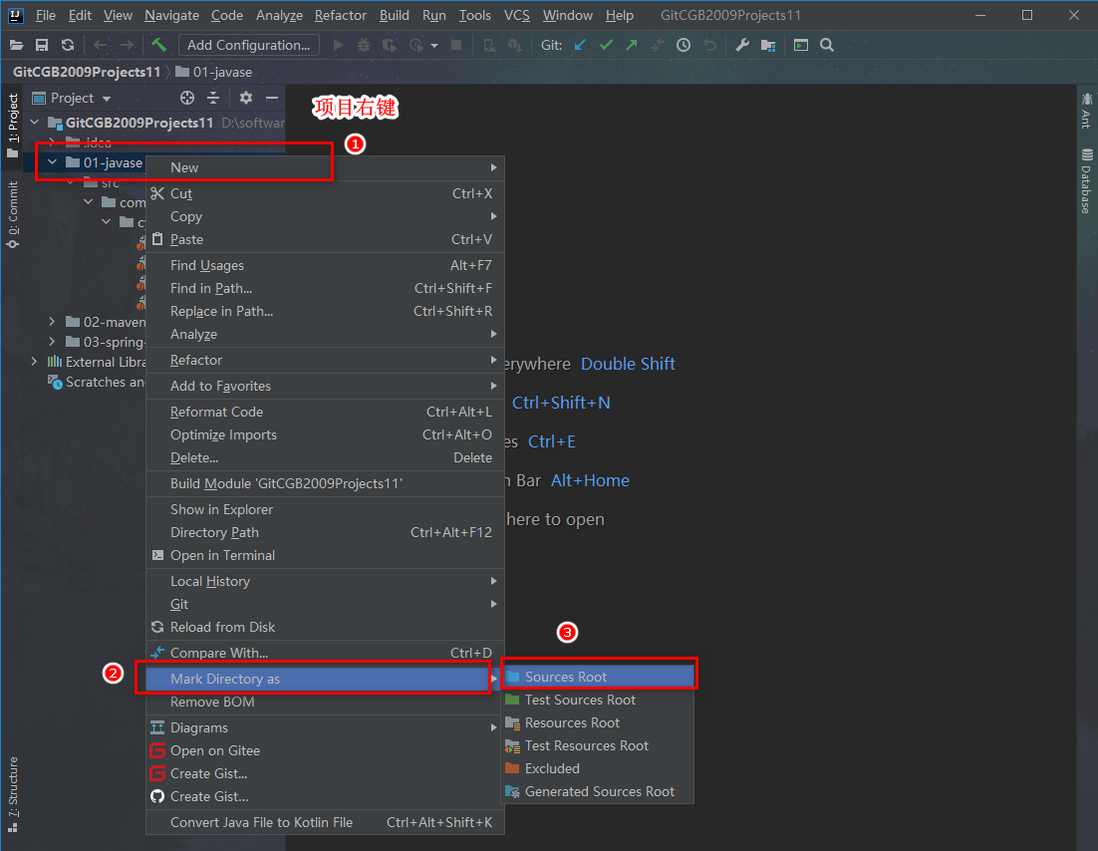
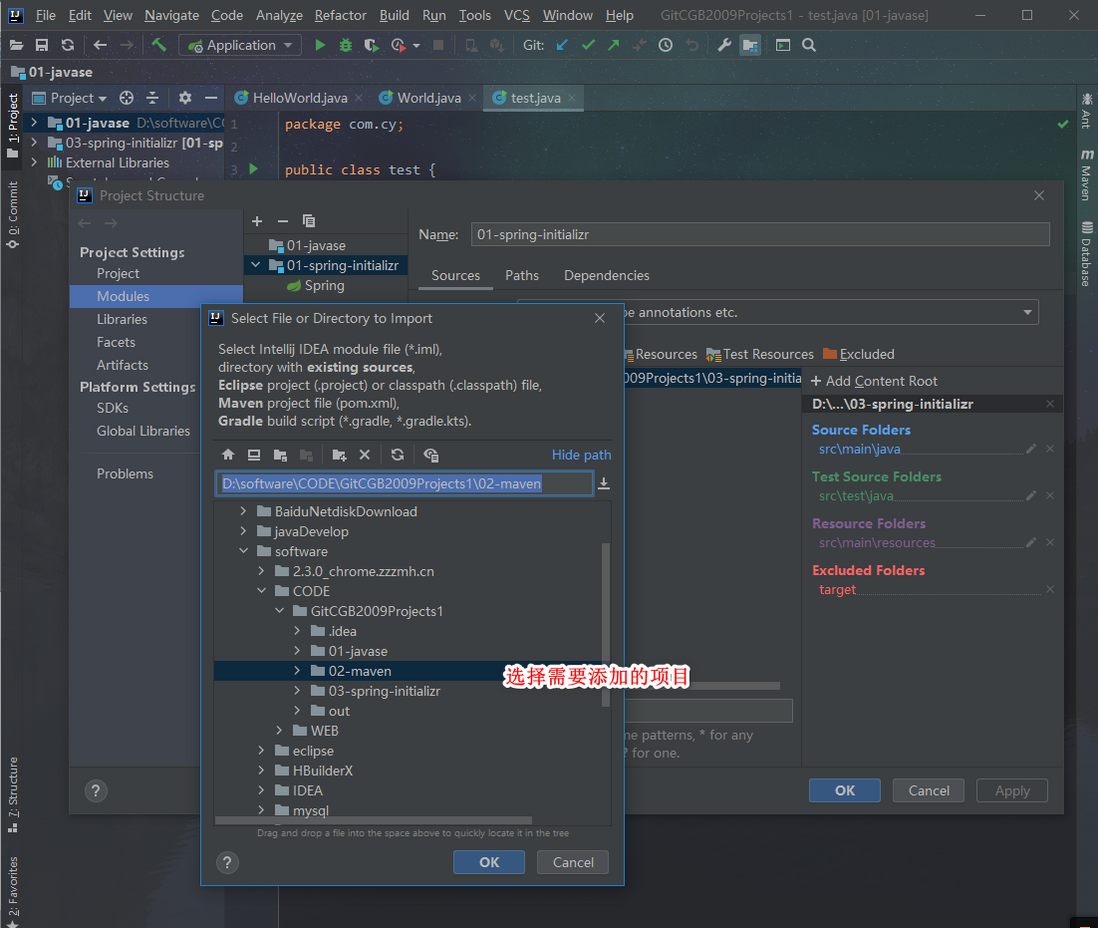
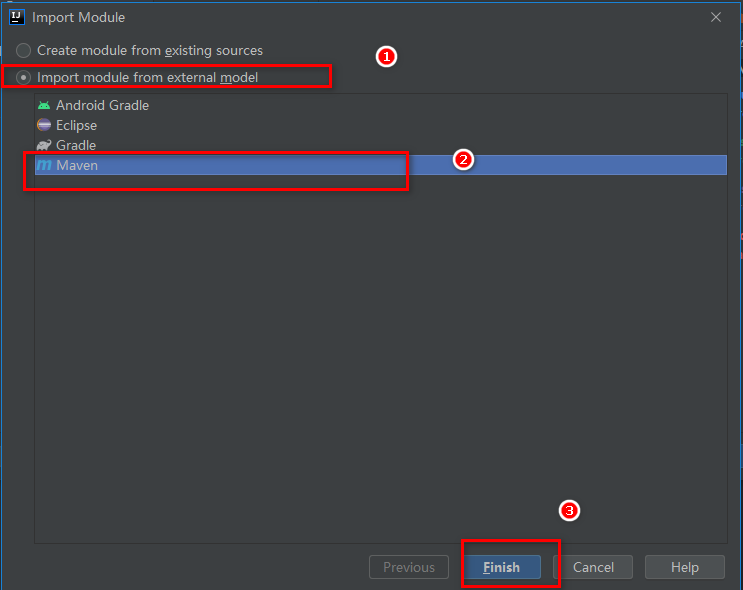
3.IDEA中添加maven项目

4.隐藏项目

评论
登录后参与技术讨论,分享你的经验与见解。
登录 / 注册暂无评论