VSCode 样式格式化

文章目录
在使用VSCode的插件进行less文件格式化的时候,发现会存在问题。
index.less
@prefix: test;

@{prefix}-input{
    color :red;
    width :     @base-with;
    height :         @base-height;
}

@base-size : 10px;
@base-with : @base-size + 2px;
@base-height : @base-with + 3px;
存在的问题
- 合并+号和数组
格式化后为:
@prefix: test;

@{prefix}-input {
    color: red;
    width: @base-with;
    height: @base-height;
}

@base-size : 10px;
@base-with : @base-size +2px;
@base-height : @base-with +3px;
编译后为

虽然没有报错,但是不是你想要的结果,如果要对变量做运算的话,则会报错
@base-height : @base-with * 2;
涉及的插件:

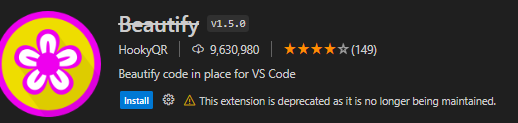


- @{prefix}和-中间会被插入空格
格式化后为:
@prefix: test;

@{prefix} -input {
  color: red;
  width: @base-with;
  height: @base-height;
}
@base-size: 10px;
@base-with: @base-size + 2px;
@base-height: @base-with + 3px;
编译后为:
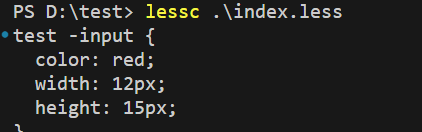
涉及的插件:

- 会拆分${prefix}
格式化后为:
@prefix: test;
@ {
    prefix
}

-input {
    color: red;
    width: @base-with;
    height: @base-height;
}

@base-size : 10px;
@base-with : @base-size + 2px;
@base-height : @base-with * 2;
编译失败:

涉及的插件:

- 格式化报错,CssSyntaxError: Unknown word
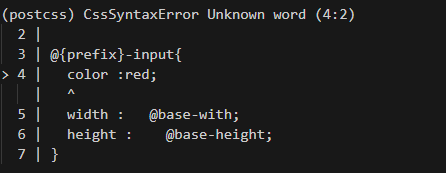
涉及的插件:
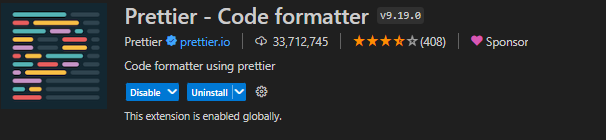
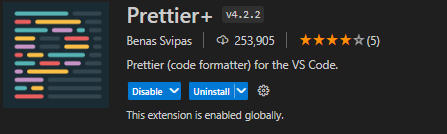
- 格式化报错,Now Validation Error
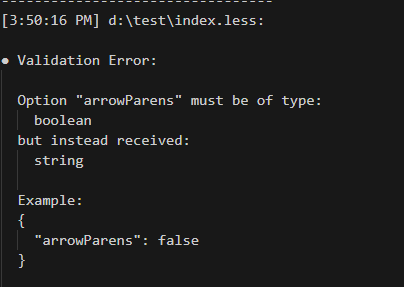
涉及的插件:
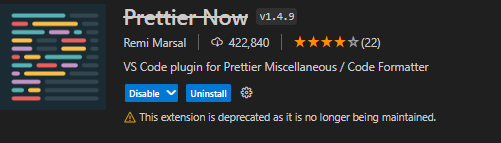
解决方案
基于js-beautify开发了一套VSCode插件,插件商店里搜索formats

格式化后为:
@prefix: test;

@{prefix}-input {
    color: red;
    width: @base-with;
    height: @base-height;
}

@base-size : 10px;
@base-with : @base-size + 2px;
@base-height : @base-with + 3px;
编译为:
评论
登录后参与技术讨论,分享你的经验与见解。
登录 / 注册暂无评论