Docker registry搭建

文章目录
1、创建Docker registry container的命令:
docker run -d -p 5000:5000 registry
2、容器启动之后,访问http://ip:5000,可以看到:
"\"docker-registry server\""
3、给镜像打标签将它指向你的registry
docker tag 1e6ed717014b localhost:5000/donhui/jenkins
其中1e6ed717014b 是镜像id
4、Push镜像到registry
docker push localhost:5000/donhui/jenkins
5、从registry Pull镜像
docker pull localhost:5000/donhui/jenkins
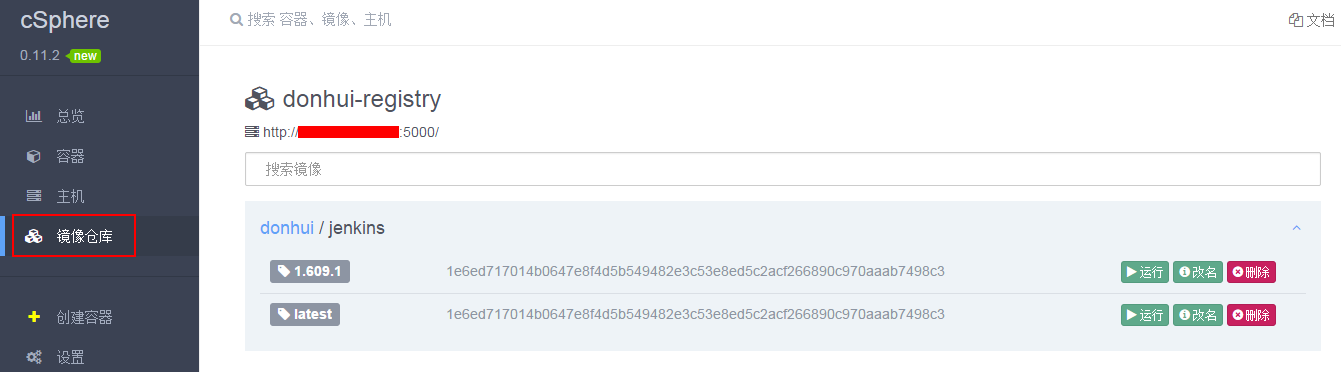
使用csphere在resistry中查看镜像:
注意:registry:latest代表deprecated registry,同时Docker Registry HTTP API 也有V1和V2版本。
The tags >= 2 refer to the new registry.
Older tags refer to the deprecated registry.

参考:
http://docs.docker.com/registry/
https://registry.hub.docker.com/_/registry/
其他:
下面这篇关于docker registry的文章很不错
http://seanlook.com/2014/11/13/deploy-private-docker-registry-with-nginx-ssl/
评论
登录后参与技术讨论,分享你的经验与见解。
登录 / 注册暂无评论