加载js失败的解决方法

文章目录
加载静态资源(css/js等)遇到的错误
Failed to load resource: the server responded with a status of 404 ()
GET http://localhost:8080/static/js/jquery-3.3.1.min.js net::ERR_ABORTED 404
解决方案
1 解决方法(isELIgnored="false")
出现问题的片段为:
<script src="${pageContext.request.contextPath }/static/js/jquery-3.3.1.min.js"></script>
加入isELIgnored="false"
<%@ page contentType="text/html;charset=UTF-8" language="java" isELIgnored="false" %>
然后重启服务器看看会不会还报这个错
2 解决方法(检查springmvc.xml配置/是否存在静态资源拦截)
若使用SSM框架,请检查:
-
springmvc.xml是否正常加载? -
springmvc.xml加载了使用漏写<mvc:resources>对静态资源服务。具体做法参考How to use CSS, JavaScript and Images in Spring MVC | Java Web Tutor
3 解决方法(IDEA out目录是否存对应静态资源)
对于使用了IDEA的朋友,请检查是否out目录是否存在对应的js、css等静态文件。
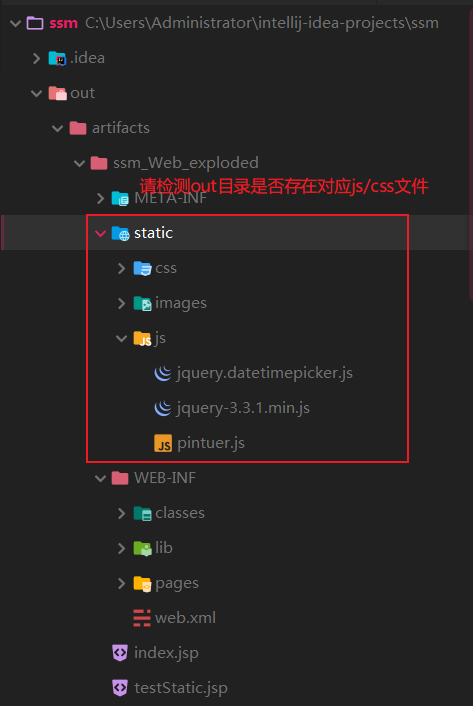
若没有,请打开Project Structure,添加静态文件所在目录到Artifacts -> Output Layout中的<output root>下。
我目前的添加的static文件夹,因此我要添加static到<output root>
做法如下:

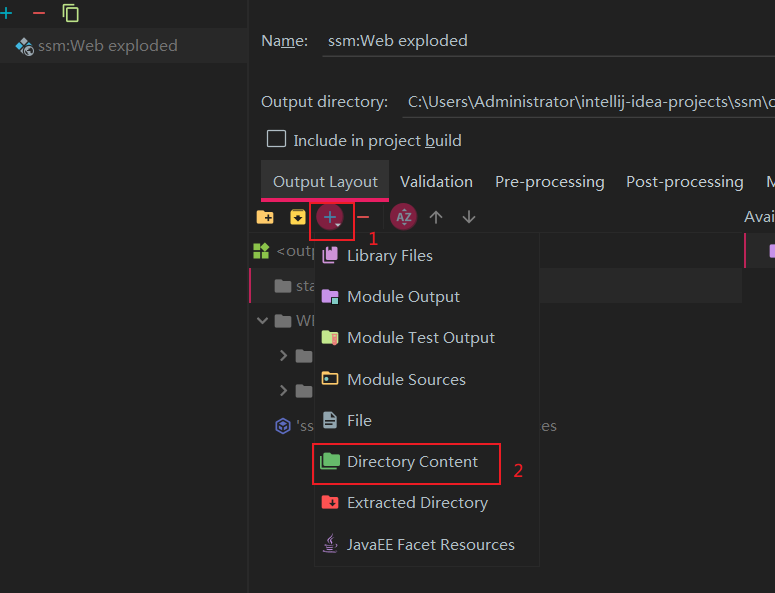
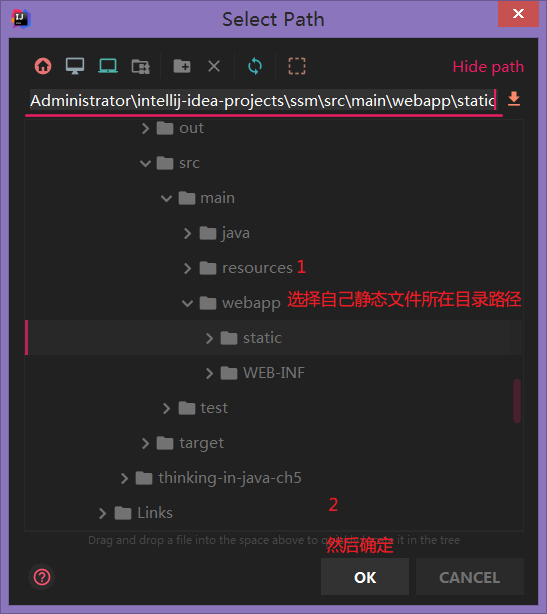

重启TOMCAT即可。
评论
登录后参与技术讨论,分享你的经验与见解。
登录 / 注册暂无评论