注册表的方式
使用注册表的方式,通过注册表协议即可调用相应的桌面exe
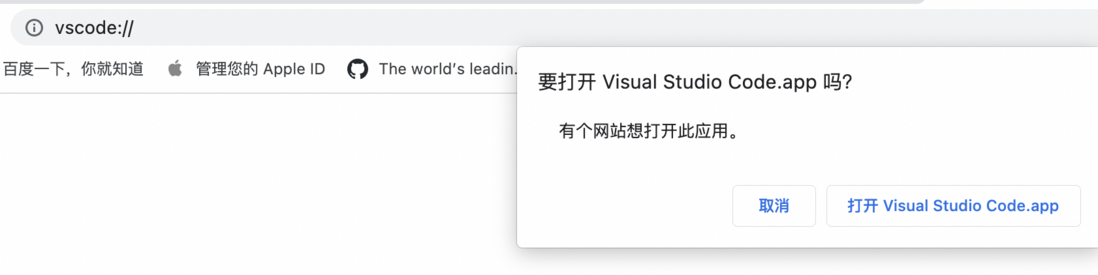
- 如在浏览器输入
vscode:// ,回车之后即可出现如下的页面
如何编写一个注册表
1.编写reg文件,定义注册表的协议及目标exe的文件位置
Windows Registry Editor Version 5.00

[HKEY_CLASSES_ROOT\toy]
"URL Protocol"=""
@="URL:toy"

[HKEY_CLASSES_ROOT\toy\shell]

[HKEY_CLASSES_ROOT\toy\shell\open]

[HKEY_CLASSES_ROOT\toy\shell\open\command]
@="\"D:\\下载\\ChromeSetup.exe\" \"%1\""
2. 点击toy.reg,出现如下界面

3. 在注册表中查看
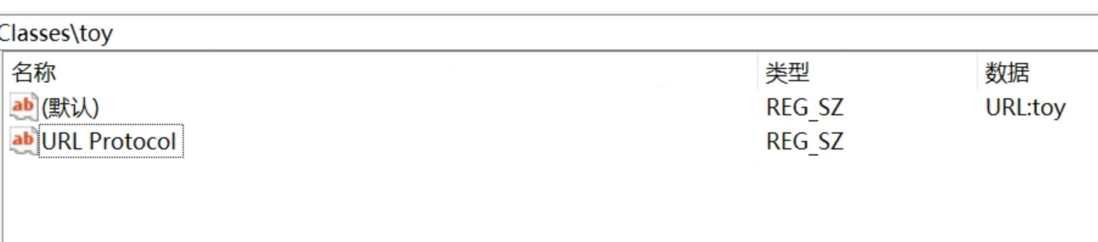
4. 浏览器中输入toy://, 出现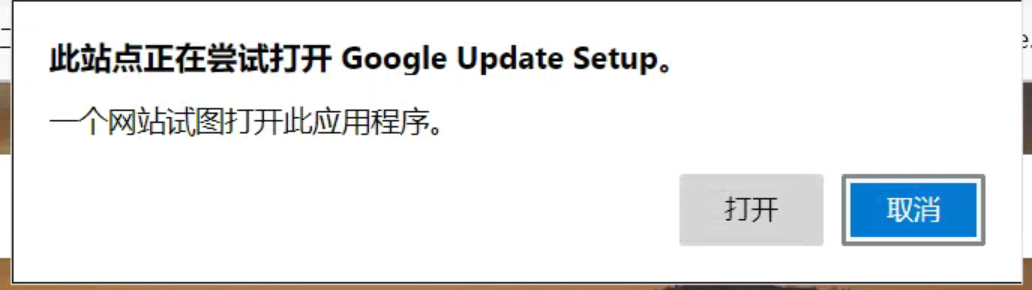
5. 页面中调用
 const aLink = document.createElement('a');
 aLink.href = 'toy://startSession';
 document.body.append(aLink);
 setTimeout(() => {
   aLink.click();
   document.body.removeChild(aLink);
 }, 100);

评论
登录后参与技术讨论,分享你的经验与见解。
登录 / 注册暂无评论