xshell免费版下载安装

文章目录
1.进入首页
2.点击free license
鼠标放在Download,点击free License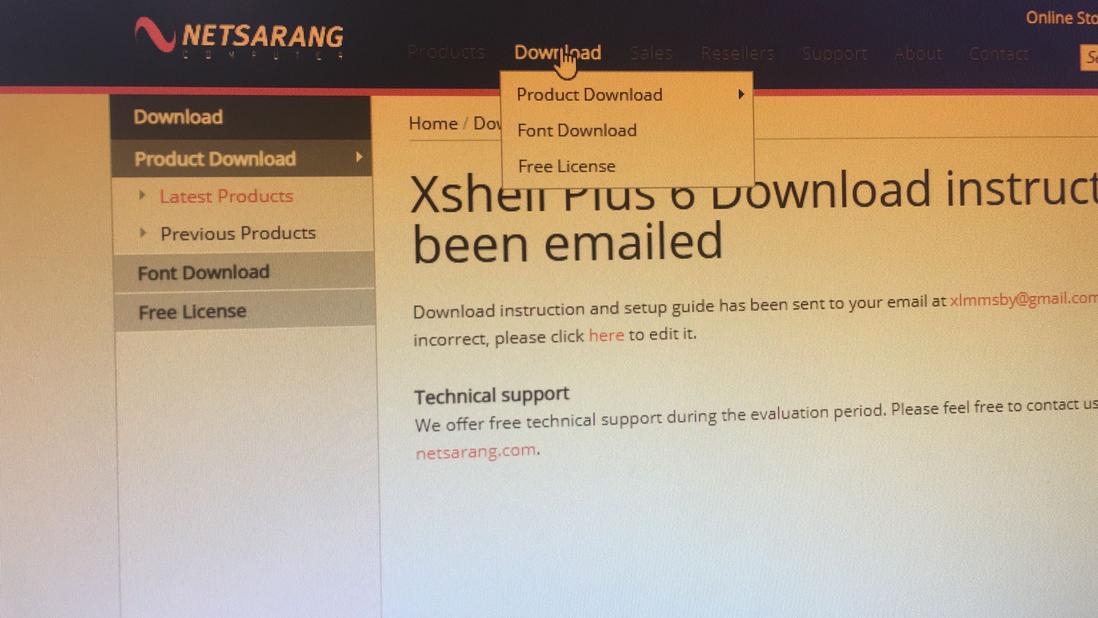
3.点击要下载的xshell或xftp Download
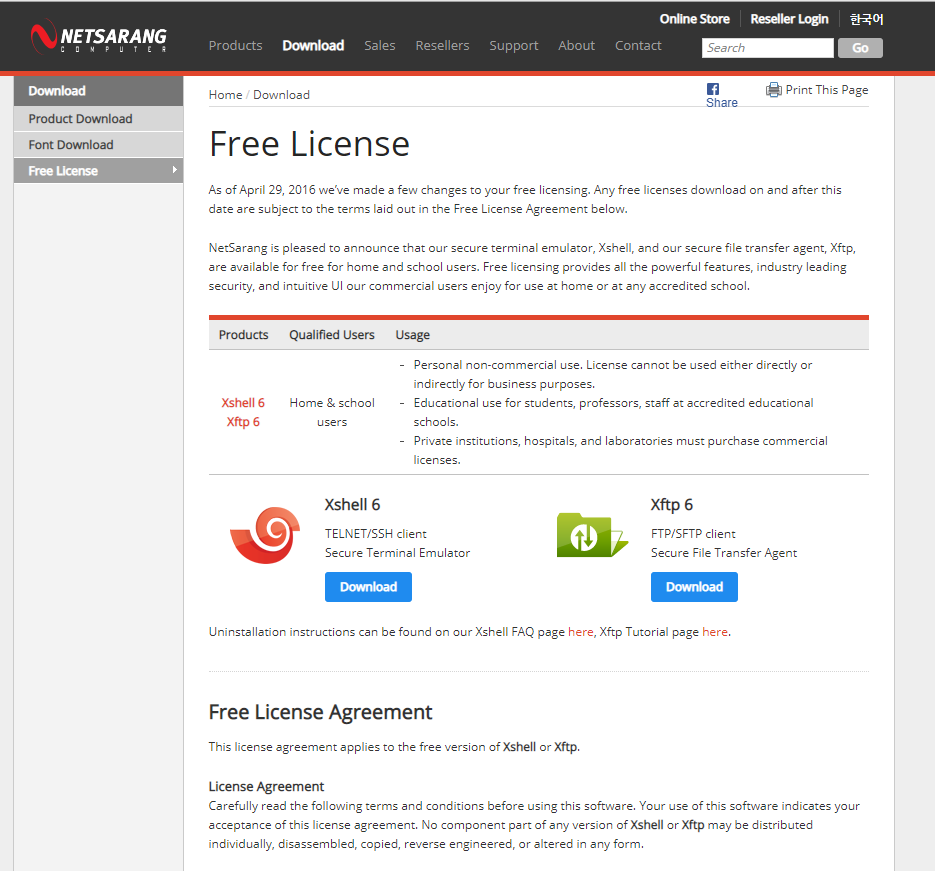
4.填写信息
选择Home and school use
填写名字和邮箱(用户接收xshell或xftp下载地址)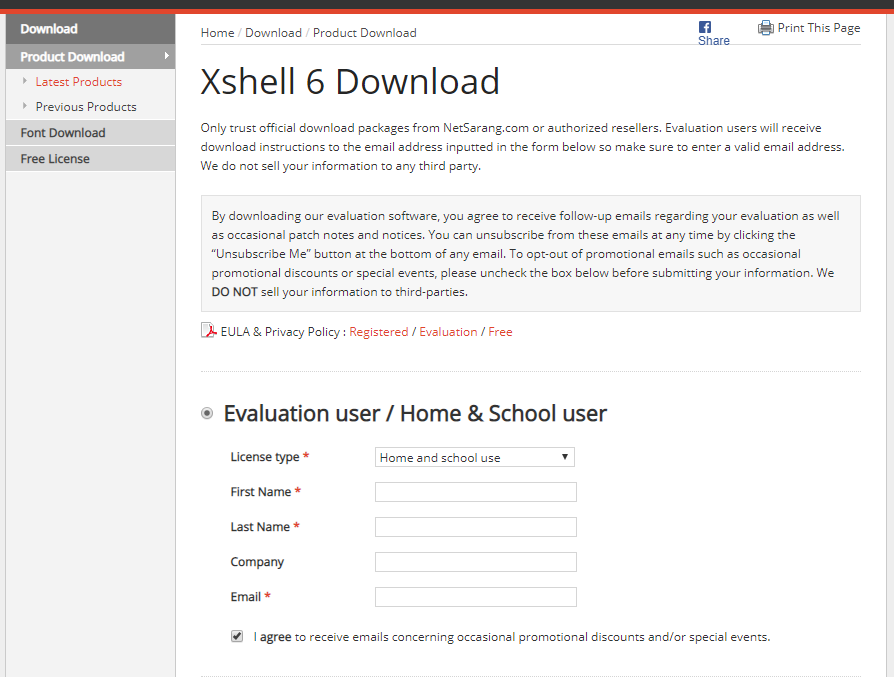
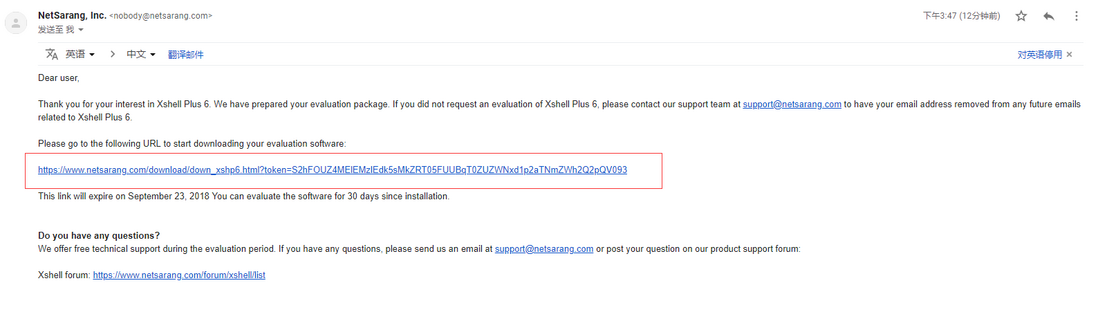
5.查看邮箱的xshell火xftp下载地址
鼠标放在Download,点击free License
选择Home and school use
填写名字和邮箱(用户接收xshell或xftp下载地址)
评论
登录后参与技术讨论,分享你的经验与见解。
登录 / 注册暂无评论