eclipse 设置jsp默认编码为UTF-8

文章目录
在eclipse中这样设置:
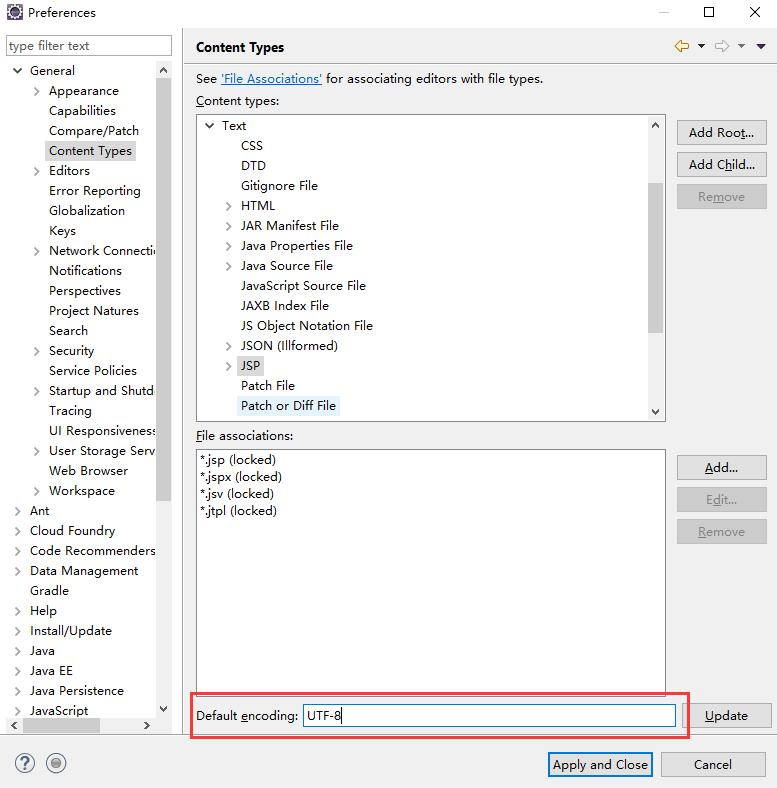
Window->Preferences->General ->Content Type->Text->JSP 最下面设置为UTF-8
Window->Preferences->General->Workspace 面板Text file encoding 选择UTF-8

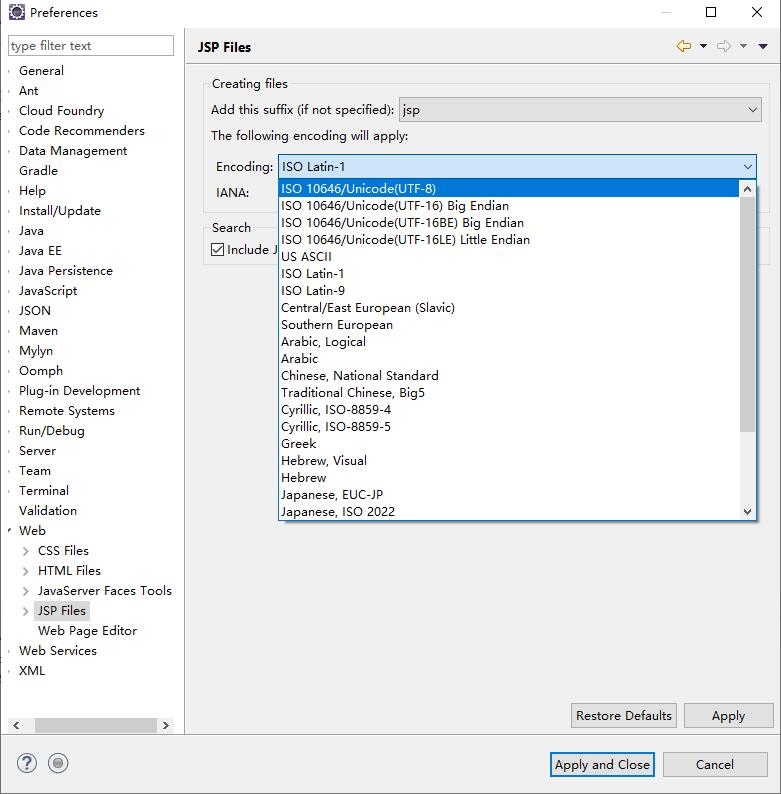
Window->Preferences->Web->JSP Files 面板选择 ISO 10646/Unicode(UTF-8)
在eclipse中这样设置:
Window->Preferences->General ->Content Type->Text->JSP 最下面设置为UTF-8
Window->Preferences->General->Workspace 面板Text file encoding 选择UTF-8
Window->Preferences->Web->JSP Files 面板选择 ISO 10646/Unicode(UTF-8)
评论
登录后参与技术讨论,分享你的经验与见解。
登录 / 注册暂无评论