Oracle VM VirtualBox 安装 Centos7

文章目录
准备好centos镜像文件,可以到官网 https://www.centos.org/ 下载
安装好virtualBox 可以到官网 https://www.virtualbox.org/ 下载
新建虚拟机

通常都是下一步,注意磁盘选项


创建完成后,设置镜像文件

启动虚拟机,开始安装

选择 Install Centos7 并选择语言(语言可以修改) 点击 下一步,进行以下相关配置

注意分区,点击 system 中的 installation destination

选择 i will configure partitioning 自己配置分区

然后点击 Done 及 accept changes

返回主页,点击 begin installation 开始安装

安装过程中,设置root密码及创建用户
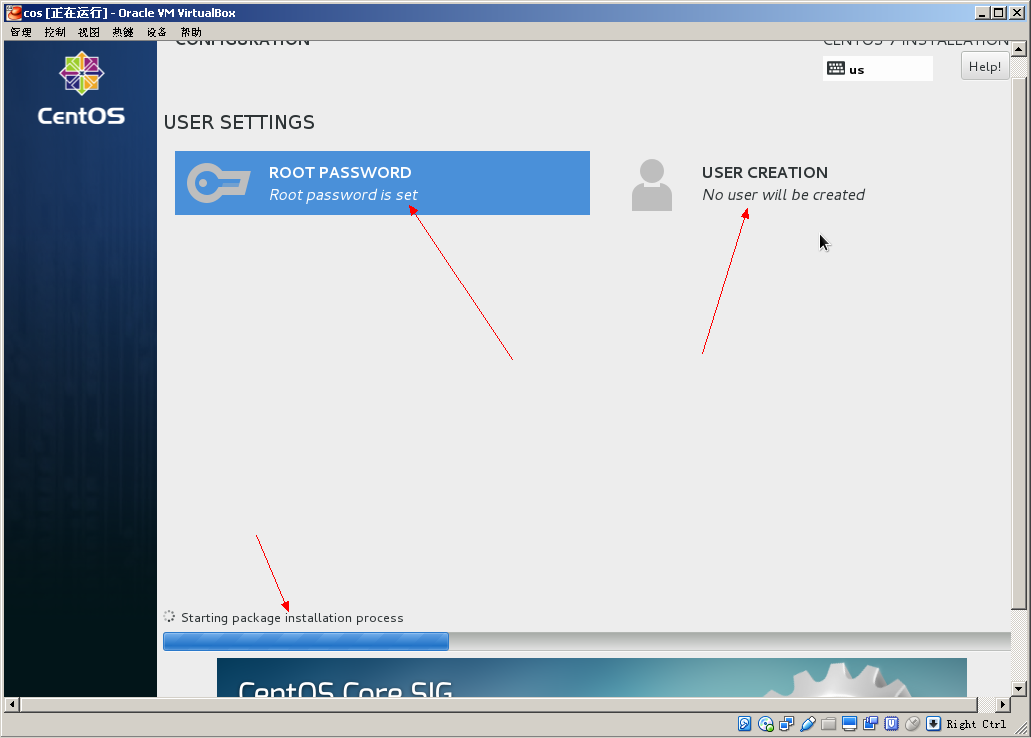
- 安装完成后,需要 reboot 重启

- centos安装到此结束,开始使用吧

为Api而生,为框架而死,为bug奋斗一辈子! 吃符号的亏,上大小写的当,最后死在需求上!
评论
登录后参与技术讨论,分享你的经验与见解。
登录 / 注册暂无评论