emacs插件(6)——录屏 gif-screencast

文章目录
一、参考
二、依赖安装(MacOS)
2.1 安装imagemagick
brew install imagemagick或者
出现问题:
(1)依赖版本问题
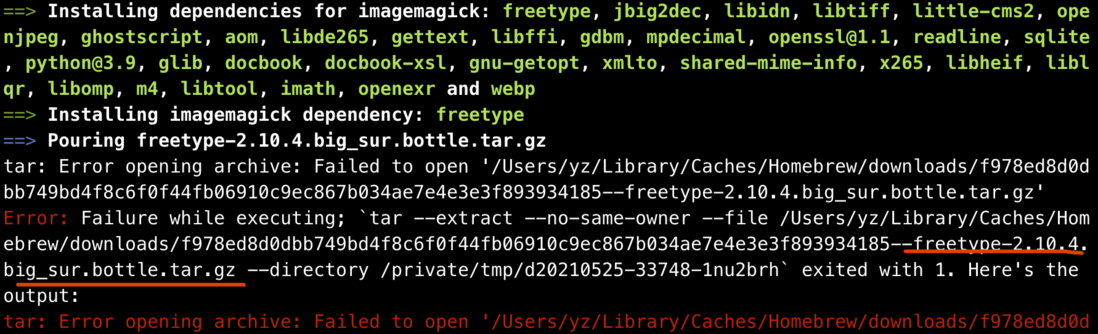
我的解决方式是重新安装brew,详见重新安装brew
注:我选择的是科大源

2.2 安装 ffmpeg
brew install ffmpeg
2.3 安装 gifsicle
brew install gifsicle三、配置使用
3.1 配置 init.el

(with-eval-after-load 'gif-screencast
  (setq gif-screencast-args '("-x")) ;; To shut up the shutter sound of `screencapture' (see `gif-screencast-command').
  (setq gif-screencast-cropping-program "mogrify") ;; Optional: Used to crop the capture to the Emacs frame.
  (setq gif-screencast-capture-format "ppm")) ;; Optional: Required to crop captured images.
3.2 常用的命令
| 命令 | 说明 |
|---|---|
M-x gif-screencast | 开始录制 |
M-x gif-screencast-toggle-pause | 暂停录制 |
M-x gif-screencast-stop | 停止录制 |
注意:默认的保存路径是 ~/Videos/emacs
评论
登录后参与技术讨论,分享你的经验与见解。
登录 / 注册暂无评论