shiro+自定义注解解决权限问题(毕设校园交流平台权限更正)

文章目录
毕设(校园交流平台)权限修正
日常求赞,感谢老板。欢迎关注公众号:其实是白羊。干货持续更新中......
前段时间把毕设部署到了线上,果然当时懒惰没认真做权限,部署完没多久就被大佬看破了然后
好吧然后我就趁今天有时间修复下。
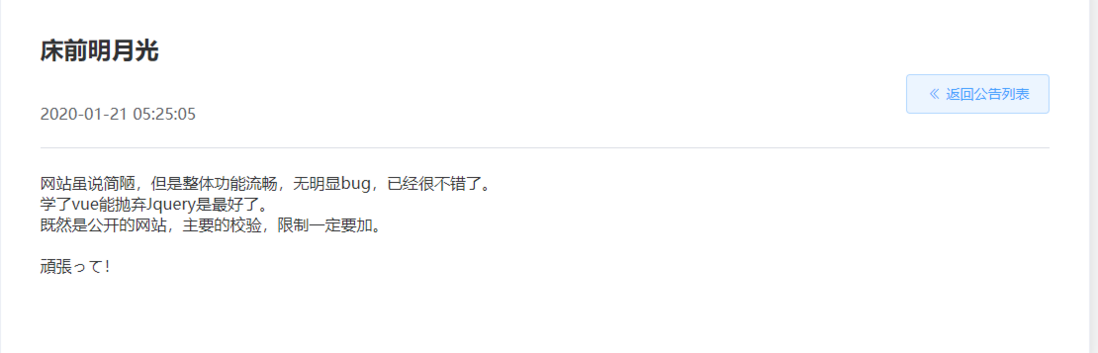
先说下现状
当时为了懒省劲(大家别学我)只在user表上加了一个字段判断是否管理员身份,权限上只在部分接口上加了,现在想起来还真是漏洞百出。
其实就管理员和普通用户两种角色,但由于后端权限未做全导致现在存在的问题:
- 管理员权限泄露
- 普通用户存在数据权限越权危险
想怎么做
-
- 由于之前引入了shiro框架,针对用户角色的限制可已通过增加shiro中自定义Realm来实现(之前没写),然后在只能管理员调用的接口前增加相应的注解来实现。
@Override protected AuthorizationInfo doGetAuthorizationInfo(PrincipalCollection principalCollection) { String userName = (String) principalCollection.getPrimaryPrincipal(); User user = iservice.getUserByUserName(userName); if (user != null && user.getAdmin() != null && StringUtils.equals(user.getAdmin(), Constant.ROLE_ADMIN)) { SimpleAuthorizationInfo authorizationInfo = new SimpleAuthorizationInfo(); authorizationInfo.addRole(Constant.ROLE_ADMIN); return authorizationInfo; } return null; }@RequiresRoles(Constant.ROLE_ADMIN)这里遇到了个问题:调用使用了@RequireRoles的接口时并未进入授权方法,解决办法:
在spring-mvc注解中加入下面代码:
<!--用来管理shiro一些bean的生命周期--> <bean id="lifecycleBeanPostProcessor" class="org.apache.shiro.spring.LifecycleBeanPostProcessor"/> <bean class="org.springframework.aop.framework.autoproxy.DefaultAdvisorAutoProxyCreator" depends-on="lifecycleBeanPostProcessor"> <property name="proxyTargetClass" value="true" /> </bean> <bean class="org.apache.shiro.spring.security.interceptor.AuthorizationAttributeSourceAdvisor"> <property name="securityManager" ref="securityManager"/> </bean>- 到这里如果被加上@RequireRoles的接口被访问时没相应的角色,会抛出UnauthorizedException异常,改到这里又发现还没做统一异常处理,这里稍微做个满足需求简单的:
public class MyExceptionHandler implements HandlerExceptionResolver {
    @Override
    public ModelAndView resolveException(HttpServletRequest httpServletRequest, HttpServletResponse httpServletResponse, Object o, Exception e) {
        ModelAndView modelAndView = new ModelAndView();
        Map<String, Object> result = new HashMap<>(4);
        if (e instanceof UnauthorizedException) {
            result.put("success", false);
            result.put("message", "抱歉您无此权限");

        }else {
            //这里应该使用统一返回数据格式,不应该每次都这样拼装
            result.put("success", false);
            result.put("message", "系统错误请联系管理员");
        }
        FastJsonJsonView view = new FastJsonJsonView();
        view.setAttributesMap(result);
        modelAndView.setView(view);
        return modelAndView;
    }
}
<!--统一异常处理-->
<bean class="com.zll.ccp.config.MyExceptionHandler"/>-
针对普通用户只能操作自己的相关资源:
-
创建注解@RequireOwn并加在需要判断是否操作的是自己资源的接口上
@Target({ElementType.METHOD}) @Retention(RetentionPolicy.RUNTIME) @Documented public @interface RequireOwn { //资源类型 ResourceType resourceType(); //资源的唯一身份认证在参数的位置 int keyIndexOf() default 0; }- 然后编写intercepter在调用具体接口前通过反射查看相应的接口方法上是否有@RequireOwn注解,并判断身份是否符合。
-
public boolean preHandle(HttpServletRequest request, HttpServletResponse response, Object handler) throws Exception {
        if (handler instanceof HandlerMethod) {
            HandlerMethod handlerMethod = (HandlerMethod) handler;
            Method method = handlerMethod.getMethod();
            RequireOwn requireOwn = method.getDeclaredAnnotation(RequireOwn.class);
//            RequireOwn requireOwn = method.getAnnotation(RequireOwn.class);
            HttpSession session = request.getSession();
            if (requireOwn != null && !(boolean) session.getAttribute(Constant.ROLE_ADMIN)) {
                //有注解且不是管理员则需要验明正身
                //真正的身份
                String userId = (String) session.getAttribute("userId");
                String parameter = request.getParameter(requireOwn.paramName());
                String userKey = getResourceOwnId(requireOwn, parameter);
                if (!StringUtils.equals(userId, userKey)) {
                    throw new UnauthorizedException();
                }
            }
        }
        return true;
    }
/**
     * 根据注解提供的资源类型和获取到的参数获得该资源真正拥有者的身份id
     * @param requireOwn 注解类
     * @param key 资源id
     * @return
     */
    private String getResourceOwnId(RequireOwn requireOwn,String key) {
        String userKey="";
        ResourceType resourceType = requireOwn.resourceType();
        switch (resourceType) {
            case blog:
                Blog blog = blogMapper.getBlogById(key);
                if (blog!=null){
                    userKey = blog.getUserId();
                }
                break;
            case comment:
                BlogComment blogCommentsId = blogCommentMapper.getBlogCommentsId(key);
                if (blogCommentsId!=null) {
                    userKey = blogCommentsId.getUserId();
                }
                break;
            case reply:
                BlogReply blogReplyByid = blogReplyMapper.getBlogReplyByid(key);
                if (blogReplyByid != null) {
                    userKey = blogReplyByid.getFromUserId();
                }
                break;
            case theme:
                Theme themeById = themeMapper.getThemeById(key);
                if (themeById != null) {
                    userKey = themeById.getUserid();
                }
                break;
            case main:
                MainPosts mainById = mainPostsMapper.getMainById(key);
                if (mainById!=null) {
                    userKey=mainById.getUserid();
                }
                break;
            default:
                MinorPosts minorById = minorPostsMapper.getMinorById(key);
                if (minorById!=null) {
                    userKey=minorById.getUserid();
                }
        }
        return userKey;
    }
3. 对于一些如参数是json类型的由于数量很少就直接修改原来代码了。
总结
至此完成了权限的修正
项目地址:校园交流平台本文源码:ccp
欢迎star
日常乞讨
- 如果你认为本文对你有帮助,还请「在看/转发/赞/star」,多谢
- 如果你还发现了更好或不同的想法,还请在留言区不吝赐教,一起探讨交流修改,万分感谢
欢迎持续关注公众号:「其实是白羊」
评论
登录后参与技术讨论,分享你的经验与见解。
登录 / 注册暂无评论