SAP Commerce Cloud Spartacus UI 修改 primary color 的方法

文章目录
解答
The easiest and recommended way to override basic primary colors, as of version 4.0, is by changing the compiled values of the CSS variables. But change them inside a CSS body selector, instead of a :root selector.
Example of storefrontapp/src/styles.scss file:
/* You can add global styles to this file, and also import other style files */

$styleVersion: 4.0;
@import '~@spartacus/styles/index';

$useLatestStyles: true;

@import '@spartacus/styles';
@import '@spartacus/styles/scss/theme/santorini';

body {
  --cx-color-primary: green;
  --cx-color-seconday: #8aa39b;
  --cx-color-text: #5c6f68;
  --cx-color-background: #95d9c3;
  --cx-color-dark: #a4f9c8;
}
生效了: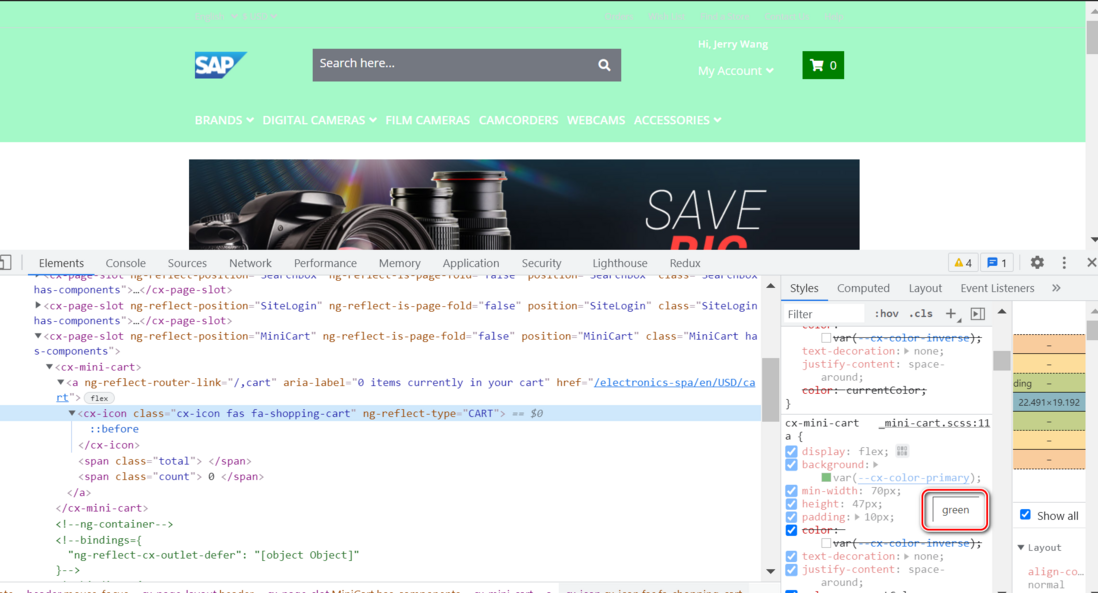
评论
登录后参与技术讨论,分享你的经验与见解。
登录 / 注册暂无评论