Linux进阶 - 查找文件

文章目录
3.17 查找文件
locate: 快速查找
查找指定文件
# 查看名为restart.sh的文件
locate restart.sh
# /usr/local/qcloud/stargate/admin/restart.sh
查找指定目录下以某个字符串开头的文件
# 例如,查找`/root/.ssh`目录下以"id_rsa"开头的所有文件
locate /root/.ssh/id_rsa
# /root/.ssh/id_rsa
# /root/.ssh/id_rsa.pub
利用正则表达式查找指定模式的文件
# 使用-r选项查找以"sh"结尾的文件或目录
locate -r sh$
find命令
根据文件名查找
# 我们使用`-name`参数指定了文件名
find -name "new_file"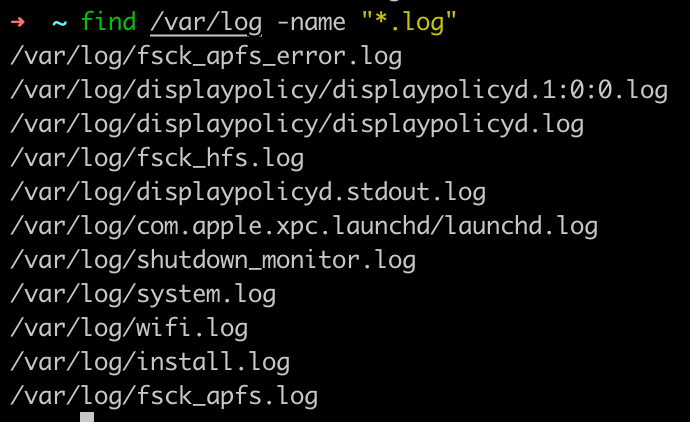
根据文件大小查找
# 查找/var/log目录下大于10m的文件,-10m就是小于10m。
find /var/log -size +10M
根据文件最近访问时间查找
# 查找近7天内访问的文件
find -name "*.txt" -atime -7根据文件类型查找d: dirf: file
# 查找目录
find . -name "new_file" -type d
高级搜索
# 查找的结果根据固定格式打印输出
# %p:文件名
# %u:文件所有者
find . -name "*.txt" -printf "%p - %u\n"
exec 调用命令
使用exec参数可以后接一个命令,对每个查找到的文件进行操作exec是execute的缩写,是执行的意思
# 假如要将one目录下所有查找到的txt文件的访问权限都改为600
find one -name "*.txt" -exec chmod 600 {} \
4.1 正则表达式和数据操作
grep命令: 筛选数据
grep的功能简单的说就是在文件中查找关键字,并显示关键字所在的行。grep path /etc/profile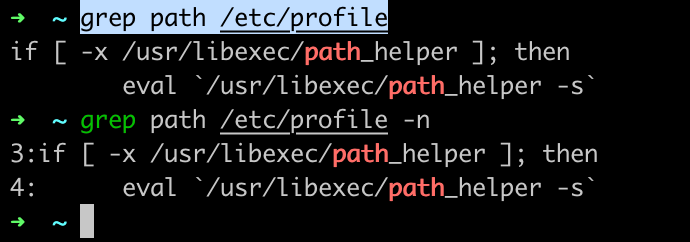
-i: 忽略大小的ignore-n: 显示行号-r: 在所有子目录和子文件中查找,recursive递归
# 在folder目录的所有子目录和子文件中查找Hello World这个文本
grep -r "Hello World" folder/grep高级用法,配合正则表达式使用
-E: 使用正则表达式
grep -E Path /etc/profile
# 查找path开头的字符
grep -E ^path /etc/profile
# 查找Path或path的字符
grep -E [Pp]ath /etc/profile
# 搜索0-4之间的任意数字
grep -E [0-4] /etc/profile
# 搜索a-z或A-Z之间的任意字符
grep -E [a-zA-Z] /etc/profilesort为文件排序
# 排序后原文件顺序不变
sort name.txt
# 将排序后的内容写入到新文件
sort -o name_sorted.txt name.txt
# 倒叙排序
sort -r name.txt
# 随机排序
sort -R name.txt
# 对数字进行排序
sort -n number.txt
wc命令:文件的统计
wc命令貌似是用来统计单词数目的,但其不止于此。wc命令还可以用来统计行数,字符数,字节数等。
wc name.txt
uniq删除文件中重复的内容
# 去除重复内容后将内容写入unique.txt文件中
uniq repeat.txt unique.txt
评论
登录后参与技术讨论,分享你的经验与见解。
登录 / 注册暂无评论