canvas 学习笔记

文章目录
canvas Api 汇总
canvas 元素属性
| 属性 | 简介及说明 | 默认值 | |
|---|---|---|---|
| width | 容器宽度 | 300 | |
| height | 容器高度 | 150 |
canvasRenderingContext2D 对象所含属性
| 属性 | 简介及说明 | |
|---|---|---|
| canvas | 指该绘图环境所属的canvas对象,常用于获取canvas的宽度和高度,context.canvas.width与context.canvas.height | |
| fillStyle | 指该绘图环境在后续图形填充中所使用的样式。颜色、渐变色或图案 | |
| strokeStyle | 指该绘图环境在后续图形描边所使用的样式。颜色、渐变色或图案 | |
| font | 指该绘图环境在后续 fillText() 或 strokeText() 字体中所使用的字体样式、大小 | |
| globalAlpha | 全局透明度 0~1 | |
| lineCap | 绘制线段端点类型 butt、round、square。默认为butt | |
| lineWidth | 绘制线段宽度 | |
| lineJoin | 绘制线段焦点,bevel、round、miter。默认为miter |
输出一个文本
<canvas id="canvas" width="500" height="500"></canvas>

<script>
    var canvas = document.getElementById('canvas');
    var context = canvas.getContext('2d');
    context.font = '40pt Arial';
    context.fillStyle = 'orange';
    context.strokeStyle = 'red';
    context.fillText('Hello world',canvas.width/2-150,canvas.height/2+15);
    context.strokeText('Hello world',canvas.width/2-150,canvas.height/2+15);
</script>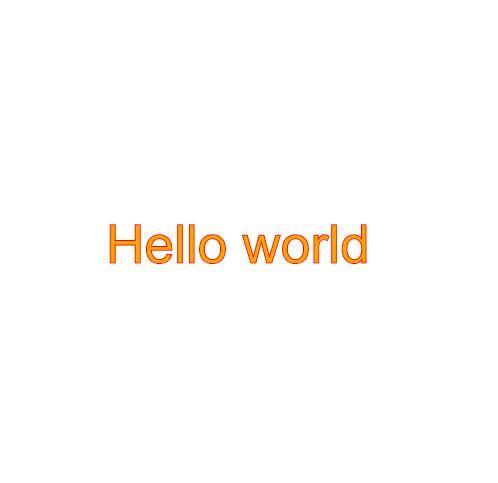
https://gitee.com/BarackHusseinObama/canvasDemo/blob/master/chapter1/index.html
评论
登录后参与技术讨论,分享你的经验与见解。
登录 / 注册暂无评论