Xcode 建立 UIKit 项目(Hello World)

文章目录
Xcode 建立 UIKit 项目(Hello World)
新建 StoryBoard 项目
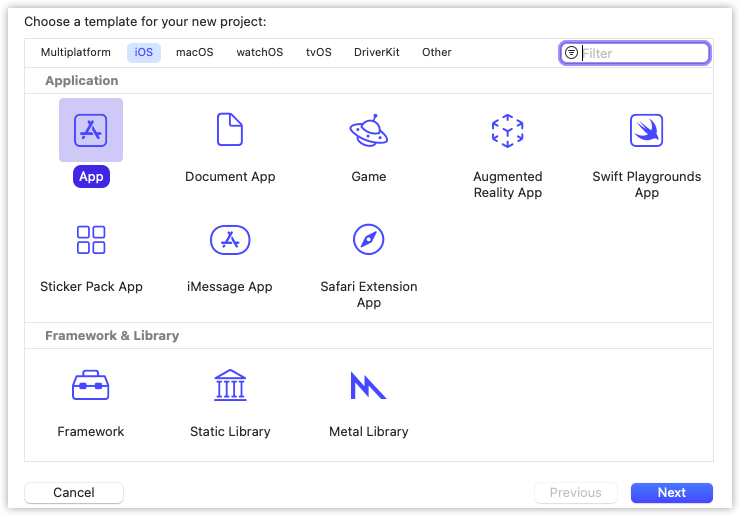
新建工程 File>New>Project

选择 App 然后 next
写下自己的项目名,这里我写 Test
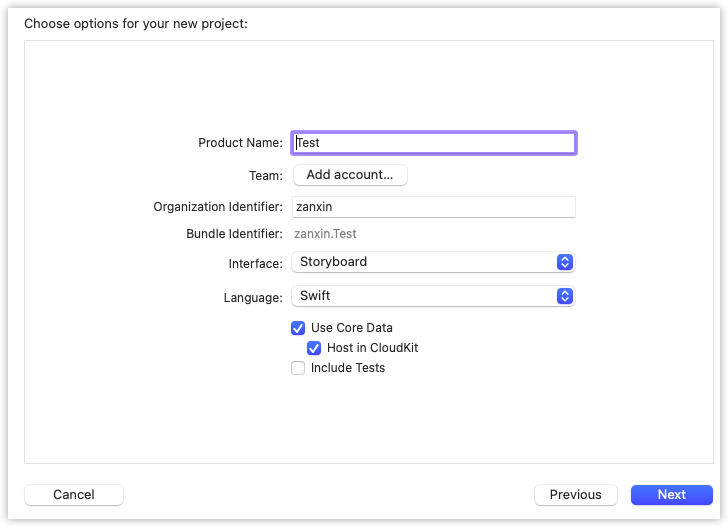
界面选择 StoryBoard

StoryBoard 与 controller 的绑定
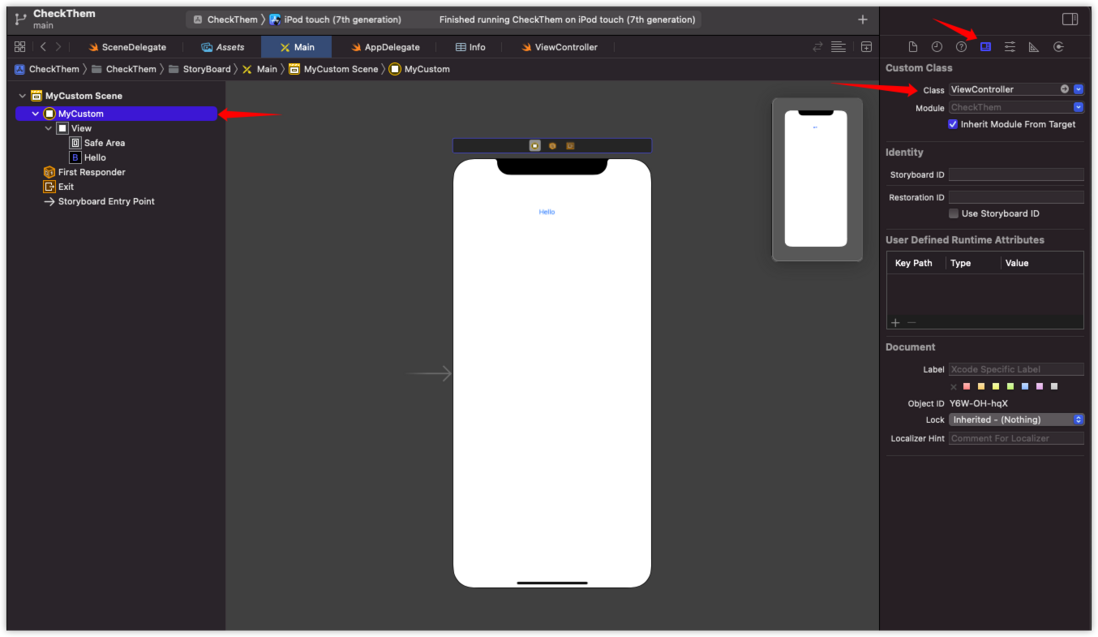
Main.storyboard 的 View Controller 可以填写自定义的 title

将这个 View Controller 绑定到自己定义的 ViewController 类
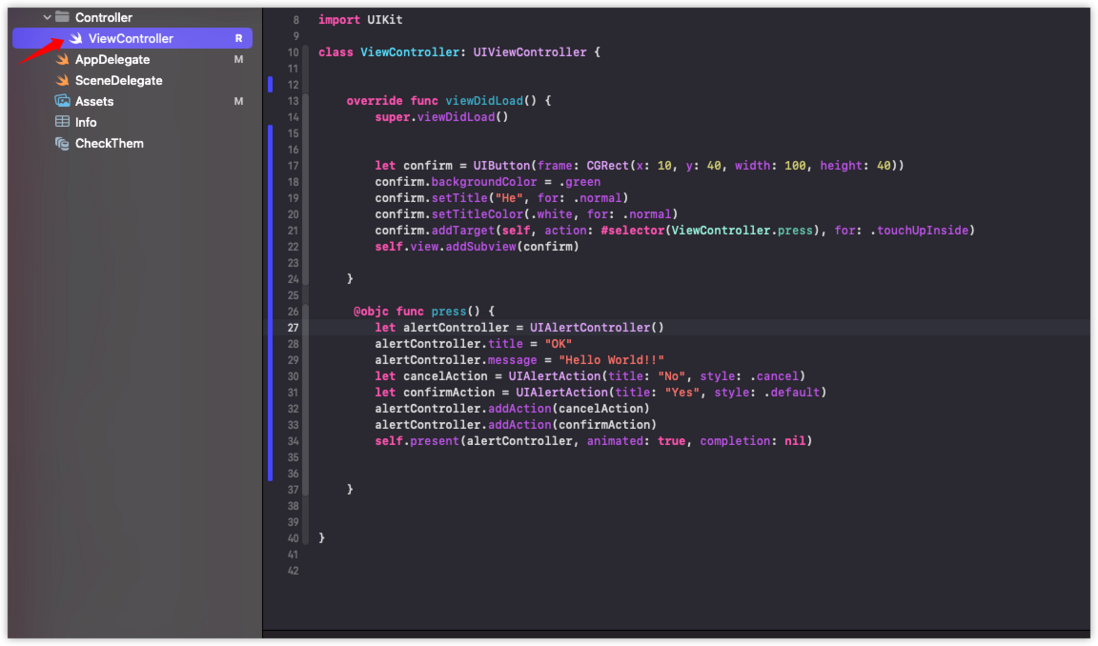
与这里的 .swift 文件对应
配置解读
info.plist 文件存放一想工程配置,如下图。
- Delegate Name 是放代理的名字,这里它默认为:$(PRODUCT_MODULE_NAME).SceneDelegate,与左侧的 SceneDelegate 对应。SceneDelegate 用于处理与 UI 相关的内容。
- StoryBoard Name 存放主要故事板名字,它默认为 Main ,与左侧的 Main.storyboard 文件对应。

使用 UIKit 增加一个按钮
在 ViewController 的重载函数 viewDidLoad 中添加一个按钮,这种 #selector 的形式要使用 Object-C 的函数调用。
let confirm = UIButton(frame: CGRect(x: 10, y: 40, width: 100, height: 40))
confirm.backgroundColor = .green
confirm.setTitle("He", for: .normal)
confirm.setTitleColor(.white, for: .normal)
confirm.addTarget(self, action: #selector(ViewController.press), for: .touchUpInside)
self.view.addSubview(confirm)
在 ViewController 中添加一个 objc 的函数,作为按钮的点击响应事件。
@objc func press() {
        let alertController = UIAlertController()
        alertController.title = "OK"
        alertController.message = "Hello World!!"
        let cancelAction = UIAlertAction(title: "No", style: .cancel)
        let confirmAction = UIAlertAction(title: "Yes", style: .default)
        alertController.addAction(cancelAction)
        alertController.addAction(confirmAction)
        self.present(alertController, animated: true, completion: nil)


    }
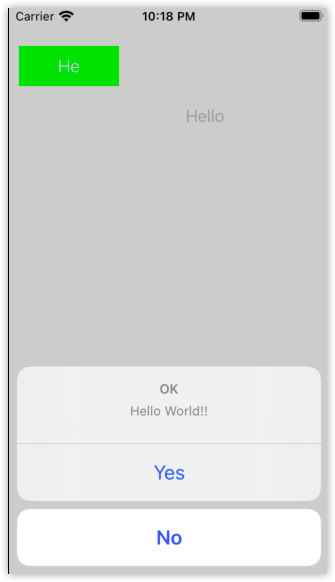
运行结果
评论
登录后参与技术讨论,分享你的经验与见解。
登录 / 注册暂无评论