tornadofx响应键盘点击事件

Easter791216 阅读
文章目录
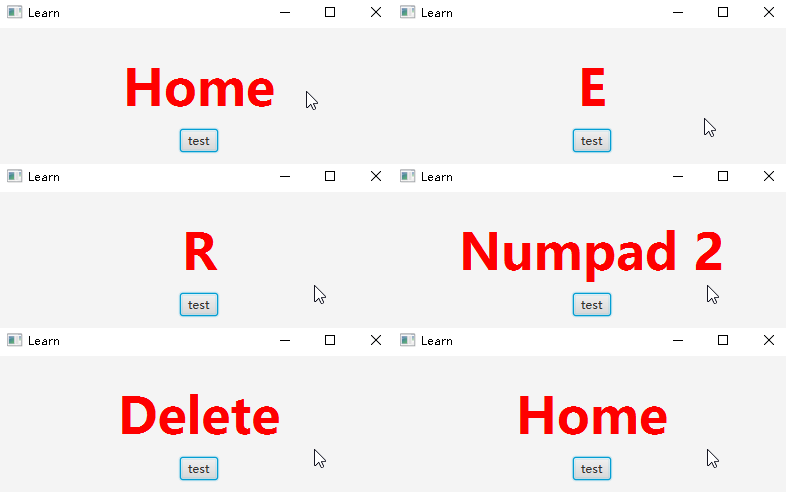
import javafx.application.Application
import javafx.beans.property.SimpleStringProperty
import javafx.event.EventHandler
import javafx.geometry.Pos
import javafx.scene.input.KeyEvent
import javafx.scene.paint.Color
import javafx.scene.text.FontWeight
import tornadofx.*

val keyPressedName = SimpleStringProperty("a")
fun main() = Application.launch(TestApp::class.java)
class TestApp : App(TestView::class)
class TestView : View("Learn") {

    override val root = vbox(10) {
        prefHeight = 400.0
        prefWidth = 400.0
        alignment = Pos.CENTER
        label(keyPressedName) {
            style {
                fontSize = 50.px
                fontWeight = FontWeight.EXTRA_BOLD
                textFill = Color.RED
            }
        }
        // 必须要有一个button才会响应键盘点击事件,不清楚是什么原因
        button("test")
        this.onKeyPressed = KeyEventHandler1()
        this.onKeyReleased = KeyEventHandler1()
    }
}

class KeyEventHandler1 : EventHandler<KeyEvent> {
    override fun handle(event: KeyEvent) {
        keyPressedName.value = event.code.getName()
    }
}
评论
登录后参与技术讨论,分享你的经验与见解。
登录 / 注册⭐️ Admin快速开发: https://show.cool-admin.com/
赞 0⭐️ 官方文档: https://cool-js.com
赞 0⭐️ chatgpt在线体验: https://cool-js.com/ai/chat-vip/index.html?r=helloworld
赞 0