React Native中使用react-native-config配置生产开发测试环境

文章目录
登录https://js.coach/
搜索这个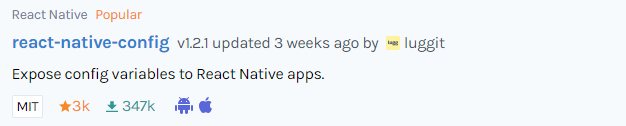
安装
yarn add react-native-confignpm install react-native-config手动link(见网站上的方法)
不需要配置因为会自动link
IOS配置
(cd ios; pod install)额外的安卓配置
这个文件android/app/build.gradle
最后面加上
apply from: project(':react-native-config').projectDir.getPath() + "/dotenv.gradle"根目录创建.env文件
API_URL=https://myapi.com写入这一段
App.js中导入并测试
import Config from "react-native-config";const App = () => {
return (
<>
<StatusBar barStyle="dark-content" />
<SafeAreaView>
<ScrollView
contentInsetAdjustmentBehavior="automatic"
style={styles.scrollView}>
<View>
<Text>{Config.API_URL}</Text>
</View>
</ScrollView>
</SafeAreaView>
</>
);
};显示API_URL=https://myapi.com配置完毕
评论
登录后参与技术讨论,分享你的经验与见解。
登录 / 注册暂无评论