单页面web应用的滑动

文章目录
目的
印象笔记的web版是一个优秀的单页面应用。希望通过分析 工作群聊 这个滑入与滑出,探讨单页web应用开发的若干细节问题。
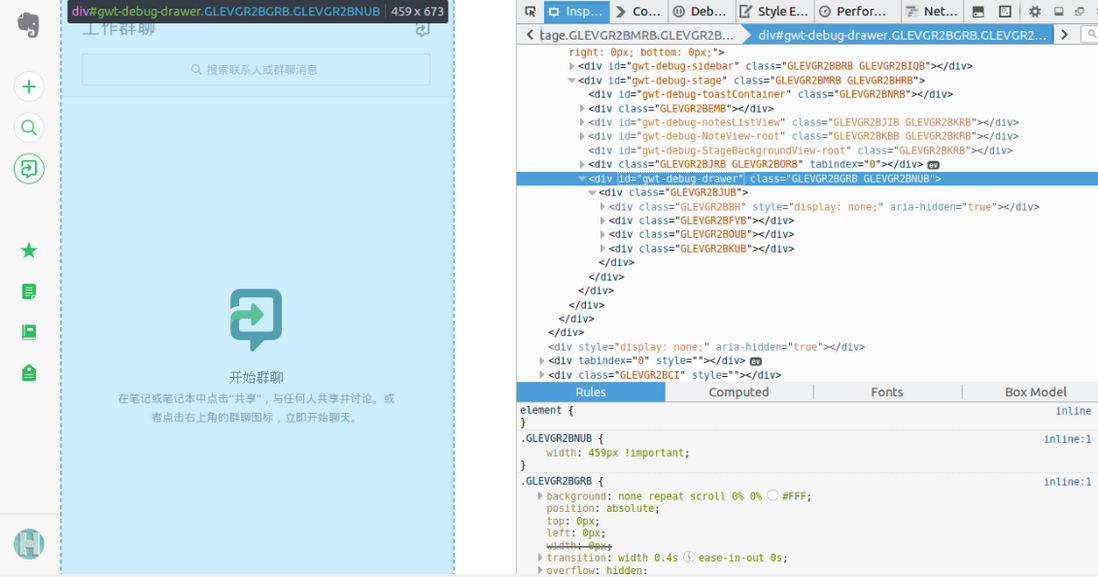

看第一行
滑出前
滑出后

分析一
只是给 div 增加了样式 GLEVGR2BNUB。该样式增加的属性 width:459px !important;
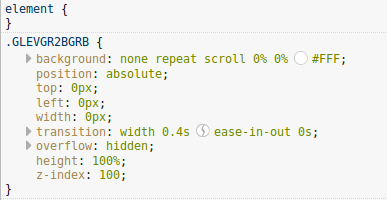
看第二行
滑出前
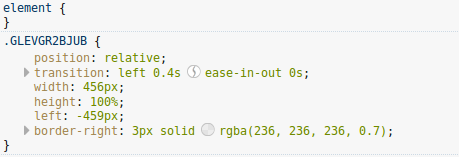
滑出后
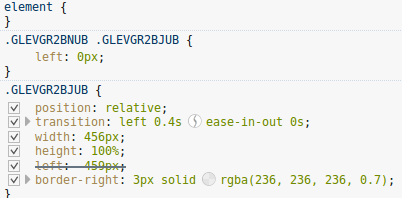
分析二
由于父级增加样式 GLEVGR2BNUB,所以 .GLEVGR2BNUB .GLEVGR2BJUB发挥作用。它增加属性 left: 0px;
综合分析
滑出前
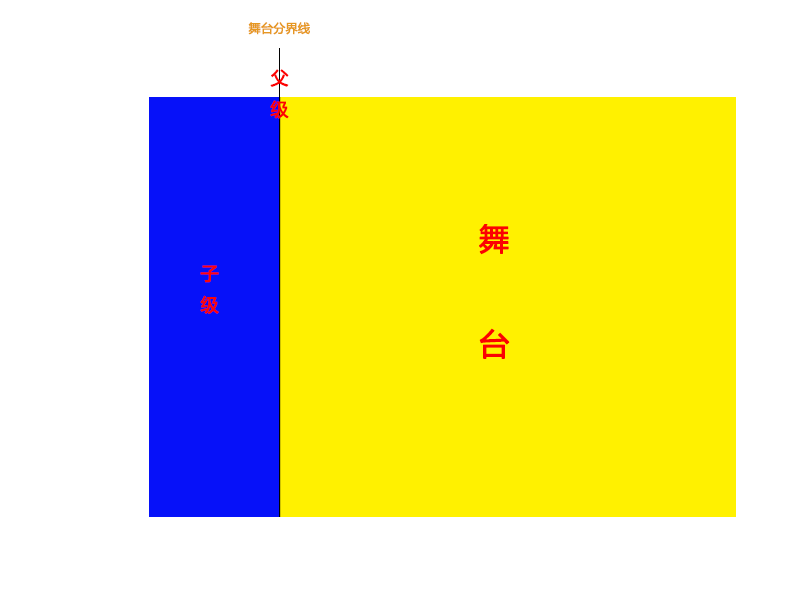
// 父级
.GLEVGR2BGRB {
    background: none repeat scroll 0% 0% #FFF;
    position: absolute;
    top: 0px;
    left: 0px;
    width: 0px;
    transition: width 0.4s ease-in-out 0s;
    overflow: hidden;
    height: 100%;
    z-index: 100;
}
// 子级
.GLEVGR2BJUB {
    position: relative;
    transition: left 0.4s ease-in-out 0s;
    width: 456px;
    height: 100%;
    left: -459px;
    border-right: 3px solid rgba(236, 236, 236, 0.7);
}
触发滑动,滑动过程
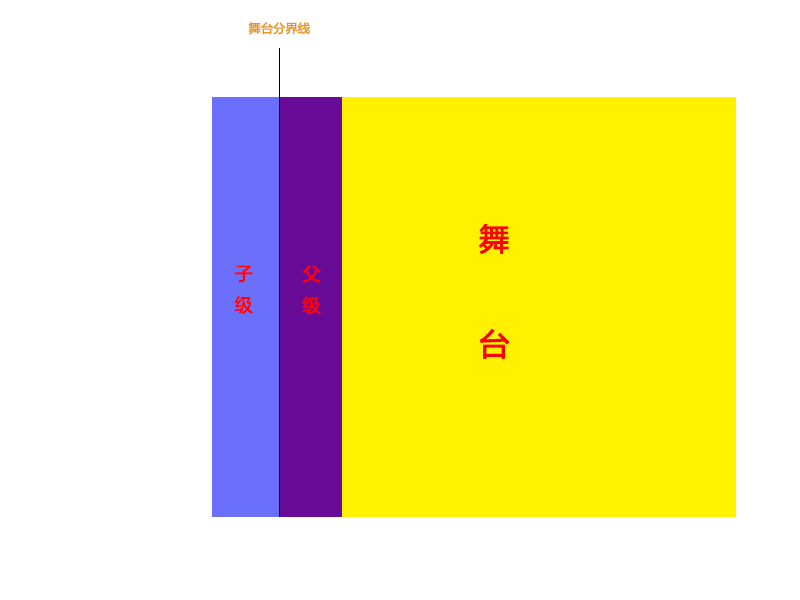
// 父级增加属性
.GLEVGR2BNUB {
    width: 459px !important;
}

// 子级增加属性
.GLEVGR2BNUB .GLEVGR2BJUB {
    left: 0px;
}
父级 width 变化,以 transition: width 0.4s ease-in-out 0s; 的方式运动。
子级 left 变化,以 transition: left 0.4s ease-in-out 0s; 的方式运动。
因为 transition-duration 属性值相同,所以运动看起来是一个整体运动的效果。否则运动不一致,体验不佳。

评论
登录后参与技术讨论,分享你的经验与见解。
登录 / 注册暂无评论