SAP Repository Information System查找Message ID的一个小技巧

文章目录
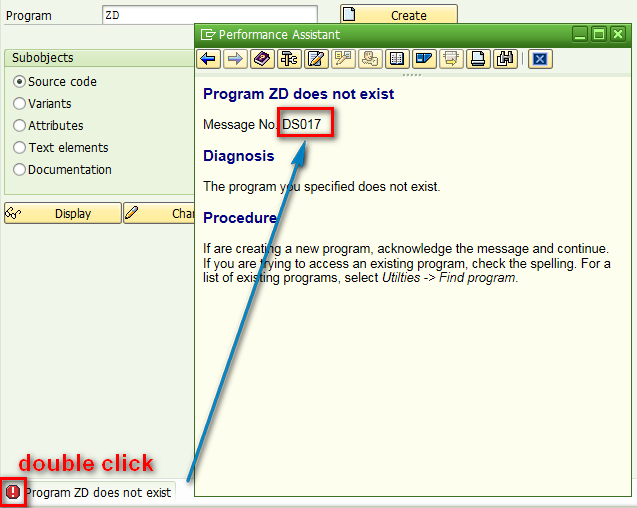
Normally if we see a message in SAPGUI and we can just double click the message icon to get its technical detail like message id and number displayed.
However in some case the icon is not available for click, for example below, there is a popup window displayed and you could not double click the icon. If you close the popup, the message disappears as well.
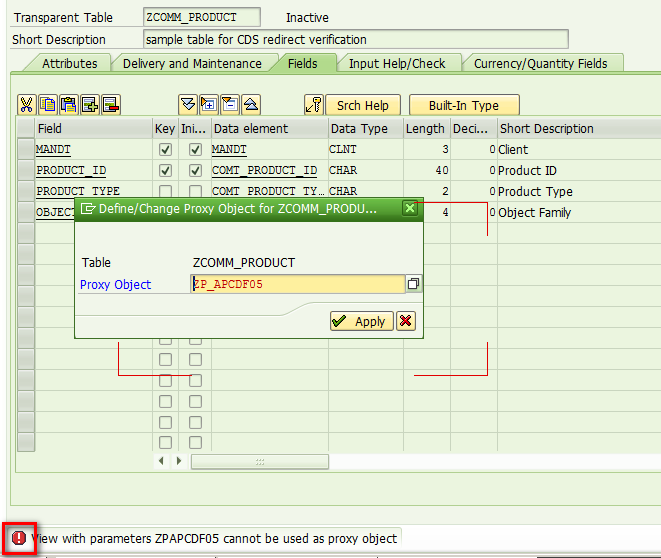
In this case, use tcode SE84 to launch repository information system, specify Short Description with value: *cannot be used as proxy object

Then you get answer: message id DDLS, value 444.

Or if you already know that the table T100 stores message text, you can directly query on table T100 to get the same result.


要获取更多Jerry的原创文章,请关注公众号"汪子熙":
评论
登录后参与技术讨论,分享你的经验与见解。
登录 / 注册暂无评论