Error -27723 Step download timeout (120 seconds) has expired

文章目录
软件
LoadRunner Controller(我的LoadRunner是12.55版本的)
报错
Action.c(116): Error -27723: Step download timeout (120 seconds) has expired when downloading resource "https://ieonline.microsoft.com/iedomainsuggestions/ie11/suggestions.zh-CN".Set the "Step Timeout caused by resources is a warning" Run-Time Setting to Yes/No to have this message as a warning/error, respectively[MsgId: MERR-27723]
解决
打开Runtime Setting
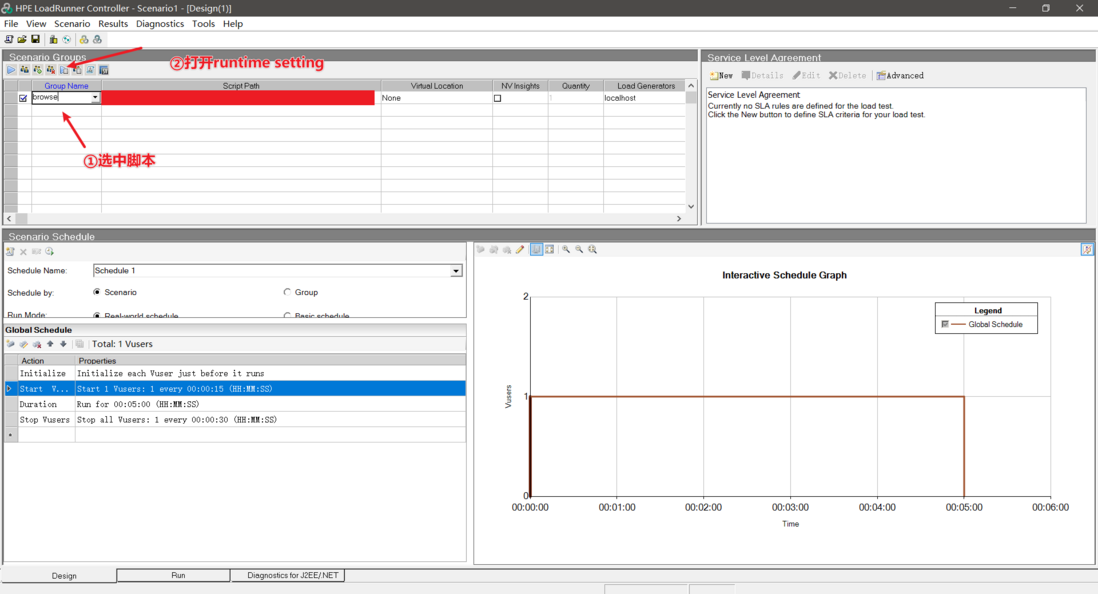
单击Internet Protocol下的Preferences。单击图中的Options按钮
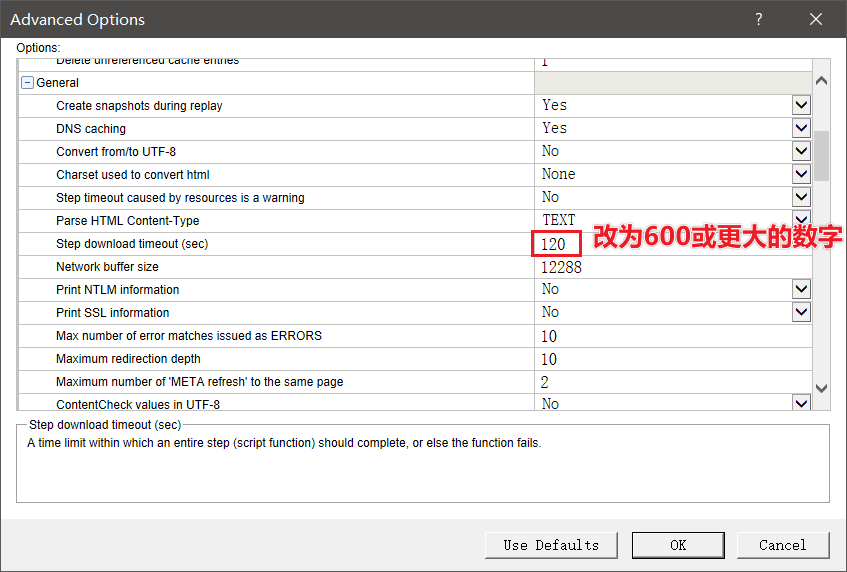
依次修改HTTP下的HTTP-request connect timeout(sec)、HTTP-request receive timeout(sec)以及General下的Step download timeout(sec)的值120为600或更大的数字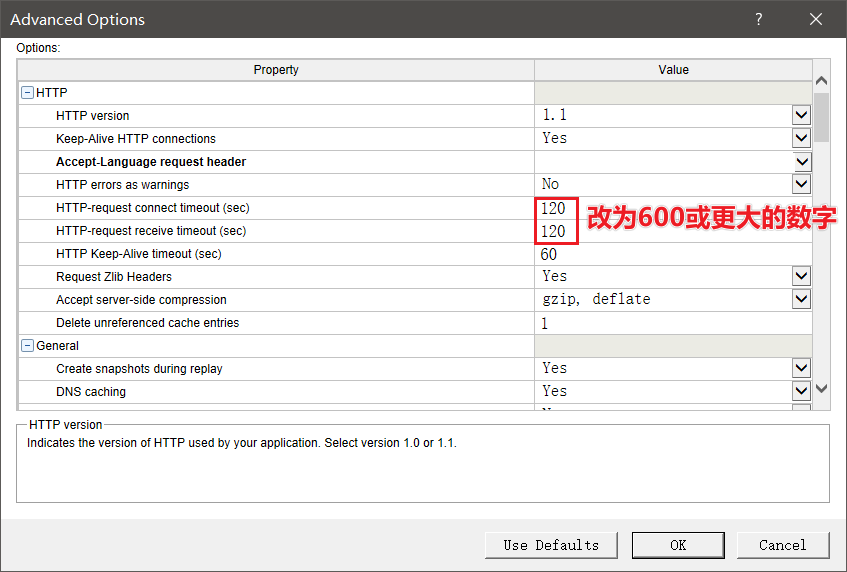
补充
如果你刚才已经设置过了并运行了脚本A,现在你运行脚本B时可能还会报这个错,Controller似乎不会保存你的Runtime Setting设置,也就是说即便你这次设置过了,将120改为600了,下次它可能还会变回120
评论
登录后参与技术讨论,分享你的经验与见解。
登录 / 注册暂无评论