如何判断服务器IP 是否正常

文章目录
如何判断服务器IP 是否正常
1、登录服务器
2、获取服务器网卡所有IP 是否跟 服务器商给的一致
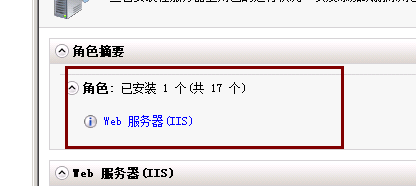
3、安装IIS
4.到c盘创建一个 www文件夹
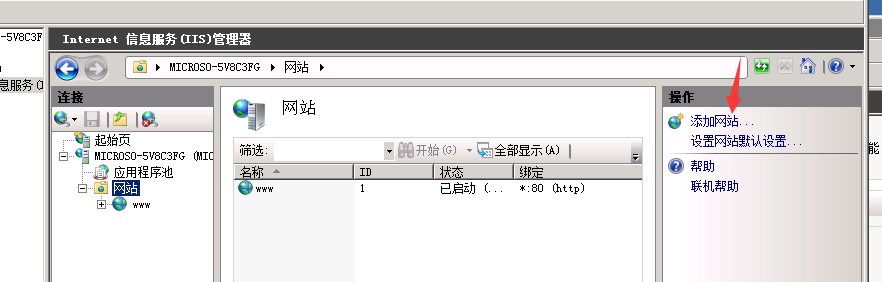
5.添加网站
6.网站名称 填写测试物理路径 填写c:www (到C盘创建一个WWW文件夹),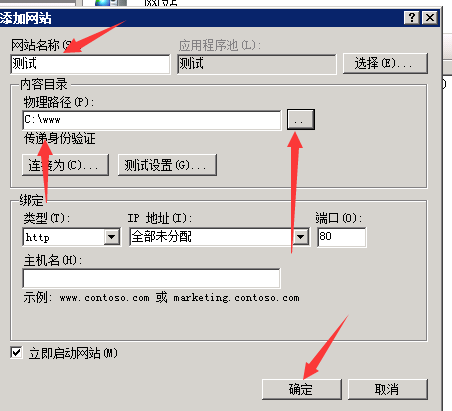
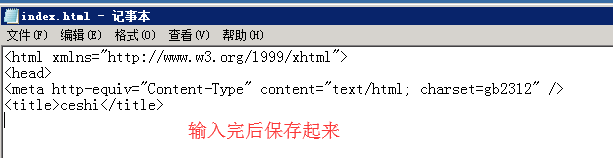
- www文件夹,创建一个文本index.html index.html 里面填写 :
<html xmlns="http://www.w3.org/1999/xhtml">
<head>
<meta http-equiv="Content-Type" content="text/html; charset=gb2312" />
<title>ceshi</title>
然后保存
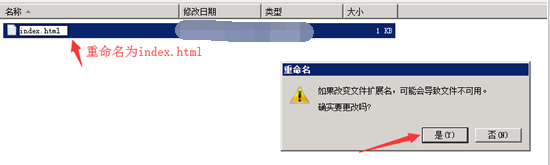
重命名为:index.html后重新打开

8.所有IP 加上Http:// 如:hettp://216.24. 38.125。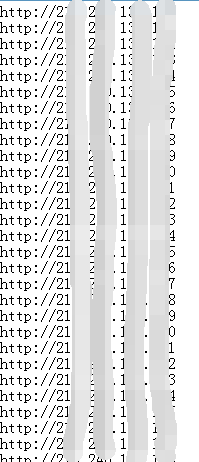
9.把所有IP 拿到 http://www.iis7.com/b/plc/ 获取标题,能获取到ceshi 就说明服务器IP正常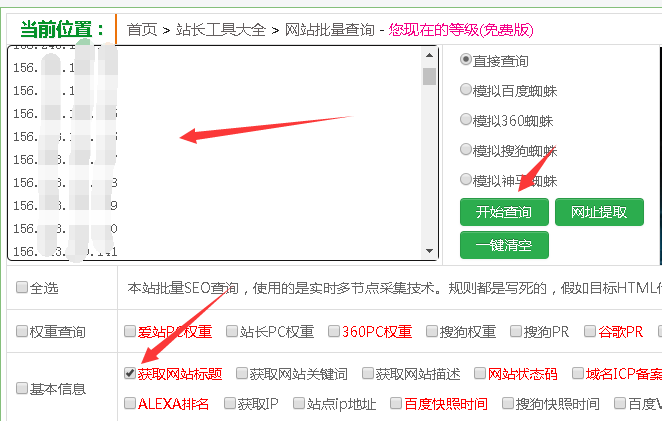

评论
登录后参与技术讨论,分享你的经验与见解。
登录 / 注册暂无评论