二十、zuulAPI网关

文章目录
1. zuulAPI网关
为微服务应用提供统一的对外访问接口。
还提供过滤器,对所有微服务提供统一的请求校验
1.1zuul+ribbin负载均衡和重试(不推荐)
1.2zuul+hystrix降级和熔断
zuul + hystrix 数据监控
暴露 hystrix.stream 监控端点
management:
  endpoints:
    web:
      exposure:
        include: hystrix.stream
1.3zuul + turbine 聚合监控
修改 turbine 项目,聚合 zuul 服务实例
2.config 配置中心
在spingcloud1目录下新建一个空工程-config。然后将234-11的配置文件复制一份到config下
在配置文件的内容中加上
cloud:
  config:
    override-none: true
把他们提交到码云。2.1新建12-config
加依赖:config server
       eureka client
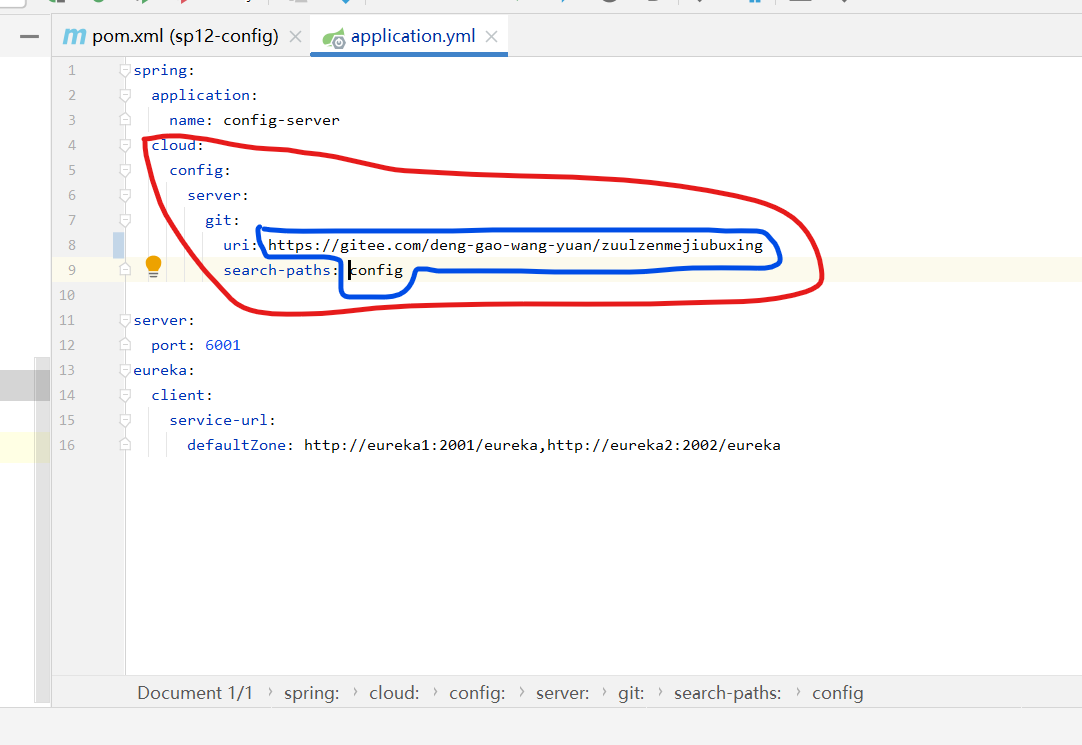
编译yml文件
spring:
  application:
    name: config-server
  cloud:
    config:
      server:
        git:
          uri: https://gitee.com/deng-gao-wang-yuan/zuulzenmejiubuxing
          search-paths: config
server:
  port: 6001
eureka:
  client:
    service-url:
      defaultZone: http://eureka1:2001/eureka,http://eureka2:2002/eureka
![上传中...]()
2.2启动类注解@EnableConfigServer

2.3启动,访问测试
http://localhost:6001/item-service/dev
http://localhost:6001/user-service/dev
http://localhost:6001/order-service/dev
http://localhost:6001/zuul/dev

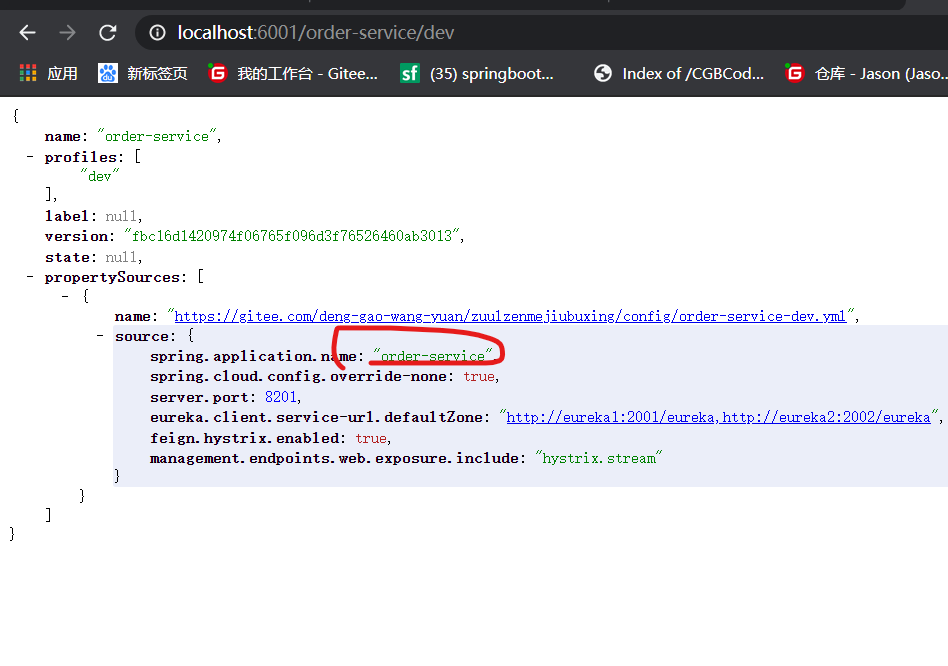
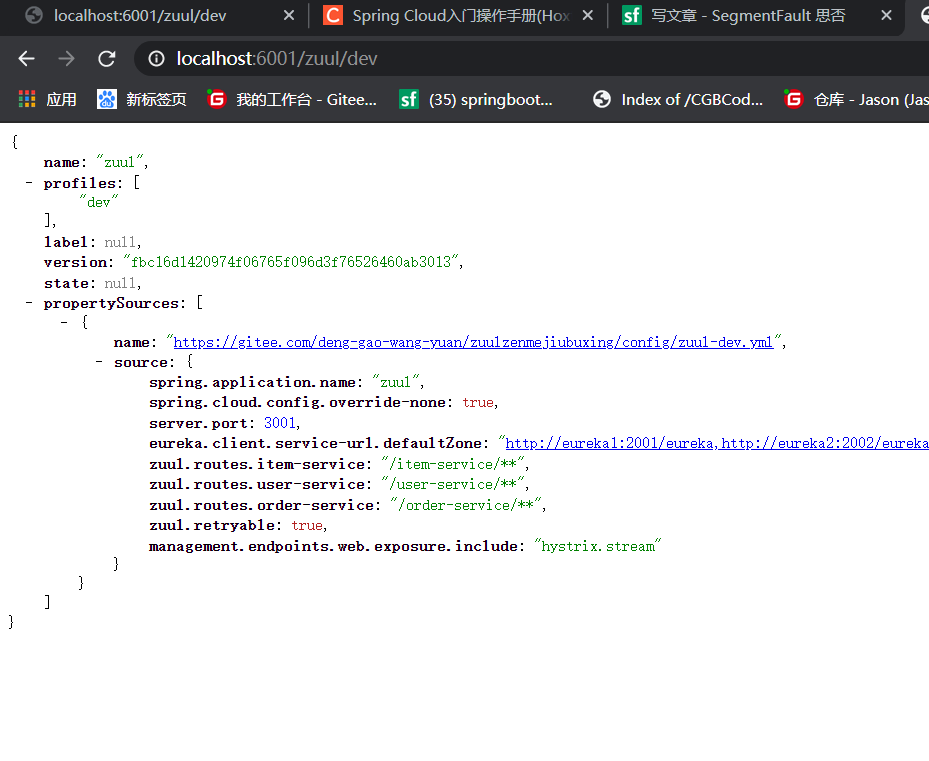
我的zuul老时不行,把配置文件换成老师的就OK啦,但也不知道是哪里错了。但现在先不纠结它。
2.4配置中心的客户端
修改以下项目,从配置中心获取配置信息
- sp02-itemservice
- sp03-userservice
- sp04-orderservice
- sp11-zuul
把他们的配置文件都删除或注释掉。新建bootstrap.yml,并配置如下:
# bootstrap.yml
eureka:
  client:
    service-url:
      defaultZone: http://eureka1:2001/eureka,http://eureka2:2002/eureka
spring:
  cloud:
    config:
      discovery:
        enabled: true
 service-id: config-server
      # user-service-dev.yml
 name: item-service
      profile: dev
注意改名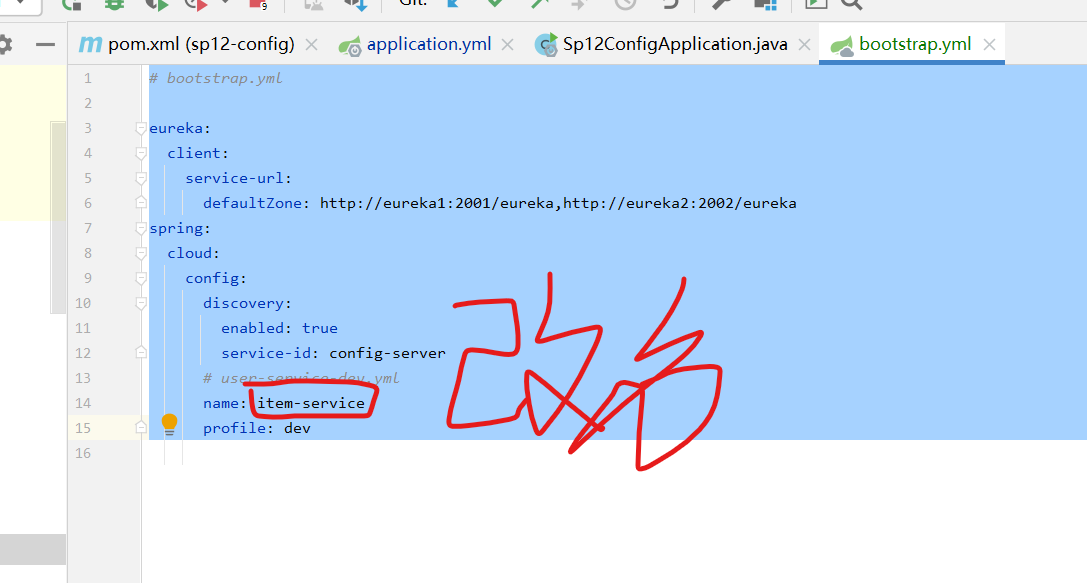
然后在234-11的pom中加依赖
添加依赖:config client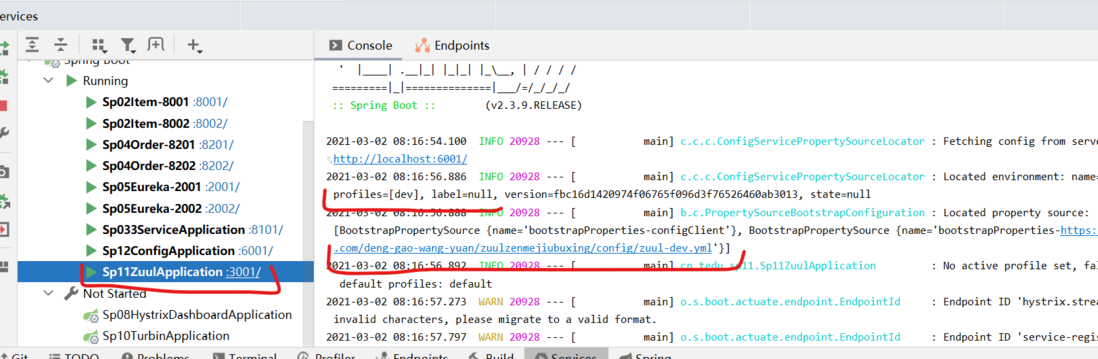
启动234-11时可以看到如图:
![上传中...]()
评论
登录后参与技术讨论,分享你的经验与见解。
登录 / 注册暂无评论