解决idea创建maven项目时一直显示"Loading archetype list..."

文章目录
打开设置,Under Build → Build Tools → Maven → Importing
修改VM options for importer 内容为 -Xmx1024m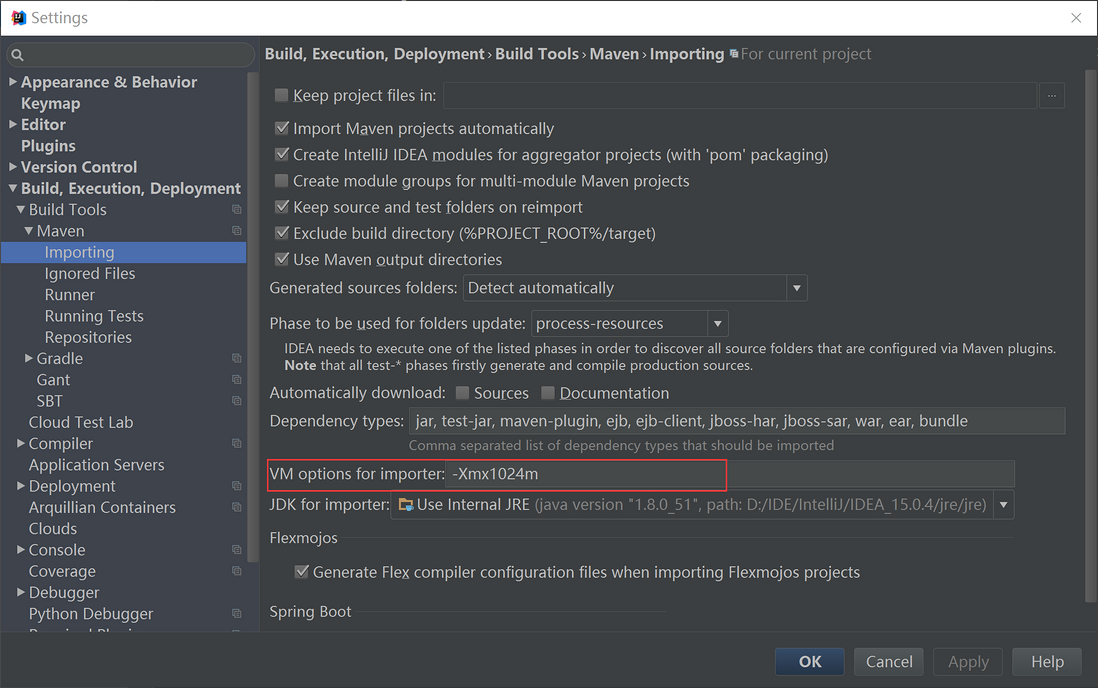
参考自http://stackoverflow.com/questions/27893134/intellij-new-project-maven-archetype-list-empty
打开设置,Under Build → Build Tools → Maven → Importing
修改VM options for importer 内容为 -Xmx1024m
参考自http://stackoverflow.com/questions/27893134/intellij-new-project-maven-archetype-list-empty
评论
登录后参与技术讨论,分享你的经验与见解。
登录 / 注册暂无评论