Eclipse
文章目录
- 集成Maven
1.下载Maven: apache-maven-3.3.9-bin.zip
2.配置本地资源库:\conf\setting.xml
<!--  修改默认本地资源库目录  -->
<localRepository>D:\workspace\repository</localRepository>
3.Eclipse安装Maven插件
http://download.eclipse.org/technology/m2e/releases
注:安装的时候,把“Contact all update sites during install to find required software”这个勾去掉
4.Eclipse配置Maven
4.1 Mavne-Installations-Add 配置本地Mavne安装目录
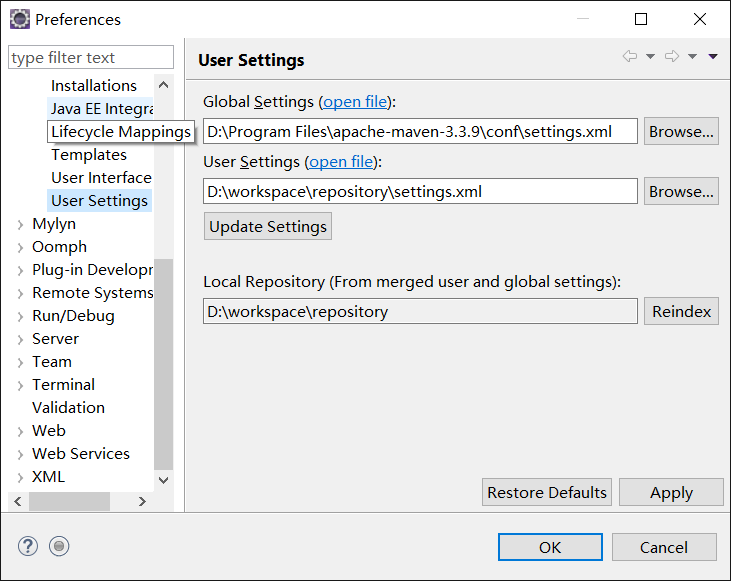
4.2 User Settings
4.2.1 将Maven的setting.xml复制一份到本地资源文件库目录
4.2.2 配置如下图
Global Settings - Maven 的setting.xml
User Settings - 本地资源文件库目录中的setting.xml
Local Repository - 本地资源文件库目录
- 创建Maven项目
1. New --> Maven Project
2. pom.xml添加J2EE依赖
       <!-- 导入java ee jar 包 -->
        <dependency>
            <groupId>javax</groupId>
            <artifactId>javaee-api</artifactId>
            <version>7.0</version>
        </dependency>
3.Java Build Path -->修改 JRE版本
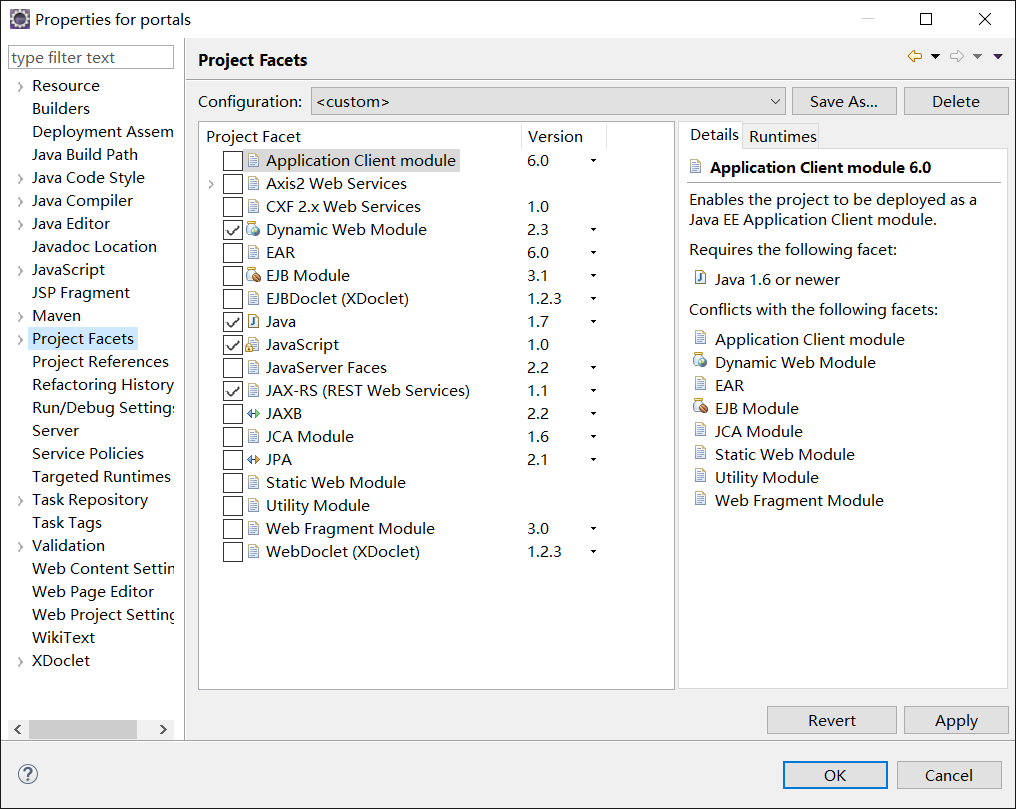
4.Project Facets -->
评论
登录后参与技术讨论,分享你的经验与见解。
登录 / 注册暂无评论