ROS on Raspberry Pi 3B

文章目录
ROS on Raspberry Pi 3B
Prepare Ubuntu Mate 16.04
- Download SD Card Formatter then install it.
- Download Win32 Disk Imager
- Download Ubuntu Mate 16.04 - recommended then unzip it.
Install Ubuntu on Raspberry Pi
- Insert Pi’s SD Card into Card Reader and connect to your computer (windows)
- Use Card Formatter formatting the SD Card

- Use Win32 Disk Imager writing the Ubuntu Mate 16.04 to the SD Card.

- Insert the SD Card back into the Pi. Connect it with your screen, then turn on the power.
- After log in, set up configuration.
SSH and VNC
Open Terminal
sudo raspi-config
Select Interface Options
Open SSH
Install x11vnc, if you don’t have a screen, you can access to the GUI by vnc.
wget https://github.com/longhr/ubuntu1604hub/raw/master/ubuntu1604VNC.sh chmod u+x ubuntu1604VNC.sh sudo ./ubuntu1604VNC.sh
The system will restart once you finish installation. If failed, type in the last command again 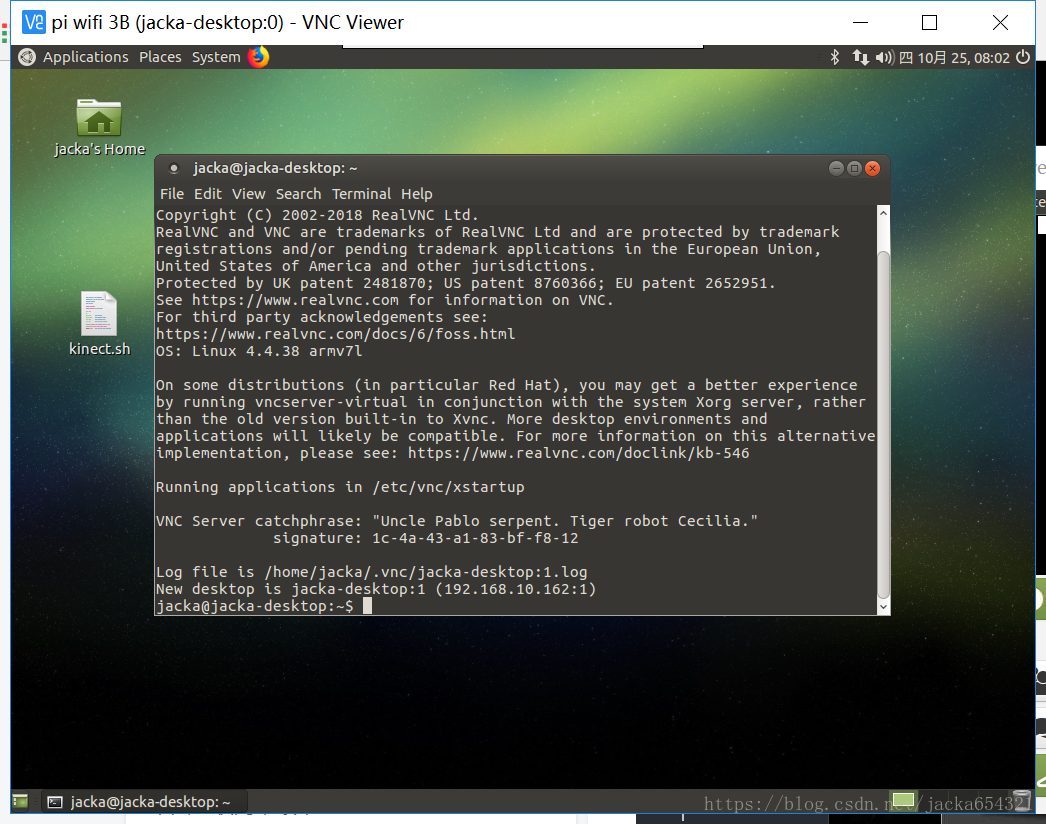
- use x11vnc -geometry 1920x1080 to open a vnc connection.
Install ROS
Follow these ROS Kinetic installation steps.
Test ROS
- Open a terminal then type in: roscore.
- Open a new terminal then type in: rosrun turtlesim turtlesim_node.
- Open a new terminal then type in: rosrun turtlesim turtle_teleop_key. Then you can control the turtle by arrow keys.
- Open a new terminal then type in: rviz.
- Open a new terminal then type in: gazebo.
Then ROS can be used normally .
评论
登录后参与技术讨论,分享你的经验与见解。
登录 / 注册暂无评论