Git首次配置远程仓库

文章目录
1.配置全局用户名和邮箱
- git config --global user.name "shanyouyan"
- git config --global user.email "xxx@qq.com"
2.配置密钥
- ssh-keygen -t rsa -C "shanyouyan@outlook.com"
- cat ~/.ssh/id_rsa.pub
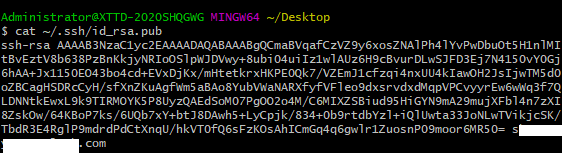
将得到的密钥配置到远程仓库的SSH Keys中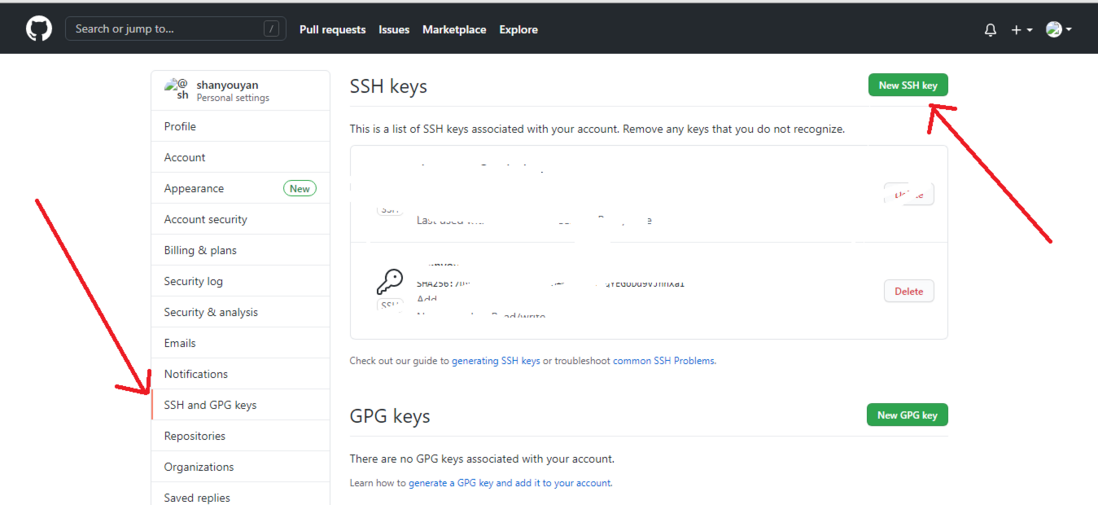
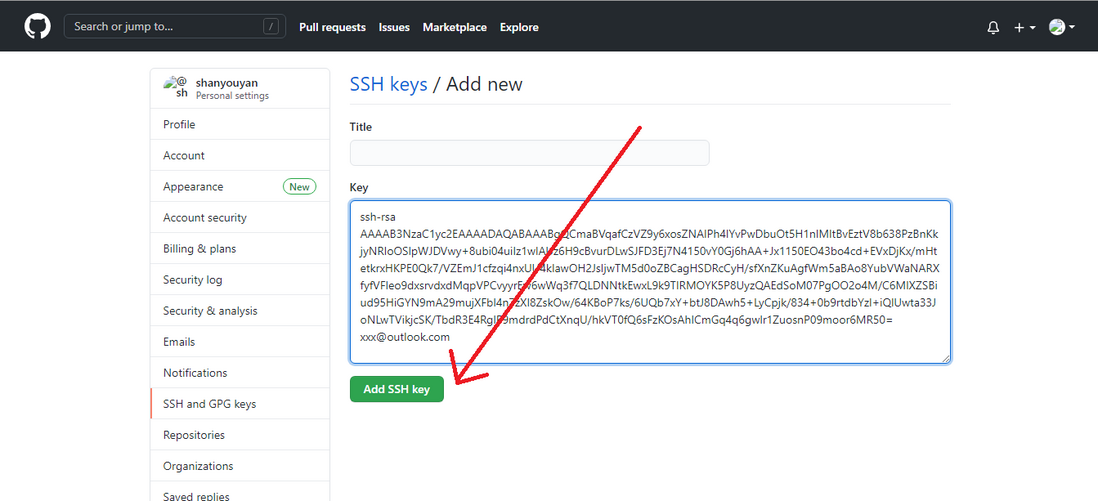
3.建立仓库
1.初始化仓库
1.git init
2.放入暂存区并提交到本地
1.git add . (表示暂存所有文件)
2.git add 某个文件名称
如果出现:warning: LF will be replaced by CRLF in 'xxx' 错误时,原因是因为Windows和Linux提交时的换行符不一样,解决方法:
git config --global core.autocwenrlf false3.
git commit -m"第一次提交"git remote add origin git@github.com:shanyouyan/shopMall.git4.
git push (-u) origin master如果出现身份验证的错误,fatal: Authentication failed for 'http://xxx/'
使用命令:git push --set-upstream origin master5.git配置记住用户名和密码:
git config --global credential.helper store
评论
登录后参与技术讨论,分享你的经验与见解。
登录 / 注册暂无评论