java实现七牛云图片文件的上传

文章目录
七牛云:https://portal.qiniu.com/create#resource
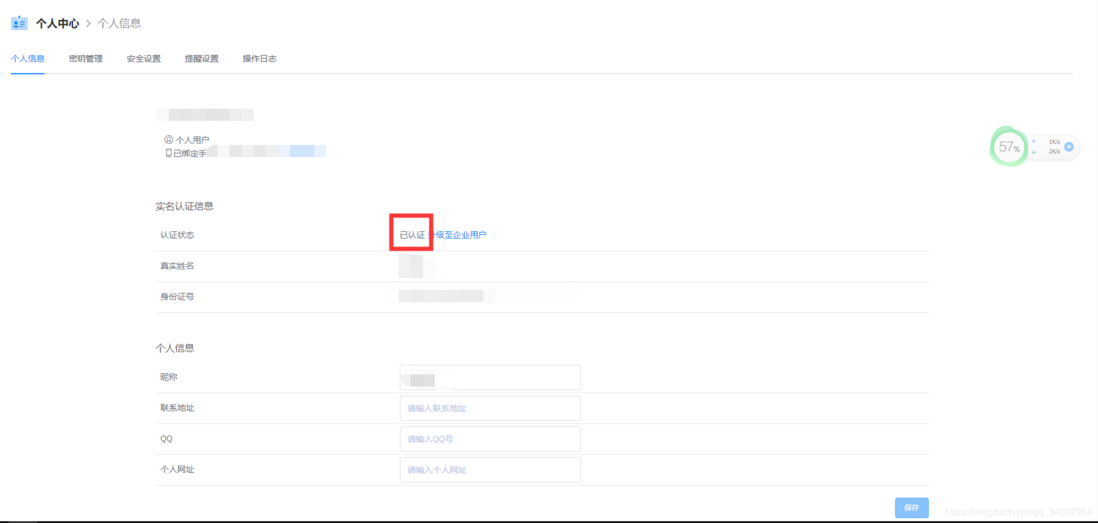
首先需要去注册一个账号实现实名认证
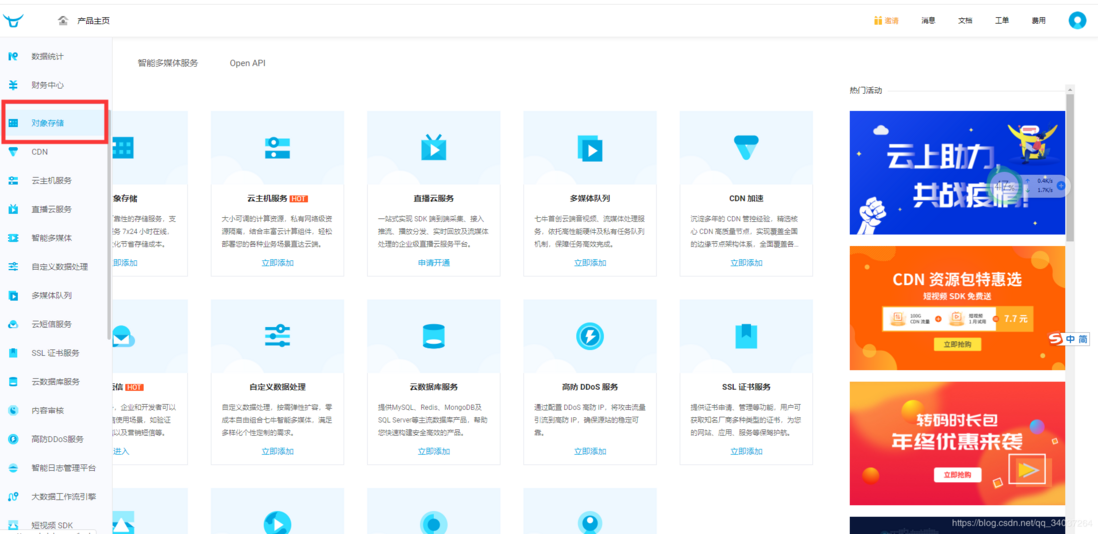
之后打开七牛云的
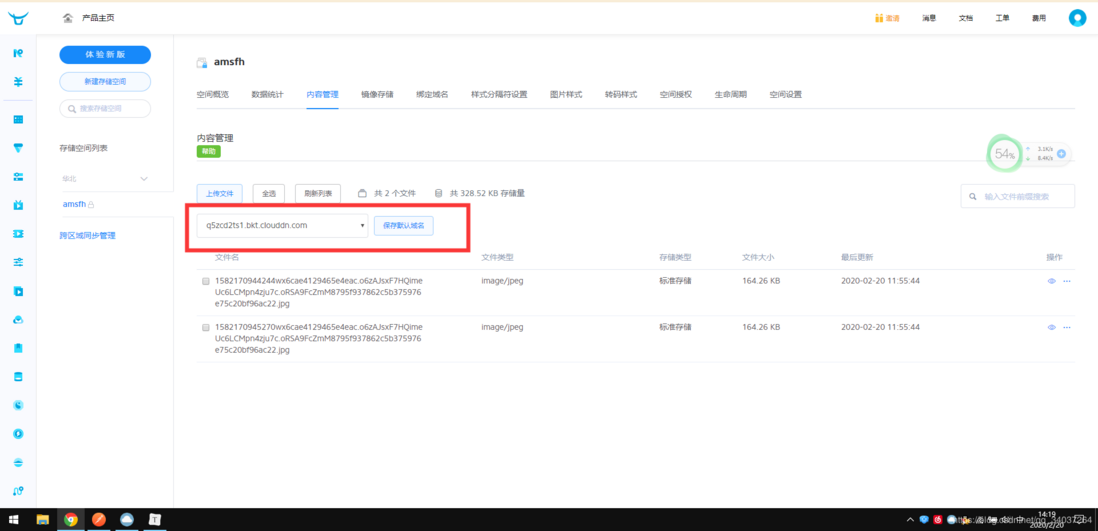
我们需要先创建一个储存空间来给我们使用


这里的key也需要记录下来我们等会也会用的到
需要用到的参数:
1、AccessKey (在“个人中心”–>“秘钥管理”中)
2、SecretKey (在“个人中心”–>“秘钥管理”中)
3、存储空间名字(这个是自己创建的)
之后就到我们的java代码了
我们首先需要导入一些七牛云的依赖包
[XML]纯文本查看__复制代码
01
02
03
04
05
06
07
08
09
10
11
12
13
14
15
16
17
18
19
20
21
22
23
24
25
26
27
28
29
30
<`dependency`>
<`groupId>com.qiniu</groupId`>
<`artifactId>qiniu-java-sdk</artifactId`>
<`version>[7.2.0, 7.2.99]</version`>
</`dependency`>
<`dependency`>
<`groupId>com.squareup.okhttp3</groupId`>
<`artifactId>okhttp</artifactId`>
<`version>3.14.2</version`>
<`scope>compile</scope`>
</`dependency`>
<`dependency`>
<`groupId>com.google.code.gson</groupId`>
<`artifactId>gson</artifactId`>
<`version>2.8.5</version`>
<`scope>compile</scope`>
</`dependency`>
<`dependency`>
<`groupId>com.qiniu</groupId`>
<`artifactId>happy-dns-java</artifactId`>
<`version>0.1.6</version`>
<`scope>test</scope`>
</`dependency`>
<`dependency`>
<`groupId>junit</groupId`>
<`artifactId>junit</artifactId`>
<`version>4.12</version`>
<`scope>test</scope`>
</`dependency`>
我们从前端接收过来的图片需要去接收
[Java]纯文本查看__复制代码
01
02
03
04
05
06
07
08
09
10
11
12
13
14
15
16
17
18
19
20
21
22
23
24
//处理文件上传
@Log`("文件上传")`
@RequestMapping`(value = "uploadImg"`, method = RequestMethod.POST)
public R uploadImg(`@RequestParam("file"`) MultipartFile file,HttpServletRequest request) throws JSONException {
String contentType = file.getContentType();
//System.out.print(contentType);
String fileName = System.currentTimeMillis()+file.getOriginalFilename();
int code = 0`;`
String filePath = "D:/E"`;`
//JSONObject jo = new JSONObject();//实例化json数据
//Map<String,String> jo = new HashMap<>();
if (file.isEmpty()) {
code = 1`;`
fileName = ""`;`
}
try {
uploadFile(file.getBytes(), filePath, fileName);
code = 0`;`
} catch (Exception e) {
// TODO: handle exception
}
//返回json
return R.ok().put(`"code",code).put("filename","/imctemp-rainy/"`+fileName);
}
之后我们需要去调用一个方法去把我们的图片拿到我们自己写的这个路径中
这里我们呢做的操作是等我们的图片复制完后才能之后放上七牛云的上传代码
这里我们需要去把我们的key和储存空间名配置一下
然后在官方文档中就给我写好了
在这里我就把代码放一下
这样我们的图片上传到七牛云的过程就完了
去测试一下吧
[Java]纯文本查看__复制代码
01
02
03
04
05
06
07
08
09
10
11
12
13
14
15
16
17
18
19
20
21
22
23
24
25
26
27
28
29
30
31
32
33
34
35
36
public static void uploadFile(`byte`[] file, String filePath, String fileName) throws Exception {
File targetFile = new File(filePath);
if (!targetFile.exists()) {
targetFile.mkdirs();
}
FileOutputStream out = new FileOutputStream(filePath +`"/"`+ fileName);
out.write(file);
out.flush();
out.close();
Configuration cfg = new Configuration(Zone.zone1()); // zong1() 代表华北地区
UploadManager uploadManager = new UploadManager(cfg);
String accessKey = "这里写自己的"`; // AccessKey的值`
String secretKey = "这里写自己的"`; // SecretKey的值`
String bucket = "这里写自己的"`; // 存储空间名`
String localFilePath = filePath +`"/"`+ fileName; // 上传图片路径
String key = fileName; // 在七牛云中图片的命名
Auth auth = Auth.create(accessKey, secretKey);
String upToken = auth.uploadToken(bucket);
try {
Response response = uploadManager.put(localFilePath, key, upToken);
// 解析上传成功的结果
DefaultPutRet putRet = new Gson().fromJson(response.bodyString(), DefaultPutRet.`class`);
System.out.println(putRet.key);
System.out.println(putRet.hash);
} catch (QiniuException ex) {
Response r = ex.response;
System.err.println(r.toString());
try {
System.err.println(r.bodyString());
} catch (QiniuException ex2) {
// ignore
}
}
}
评论
登录后参与技术讨论,分享你的经验与见解。
登录 / 注册暂无评论