DoubanFMPlayer, A mimic of Douban.fm player

文章目录
Project Page: https://github.com/cheng-kang/DoubanFMPlayer
DoubanFMPlayer
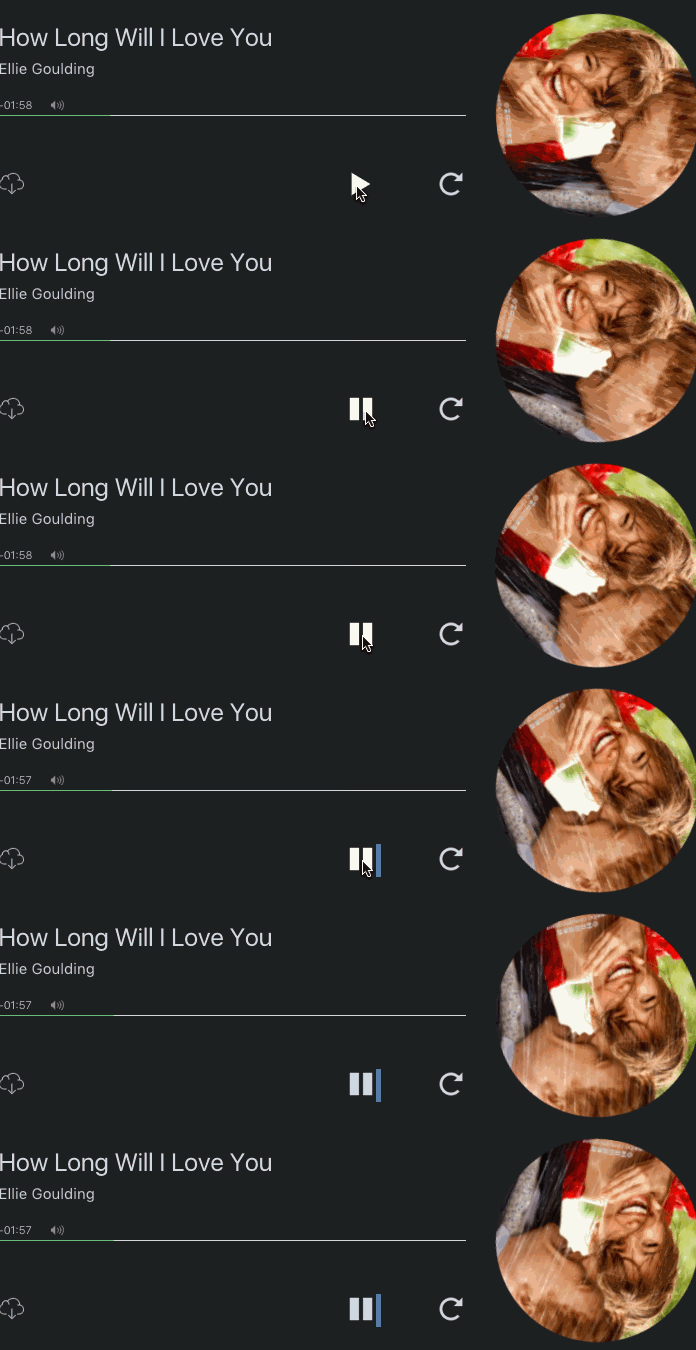
A mimic of Douban.fm player on Douban.fm. Also a Flex practice project.
You can use it on your website or embed it in your Hexo theme.
Showcase
Click here to check live demo.
Dark Theme (the color of the player is dark, used in light color web page)

Light Theme (the color of the player is light, used in dark color web page)
Usage
Feel free to download source code from /src folder.
Alternatively, use the cdn I've set up:
dbfmplayer.js: http://7u2sl0.com1.z0.glb.clouddn.com/dbfmplayer.js
dbfmplayer.css: http://7u2sl0.com1.z0.glb.clouddn.com/dbfmplayer.css
1. Use it on your website
-
Add any numbers of
dbfmplayertag to your HTML file.<dbfmplayer title="茜さす 帰路照らされど…" singer="椎名林檎" album="https://img1.doubanio.com/lpic/s2722629.jpg" music="http://mr3.doubanio.com/ff7730a714d4e3ecbf3f5854f6154532/0/fm/song/p1033017_128k.mp4" ></dbfmplayer>You must set
title,singer,albumandmusicattributes of yourdbfmplayertags.title: name of the musicsinger: name of the singer/musicianalbum: URL of a picture related to this music (both absolute URL or relative URL)music: URL of the music (both absolute URL or relative URL)
Optional attributes are
themeandloop.theme: "dark" or "light". Default theme is "dark", which is suitable for light color background web pages; theme "light" is suitable for dark color background web pages.loop: "true" or "false". Default value is "false". Ifloopis set to "true", the music will loop after it ends.autoplay: "true" or "false". Default value is "false". Ifautoplayis set to "true", the music will automatically start when it's loaded.
You can set
loopandautoplayto "true" in a convenient way:<dbfmplayer title="茜さす 帰路照らされど…" singer="椎名林檎" album="https://img1.doubanio.com/lpic/s2722629.jpg" music="http://mr3.doubanio.com/ff7730a714d4e3ecbf3f5854f6154532/0/fm/song/p1033017_128k.mp4" loop autoplay ></dbfmplayer> -
Add the following script to your HTML file.
<script type="text/javascript">
    (function() { // DON'T EDIT BELOW THIS LINE
    var d = document, s = d.createElement('script');
    s.src = 'http://7u2sl0.com1.z0.glb.clouddn.com/dbfmplayer.js';
    (d.head || d.body).appendChild(s);
    })();
</script>
2. Embed it in your Hexo theme
-
Add the following script to your layout file for Post (or anywhere else you want):
<script type="text/javascript">
(function() { // DON'T EDIT BELOW THIS LINE
var d = document, s = d.createElement('script');
s.src = 'http://7u2sl0.com1.z0.glb.clouddn.com/dbfmplayer.js';
(d.head || d.body).appendChild(s);
})();
</script>
Now users can add music to their page by adding the
dbfmplayertag to their articles (markdown files) by following 1.1 Add any numbers ofdbfmplayertag to your HTML file..
Acknowledgements
Most SVG icons come from Iconmoon.io.
Designed by Douban.fm.
Copyright
All copyright of the design belongs to who creates it.
Any copyright issue, please contact hi@chengkang.me.
评论
登录后参与技术讨论,分享你的经验与见解。
登录 / 注册暂无评论