Pa11y测试网站可访问性工具

文章目录
前言
非常感谢wapyce和carlsonsantana测试我的博客网站,并给我发出Issue,让我知道了网站有些bug,以及Pa11y这个测试利器。
简介
Pa11y是自动化测试网站可访问性的工具。 它原理是用命令行的形式运行 HTML CodeSniffer
,得到可访问性报告。
用法
可以用node来全局安装pa11y.
npm install pa11y -g 直接运行命令行,pa11y加自己的网址
pa11y https://raoenhui.github.io也可在js中使用,pa11y('网址')返回的是一个承诺对象。
const pa11y = require('pa11y');
pa11y('http://example.com/', {
    // Options go here
}).then((results) => {
    // Do something with the results
});pa11y中可以配置很多,如给请求头加Cookie,忽视某些警告等,详情可看pally 教程
DashBoard
首先本地创建 mongoDb,下载dashboard代码再安装
git clone https://github.com/pa11y/dashboard.git
cd dashboard
npm i更改pa11y的配置文件,主要是数据地址以及启动端口号
cp config/development.sample.json config/development.json
cp config/production.sample.json config/production.json
cp config/test.sample.json config/test.json如连接本地mongoDb,并配置启动端口号为4000
{
    "port": 4000,
    "noindex": true,
    "readonly": false,
    "webservice": {
        "database": "mongodb://localhost/pa11y-webservice",
        "host": "localhost",
        "port": 27017,
        "cron": "0 30 0 * * *"
}最后启动dashboard
node index也可用pm2去启动生成后台进程 NODE_ENV=production pm2 start index.js
添加URL并查看网站信息
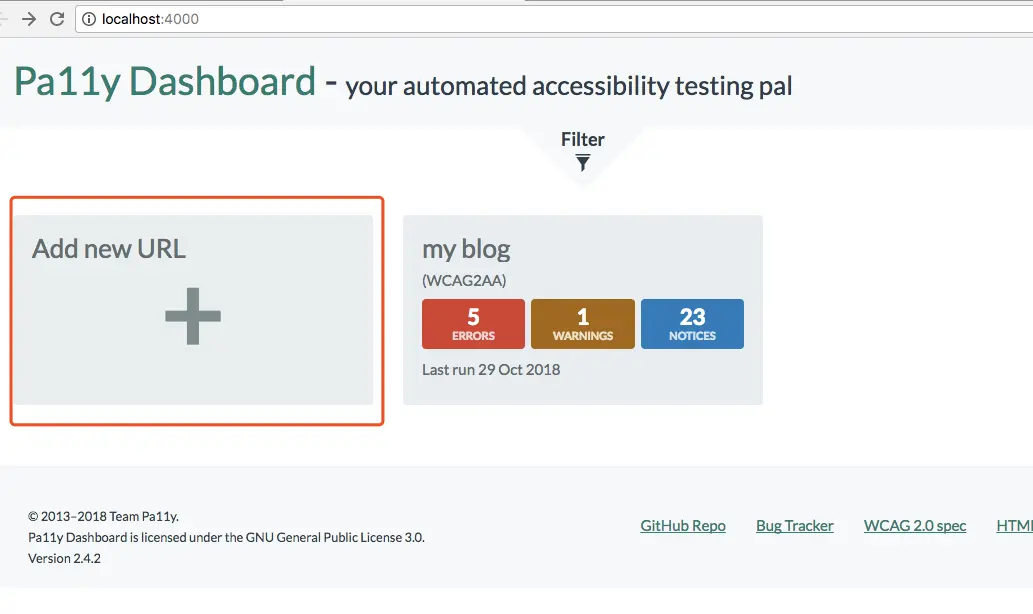
我的案例(可忽视)
通过pa11y命令测试我的网址,发现些bug,如下所示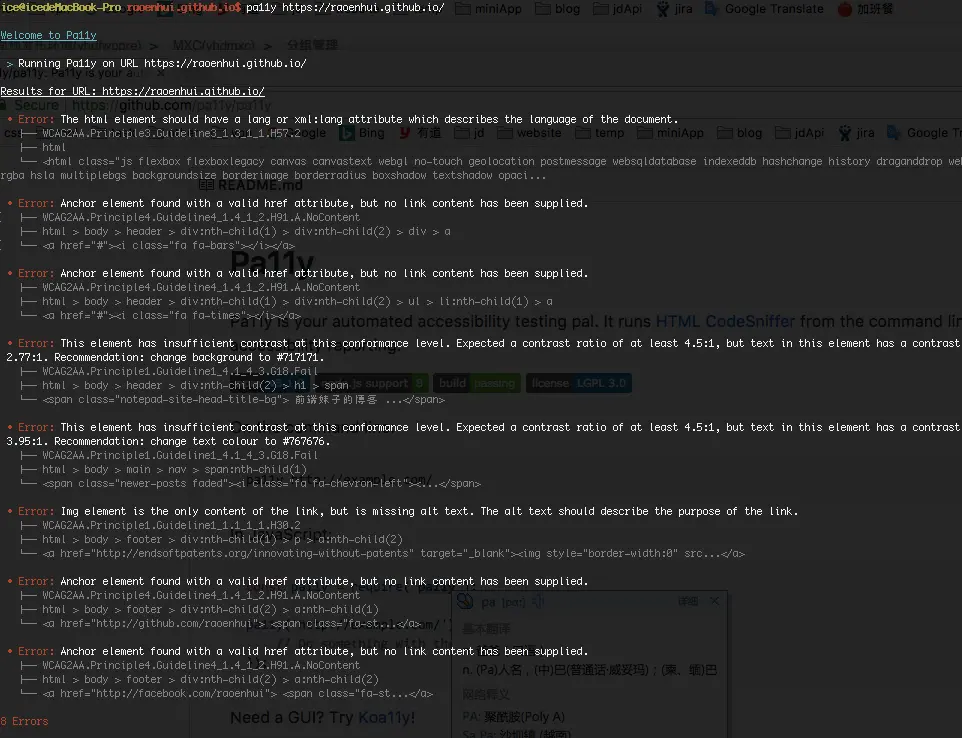
1.The html element should have a lang or xml:lang attribute which describes the language of the document.
没有给html加上语言标识。
修复办法:加上中文语言标示
<html lang='zh'>2. Anchor element found with a valid href attribute, but no link content has been supplied.
无效的<a>标签
修复办法:删除<a>标签
<!-- <a href="#"><i class="fa fa-bars"></i></a> -->
 <i class="fa fa-bars"></i>
3.This element has insufficient contrast at this conformance level. Expected a contrast ratio of at least 4.5:1, but text in this element has a contrast ratio of 2.77:1. Recommendation: change background to #717171
提示颜色对比度不足,建议更换颜色。
由于我网站需要保持统一色,这条我决定忽略。
4. Img element is the only content of the link, but is missing alt text. The alt text should describe the purpose of the link.
图片缺少alt标签
修复办法:给img添加tag
其他链接
Happy coding ..
评论
登录后参与技术讨论,分享你的经验与见解。
登录 / 注册暂无评论