springboot Actuator 权限、自定义Endpoints,动态修改日志打印级别

文章目录
部分请求404的问题
Actuator支持HTTP和JMX两种请求方式。HTTP默认只打开了info和health端口。可是使用include,exclude来设置,使用* 表示所有。:
management.endpoints.web.exposure.include=health,info设置校验
- 添加spring security
     <dependency>
            <groupid>org.springframework.boot</groupid>
            <artifactid>spring-boot-starter-security</artifactid>
</dependency>- 设置过滤器
@Configuration(proxyBeanMethods = false)
public class ActuatorSecurity extends WebSecurityConfigurerAdapter {

    @Override
    protected void configure(HttpSecurity http) throws Exception {
        http.requestMatcher(EndpointRequest.toAnyEndpoint()).authorizeRequests((requests) ->
                requests.anyRequest().authenticated());
        http.httpBasic();
    }
}- 配置用户名密码
// application.properties
spring.security.user.name=test
spring.security.user.password=test- 访问
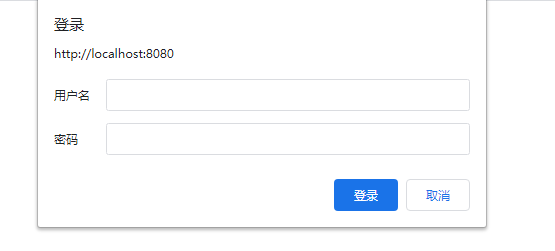
自定义管理端点根路径、端口
management.endpoints.web.base-path=/manage
management.server.port=8081
自定义Endpoints
添加一个@Endpoint,SpringMVC框架会将Endpoint转为HTTP的请求。
@Endpoint(id="costom")
public class CostomActuatorEndpoint {
public static Map<string,object> CONFIG = new HashMap<>();
static {
CONFIG.put("appName","myApp");
CONFIG.put("appVersion","1.0");
}
//对应GET请求
@ReadOperation
public Map<string,object> getData(){
return CONFIG;
}
//对应POST请求
@WriteOperation
public void writeData(@Nullable String appName, @Nullable String appVersion){
CONFIG.put("appName",appName);
CONFIG.put("appVersion",appVersion);
}
}applicaton中声明添加的Endpoint
@Bean
    public CostomActuatorEndpoint costomActuatorEndpoint(){
        return new CostomActuatorEndpoint();
    }
当然,在SpringMVC框架总,也可以使用@RestControllerEndpoint配合@RequestMapping,@GetMapping来自定义Endpoints。
日志
访问
访问 loggers端点,可以看到所有日志的Level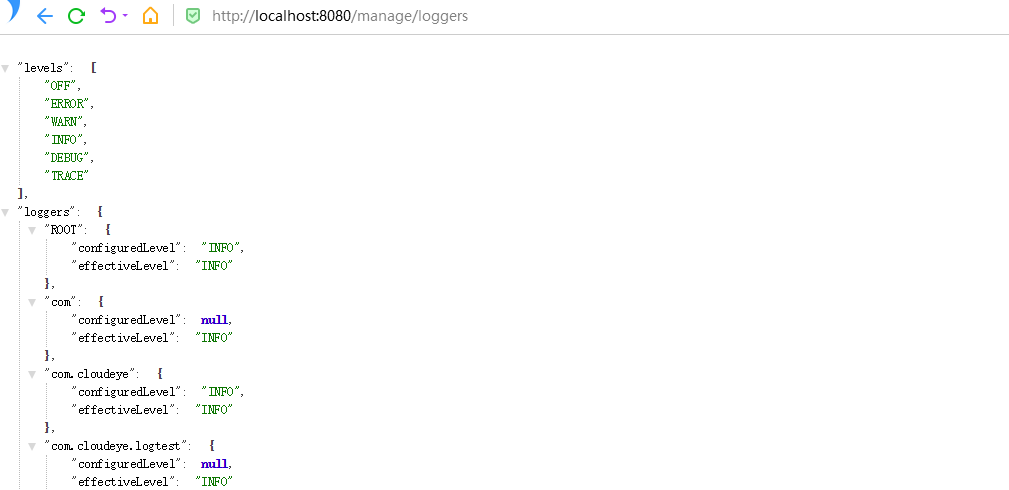
也可以访问loggers/com来访问com对应的日志。
修改
// LoggersEndpoint.java
@ReadOperation
    public LoggerLevels loggerLevels(@Selector String name) {
        Assert.notNull(name, "Name must not be null");
        LoggerConfiguration configuration = this.loggingSystem
                .getLoggerConfiguration(name);
        return (configuration != null) ? new LoggerLevels(configuration) : null;
    }

    @WriteOperation
    public void configureLogLevel(@Selector String name,
            @Nullable LogLevel configuredLevel) {
        Assert.notNull(name, "Name must not be empty");
        this.loggingSystem.setLogLevel(name, configuredLevel);
    }
通过POST请求,可以动态修改Level级别。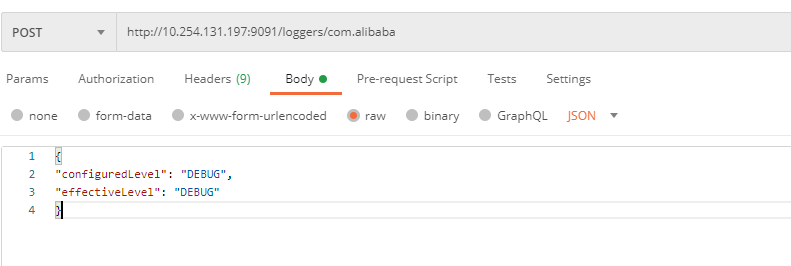 </string,object></string,object>
评论
登录后参与技术讨论,分享你的经验与见解。
登录 / 注册暂无评论