Camunda流程引擎笔记(一):Spring Boot集成Camunda

文章目录
开发工具:IDEA 2019.3.1框架版本:Spring Boot 2.2.5.RELEASE
Camunda版本:3.4.1
Camunda modeler: 3.7.1
数据库:H2
一、创建maven工程
引入依赖
<parent>
  <groupId>org.springframework.boot</groupId>
  <artifactId>spring-boot-starter-parent</artifactId>
  <version>2.2.5.RELEASE</version>
</parent>

<dependencies>
  <dependency>
    <groupId>org.springframework.boot</groupId>
    <artifactId>spring-boot-starter</artifactId>
  </dependency>
    <!-- camunda依赖 -->
  <dependency>
    <groupId>org.camunda.bpm.springboot</groupId>
    <artifactId>camunda-bpm-spring-boot-starter-webapp</artifactId>
    <version>3.4.1</version>
  </dependency>

  <dependency>
    <groupId>com.h2database</groupId>
    <artifactId>h2</artifactId>
  </dependency>
</dependencies>
创建Spring Boot引导类
@SpringBootApplication
public class App {
    public static void main(String[] args) {
        SpringApplication.run(App.class, args);
    }
}
启动应用
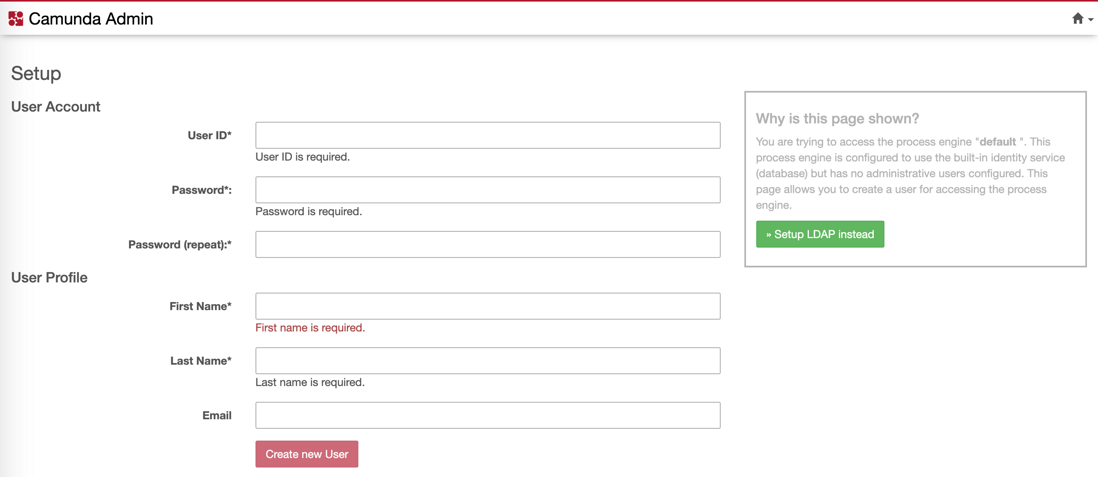
应用启动后访问http://localhost:8080/,可以看到下面的页面:
二、自定义配置应用
在application.yml中添加以下配置:
camunda:
  bpm:
    admin-user:
      id: kermit
      password: superSecret
      first-name: kermit
    filter:
      create: All tasks
再次启动应用,可以看到以下页面:
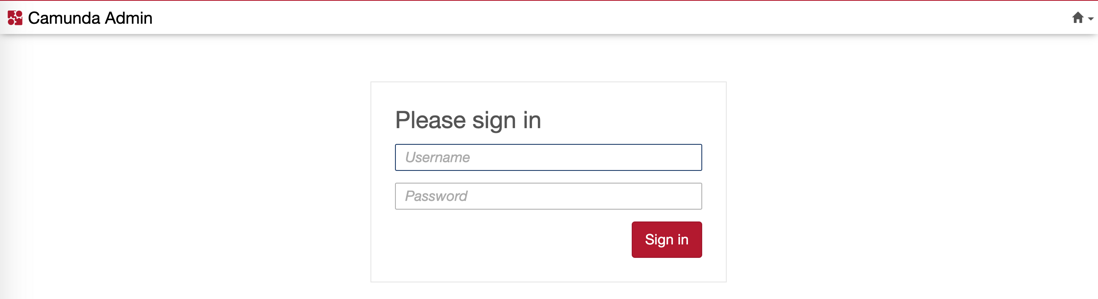
这时候流程引擎不再要求你注册,可以使用在application.yml中配置的用户名(kermit)和密码(superSecret)登录。
评论
登录后参与技术讨论,分享你的经验与见解。
登录 / 注册暂无评论