前言
本篇文章是利用Scrapy扒取安智市场的app详情页,如点击查看和平精英,包括app名、版本号、图标icon、分类、时间、大小、下载量、作者、简介、更新说明、软件截图、精彩内容等,扒取的图片资源icon和市场展示图(app截图)下载到本地,并将所有数据存储到数据库。
考虑的问题:
- 存储的数据库设计
- 图片资源链接存在重定向
- 下载app的图标需为.png后缀
- ...
需要先熟悉Scrapy框架的同学:点击学习
数据库设计
创建的为mysql数据库,名称为app_anzhigame,表名为games,安智市场的市场图限制为4-5张,简介等为1500字以内,图片均为相对地址
# 建库
CREATE DATABASE app_anzhigame CHARSET=utf8mb4 COLLATE=utf8mb4_general_ci;

USE app_anzhigame;
DROP TABLE games;

# 建表
CREATE TABLE games(
  id INTEGER(11)  UNSIGNED AUTO_INCREMENT COLLATE utf8mb4_general_ci,
  name VARCHAR(20) NOT NULL COLLATE utf8mb4_general_ci COMMENT '游戏名' ,
  versionCode VARCHAR(10) COLLATE utf8mb4_general_ci COMMENT '版本号' NOT NULL DEFAULT 'v1.0',
  icon VARCHAR(100) COLLATE utf8mb4_general_ci COMMENT '游戏图标icon' NOT NULL DEFAULT '',
  type VARCHAR(20) COLLATE utf8mb4_general_ci COMMENT '分类' NOT NULL DEFAULT '',
  onlineTime VARCHAR(20) COLLATE utf8mb4_general_ci COMMENT '上线时间',
  size VARCHAR(10) COLLATE utf8mb4_general_ci COMMENT '大小' NOT NULL DEFAULT '0B',
  download VARCHAR(10) COLLATE utf8mb4_general_ci COMMENT '下载量' NOT NULL DEFAULT '0',
  author VARCHAR(20) COLLATE utf8mb4_general_ci COMMENT '作者',
  intro VARCHAR(1500) COLLATE utf8mb4_general_ci COMMENT '简介',
  updateInfo VARCHAR(1500) COLLATE utf8mb4_general_ci COMMENT '更新说明',
  highlight VARCHAR(1500) COLLATE utf8mb4_general_ci COMMENT '精彩内容',
  image1 VARCHAR(100) COLLATE utf8mb4_general_ci COMMENT '市场图1',
  image2 VARCHAR(100) COLLATE utf8mb4_general_ci COMMENT '市场图2',
  image3 VARCHAR(100) COLLATE utf8mb4_general_ci COMMENT '市场图3',
  image4 VARCHAR(100) COLLATE utf8mb4_general_ci COMMENT '市场图4',
  image5 VARCHAR(100) COLLATE utf8mb4_general_ci COMMENT '市场图5',
  link VARCHAR(200) COLLATE utf8mb4_general_ci COMMENT '爬取链接',
  create_time timestamp NOT NULL DEFAULT CURRENT_TIMESTAMP COMMENT '创建时间',
  update_time timestamp NOT NULL DEFAULT CURRENT_TIMESTAMP ON UPDATE current_timestamp COMMENT '更新时间',
  PRIMARY KEY (`id`)
)ENGINE=InnoDB DEFAULT CHARSET=utf8mb4 COLLATE=utf8mb4_general_ci COMMENT '安智市场爬取游戏列表';
创建item
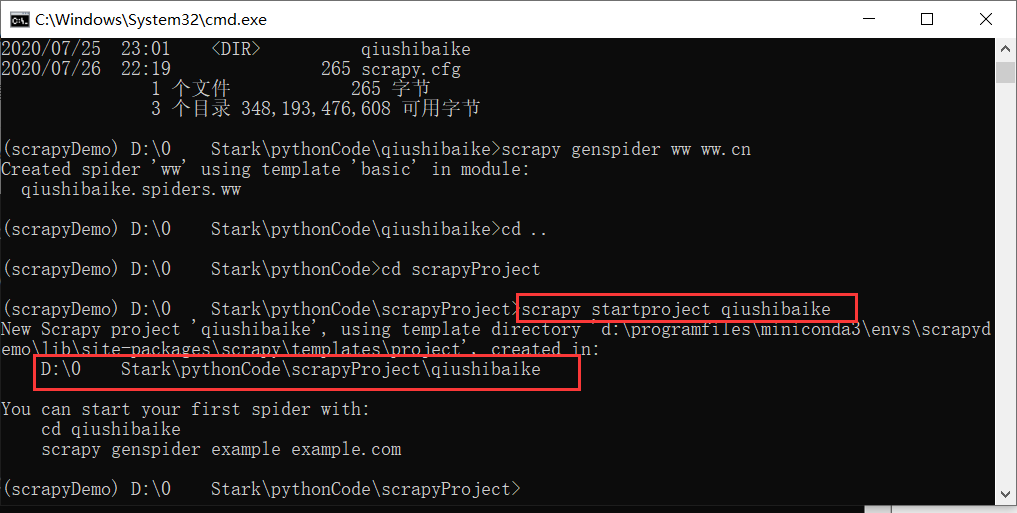
创建项目scrapy startproject anzhispider,修改items.py
class AnzhispiderItem(scrapy.Item):
    # define the fields for your item here like:
    # name = scrapy.Field()
    # 链接地址
    link = scrapy.Field()
    # app名称
    name = scrapy.Field()
    # 版本号
    versionCode = scrapy.Field()
    # 游戏图标icon
    icon = scrapy.Field()
    # icon存储地址
    iconPath = scrapy.Field()
    # 分类
    type = scrapy.Field()
    # 上线时间
    onlineTime = scrapy.Field()
    # 大小
    size = scrapy.Field()
    # 下载量
    download = scrapy.Field()
    # 作者
    author = scrapy.Field()
    # 简介
    intro = scrapy.Field()
    # 更新说明
    updateInfo = scrapy.Field()
    # 精彩内容
    highlight = scrapy.Field()
    # 市场图  字符数组
    images = scrapy.Field()
    # 市场图存储地址
    imagePaths = scrapy.Field()
创建Spider
在spiders目录下创建AnzhiSpider.py,并创建class AnzhiSpider,继承于scrapy.Spider。
class AnzhiSpider(Spider):
    name = "AnzhiSpider"
    # 允许访问的域
    allowed_domains = ["www.anzhi.com"]

    start_urls = ["http://www.anzhi.com/pkg/3d81_com.tencent.tmgp.pubgmhd.html"]

    # start_urls = ["http://www.anzhi.com/pkg/3d81_com.tencent.tmgp.pubgmhd.html","http://www.anzhi.com/pkg/84bf_com.sxiaoao.feijidazhan.html","http://www.anzhi.com/pkg/4f41_com.tencent.tmgp.WePop.html"]

    def parse(self, response):
        item = AnzhispiderItem()
        root = response.xpath('.//div[@class="content_left"]')
        # 链接
        item['link'] = response.url
        # 图标
        item['icon'] = root.xpath('.//div[@class="app_detail"]/div[@class="detail_icon"]/img/@src').extract()[0]
        # app名称
        item['name'] = root.xpath(
            './/div[@class="app_detail"]/div[@class="detail_description"]/div[@class="detail_line"]/h3/text()').extract()[
            0]
        # 版本号
        item['versionCode'] = root.xpath(
            './/div[@class="app_detail"]/div[@class="detail_description"]/div[@class="detail_line"]/span[@class="app_detail_version"]/text()').extract()[
            0]
        if item['versionCode'] and item['versionCode'].startswith("(") and item['versionCode'].endswith(")"):
            item['versionCode'] = item['versionCode'][1:-1]

        # 分类、上线时间、大小、下载量、作者  先获取所有的详情
        details = root.xpath(
            './/div[@class="app_detail"]/div[@class="detail_description"]/ul[@id="detail_line_ul"]/li/text()').extract()
        details_right = root.xpath(
            './/div[@class="app_detail"]/div[@class="detail_description"]/ul[@id="detail_line_ul"]/li/span/text()').extract()
        details.extend(details_right)

        for detailItem in details:
            if detailItem.startswith("分类:"):
                item['type'] = detailItem[3:]
                continue
            if detailItem.startswith("时间:"):
                item['onlineTime'] = detailItem[3:]
                continue
            if detailItem.startswith("大小:"):
                item['size'] = detailItem[3:]
                continue
            if detailItem.startswith("下载:"):
                item['download'] = detailItem[3:]
                continue
            if detailItem.startswith("作者:"):
                item['author'] = detailItem[3:]
                continue

        # 简介
        item['intro'] = root.xpath(
            './/div[@class="app_detail_list"][contains(./div[@class="app_detail_title"],"简介")]/div[@class="app_detail_infor"]').extract()
        if item['intro']:
            item['intro'] = item['intro'][0].replace('\t', '').replace('\n', '').replace('\r', '')
        else:
            item['intro'] = ""
        # 更新说明
        item['updateInfo'] = root.xpath(
            './/div[@class="app_detail_list"][contains(./div[@class="app_detail_title"],"更新说明")]/div[@class="app_detail_infor"]').extract()
        if item['updateInfo']:
            item['updateInfo'] = item['updateInfo'][0].replace('\t', '').replace('\n', '').replace('\r', '')
        else:
            item['updateInfo'] = ""
        # 精彩内容
        item['highlight'] = root.xpath(
            './/div[@class="app_detail_list"][contains(./div[@class="app_detail_title"],"精彩内容")]/div[@class="app_detail_infor"]').extract()
        if item['highlight']:
            item['highlight'] = item['highlight'][0].replace('\t', '').replace('\n', '').replace('\r', '')
        else:
            item['highlight'] = ""

        # 市场图地址
        item['images'] = root.xpath(
            './/div[@class="app_detail_list"][contains(./div[@class="app_detail_title"],"软件截图")]//ul/li/img/@src').extract()
        yield item
下载icon和市场图
创建ImageResPipeline并继承于from scrapy.pipelines.files import FilesPipeline,不用ImagesPipeline的原因可以查看ImagesPipeline官网的解释,它的主要功能为:
- 将所有下载的图片转换成通用的格式(JPG)和模式(RGB)
- 避免重新下载最近已经下载过的图片
- 缩略图生成
- 检测图像的宽/高,确保它们满足最小限制
划重点下载的图片为jpg格式,小编需要下载icon为png格式的,需要图标为无背景的,采用ImagesPipeline图片就算进行类型转换还是不能去掉背景,这样会导致圆角的图标空缺被白色补满。
class ImageResPipeline(FilesPipeline):
    def get_media_requests(self, item, info):
        '''
        根据文件的url发送请求(url跟进)
        :param item:
        :param info:
        :return:
        '''
        # 根据index区分是icon图片还是市场图
        yield scrapy.Request(url='http://www.anzhi.com' + item['icon'], meta={'item': item, 'index': 0})
        # 市场图下载
        for i in range(0, len(item['images'])):
            yield scrapy.Request(url='http://www.anzhi.com' + item['images'][i], meta={'item': item, 'index': (i + 1)})

    def file_path(self, request, response=None, info=None):
        '''
        自定义文件保存路径
        默认的保存路径是在FILES_STORE下创建的一个full来存放,如果我们想要直接在FILES_STORE下存放或者日期路径,则需要自定义存放路径。
        默认下载的是无后缀的文件,根据index区分,icon需要增加.png后缀,市场图增加.jpg后缀
        :param request:
        :param response:
        :param info:
        :return:
        '''
        item = request.meta['item']
        index = request.meta['index']
        today = str(datetime.date.today())
        # 定义在FILES_STORE下的存放路径为YYYY/MM/dd/app名称,如2019/11/28/和平精英
        outDir = today[0:4] + r"\\" + today[5:7] + r"\\" + today[8:] + r"\\" + item['name'] + r"\\"
        if index > 0:
            # index>0为市场图 命名为[index].jpg  注意:以数字命名的文件要转换成字符串,否则下载失败,不会报具体原因!!!
            file_name = outDir + str(index) + ".jpg"
        else:
            # index==0为icon下载,需采用png格式合适
            file_name = outDir + "icon.png"
        # 输出的文件已存在就删除
        if os.path.exists(FILES_STORE + outDir) and os.path.exists(FILES_STORE + file_name):
            os.remove(FILES_STORE + file_name)
        return file_name

    def item_completed(self, results, item, info):
        '''
        处理请求结果
        :param results:
        :param item:
        :param info:
        :return:
        '''
        '''
        results的格式为:
        [(True,
            {'checksum': '2b00042f7481c7b056c4b410d28f33cf',
            'path': 'full/7d97e98f8af710c7e7fe703abc8f639e0ee507c4.jpg',
            'url': 'http://www.example.com/images/product1.jpg'}),
        (True,
            {'checksum': 'b9628c4ab9b595f72f280b90c4fd093d',
            'path': 'full/1ca5879492b8fd606df1964ea3c1e2f4520f076f.jpg',
            'url': 'http://www.example.com/images/product2.jpg'}),
        (False,
            Failure(...))
        ]
        '''
        file_paths = [x['path'] for ok, x in results if ok]
        if not file_paths:
            raise DropItem("Item contains no files")

        for file_path in file_paths:
            if file_path.endswith("png"):
                # icon的图片地址赋值给iconPath
                item['iconPath'] = FILES_STORE + file_path
            else:
                # 市场图的地址给imagePaths 不存在属性就创建空数组
                if 'imagePaths' not in item:
                    item['imagePaths'] = []
                item['imagePaths'].append(FILES_STORE + file_path)
        return item
数据库存储
连接mysql采用的PyMySQL==0.9.2,小编新建了一个工具类存放,插入、更新、删除语句调用update(self, sql),查询语句调用query(self, sql),
class MySQLHelper:
    def __init__(self):
        pass

    def query(self, sql):
        # 打开数据库连接
        db = self.conn()

        # 使用cursor()方法获取操作游标
        cur = db.cursor()

        # 1.查询操作
        # 编写sql 查询语句  user 对应我的表名
        # sql = "select * from user"
        try:
            cur.execute(sql)  # 执行sql语句

            results = cur.fetchall()  # 获取查询的所有记录
            return results
        except Exception as e:
            thread_logger.debug('[mysql]:{} \n\tError SQL: {}'.format(e, sql))
            raise e
        finally:
            self.close(db)  # 关闭连接

    def update(self, sql):
        # 2.插入操作
        db = self.conn()

        # 使用cursor()方法获取操作游标
        cur = db.cursor()

        try:
            data = cur.execute(sql)
            # 提交
            data1 = db.commit()
            return True
        except Exception as e:
            thread_logger.debug('[mysql]:{} \n\tError SQL: {}'.format(e, sql))
            # 错误回滚
            db.rollback()
            return False
        finally:
            self.close(db)

    # 建立链接
    def conn(self):
        db = pymysql.connect(host="192.168.20.202", user="***",
                             password="****", db="app_anzhigame", port=3306, use_unicode=True, charset="utf8mb4")
        return db

    # 关闭
    def close(self, db):
db.close()更改AnzhispiderPipeline,插入数据,部分数据有默认值处理,
class AnzhispiderPipeline(object):
    """
    数据库存储
    """

    def __init__(self):
        # 打开数据库链接
        self.mysqlHelper = MySQLHelper()

    def process_item(self, item, spider):
        # 数据库存储的sql
        sql = "INSERT INTO games(link,name,versionCode,icon,type,onlineTime,size,download,author,intro,updateInfo,highlight,image1,image2,image3,image4,image5) " \
              "VALUES ('%s','%s','%s','%s','%s','%s','%s','%s','%s','%s','%s','%s','%s','%s','%s','%s','%s')" % (
                  item['link'], item['name'], parseProperty(item, "versionCode", "v1.0"),
                  parseProperty(item, "iconPath", ""), parseProperty(item, "type", ""),
                  parseProperty(item, "onlineTime", ""), parseProperty(item, "size", "0B"),
                  parseProperty(item, "download", "0"), parseProperty(item, "author", "未知"),
                  parseProperty(item, "intro", "无"), parseProperty(item, "updateInfo", "无"),
                  parseProperty(item, "highlight", "无"), parseImageList(item, 0), parseImageList(item, 1),
                  parseImageList(item, 2), parseImageList(item, 3), parseImageList(item, 4))
        # 插入数据
        self.mysqlHelper.update(sql)
        return item
def parseProperty(item, property, defaultValue)为自定义的方法,用于判空获取默认值,def parseImageList(item, index)用于获取市场图,
def parseProperty(item, property, defaultValue):
    """
    判断对象的对应属性是否为空 为空就返回默认值
    :param item: 对象
    :param property: 属性名称
    :param defaultValue: 默认值
    """
    if property in item and item[property]:
        return item[property]
    else:
        return defaultValue


def parseImageList(item, index):
    """
    返回市场图地址
    :param item:
    :param index:
    :return:
    """
    if "imagePaths" in item and item["imagePaths"]:
        # 有图片
        # 获取数组大小
        if len(item["imagePaths"]) >= index + 1:
            return item["imagePaths"][index]
        else:
            return ""
    else:
        return ""
配置settings.py
注意增加FILES_STORE用于存储文件下载的路径,MEDIA_ALLOW_REDIRECTS为允许图片重定向,因为安智的图片链接为重定向的,不设置会下载失败。
# 文件下载地址
FILES_STORE = ".\\anzhigames\\"

# 是否允许重定向(可选)
MEDIA_ALLOW_REDIRECTS = True配置pipelines,注意ImageResPipeline的数值需要比AnzhispiderPipeline小,数值范围为0-1000,越小优先级越高。
# Configure item pipelines
# See https://docs.scrapy.org/en/latest/topics/item-pipeline.html
ITEM_PIPELINES = {
   'anzhispider.pipelines.AnzhispiderPipeline': 300,
   'anzhispider.pipelines.ImageResPipeline': 11,
}至此。结束。scrapy crawl AnzhiSpider运行,收工。项目下.\\anzhigames\\生成了图片,

数据库存储情况

需要项目源码,点击原文链接
? 更多好文欢迎关注我的公众号~