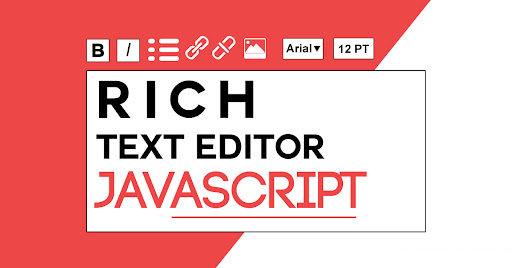
手写富文本编辑器,需要使用 react 中自带的 Fragment 和 createRef,以及 execCommand 方法,这两个到底有什么作用呢。那么,在演示代码前先了解下 Fragment 、 createRef 及 execCommand 是什么,分别有什么作用?
Fragment
React 中一个常见模式是 一个组件返回多个元素。Fragment 相当于一个 React 组件,它可以聚合一个子元素列表,并且不在 DOM 中增加额外节点。在 react 中返回的元素必须有父元素进行包裹,但特殊情况下,我们不想使用多余的标签,此时可以使用 Fragment 包裹标签。Fragment 更像是一个空的 jsx 标签 <></>:
class FragmentDemo extends React.Component {
    constructor(props) {
        super(props);
        this.state = {
            list: [
                {
                    type: '姓名',
                    text: 'wqjiao'
                },
                {
                    type: '性别',
                    text: '女'
                }
            ]
        }
    }

    render () {
        let { list } = this.state;

        return (
            <table>
                <tbody>
                    <tr>
                        { list && list.map(item => {
                            return (
                                <React.Fragment key={'list' + item}>
                                    <td>{ item.type }</td>
                                    <td>{ item.text }</td>
                                </React.Fragment>
                            )
                        }) }
                    </tr>
                </tbody>
            </table>
        )
    }
}
其中,key 是唯一可以传递给 Fragment 的属性。
createRef
在 React 官网中是这么解释 Refs and the DOM
Refs are created using React.createRef() and attached to React elements via the ref attribute.
Refs are commonly assigned to an instance property when a component is constructed so they can
be referenced throughout the component.
使用 React.createRef() 创建 refs,通过 ref 属性来获得 React 元素。当构造组件时,refs 通常被赋值给实例的一个属性,这样你可以在组件中任意一处使用它们。通过 current 属性取得 DOM 节点
execCommand
当一个 HTML 文档切换到设计模式时,document 暴露 execCommand 方法,该方法允许运行命令来操纵可编辑内容区域的元素。
大多数命令影响 document 的 selection(粗体,斜体等),当其他命令插入新元素(添加链接)或影响整行(缩进)。当使用 contentEditable 时,调用 execCommand() 将影响当前活动的可编辑元素。
但是 document.execCommand(xxxx) 是 IE 独家提供的,有些功能在 Chrome/FrieFox 中是不支持的,比如 粘贴功能 document.execCommand("paste", "false", null)。
富文本编辑器
在了解以上两个 React 属性之后,附上手写 editor web 富文本编辑器的 js 代码
- js 代码
import React, { Component, Fragment, createRef } from "react";
import { Select } from 'antd';
import './index.less';

const Option = Select.Option;

class WqjiaoEditor extends Component {

    constructor(props) {
        super(props);
        this.state = {
            editorIcons: [{
                id: 'choose-all',
                text: '全选',
                event: this.chooseAll
            }, {
                id: 'copy',
                text: '复制',
                event: this.copy
            }, {
                id: 'cut',
                text: '剪切',
                event: this.cut
            }, {
                id: 'bold',
                text: '加粗',
                event: this.bold
            }, {
                id: 'italic',
                text: '斜体',
                event: this.italic
            }, {
                id: 'font-size',
                text: '字体大小',
                event: this.fontSize
            }, {
                id: 'underline',
                text: '下划线',
                event: this.underline
            }, {
                id: 'background-color',
                text: '背景色',
                event: this.backgroundColor
            }],
            fontSizeOption: [],
            isShow: false,
            fontSize: '7'
        }
    }

    document = createRef(null);

    componentDidMount() {
        this.editor = this.document.current.contentDocument;
        this.editor.designMode = 'On';
        this.editor.contentEditable = true;

        let fontSizeOption = [];
        // 字体大小数组
        for (let i = 1; i <= 7; i ++) {
            fontSizeOption.push(i);
        }

        this.setState({
            fontSizeOption
        });
    }

    // 全选
    chooseAll = () => {
        this.editor.execCommand('selectAll');
    }

    // 复制
    copy = () => {
        this.editor.execCommand('copy');
    }

    // 剪切
    cut = () => {
        this.editor.execCommand('cut');
    }

    // 加粗
    bold = () => {
        this.editor.execCommand('bold');
    }

    // 斜体
    italic = () => {
        this.editor.execCommand('italic');
    }

    // 字体大小
    fontSize = () => {
        let me = this;
    }

    onClick(id) {
        if (id === 'font-size') {
            this.setState({
                isShow: true
            });
        }
    }

    onChange(value) {
        this.setState({
            fontSize: value,
            isShow: false
        })
        this.editor.execCommand('fontSize', true, value);
    }

    // 下划线
    underline = () => {
        this.editor.execCommand('underline');
    }

    // 背景色
    backgroundColor = () => {
        this.editor.execCommand('backColor', true, '#e5e5e5');
    }

    render() {
        let me = this;
        let { editorIcons, isShow, fontSize, fontSizeOption } = me.state;

        return (
            <Fragment>
                <div className="wqjiao-editor">
                    <div className="wqjiao-editor-icon">
                        <ul className="wqjiao-icon-list clearfix">
                            { editorIcons && editorIcons.map((item, index) => {
                                return (
                                    <li
                                        className="wqjiao-icon-item"
                                        onClick={item.event}
                                        key={'editor' + index}
                                    >
                                        <i
                                            className={"wqjiao-i i-" + item.id}
                                            title={item.text}
                                            alt={item.text}
                                            onClick={me.onClick.bind(me, item.id)}
                                        />
                                        { (item.id === 'font-size' && isShow) && <div className="wqjiao-editor-select">
                                            <Select
                                                value={fontSize}
                                                onChange={me.onChange.bind(me)}
                                            >
                                                { fontSizeOption && fontSizeOption.map((i, k) => {
                                                    return (
                                                        <Option
                                                            key={'fontSize' + k}
                                                            value={i}
                                                        >{i}</Option>
                                                    );
                                                }) }
                                            </Select>
                                        </div> }
                                    </li>
                                );
                            }) }
                        </ul>
                    </div>
                    <iframe ref={this.document} className="wqjiao-editor-textarea"></iframe>
                </div>
            </Fragment>
        )
    }
}

export default WqjiaoEditor;- css 样式,图片本地添加
// wqjiao editor web 富文本编辑器
::-webkit-scrollbar {
    display: none;
}

.wqjiao-editor {
    // width: 100%;
    width: 300px;

    // 样式重置
    * {
        margin: 0;
        padding: 0;
        list-style: none;
        font-style: normal;
    }

    // editor 图标
    .wqjiao-editor-icon {
        width: 100%;
        border: 1px solid #e5e5e5;
        border-top-left-radius: 4px;
        border-top-right-radius: 4px;
        box-sizing: border-box;
        .wqjiao-icon-list {
            padding: 0 5px;
        }
        .wqjiao-icon-item {
            float: left;
            font-size: 10px;
            padding: 5px 10px;
            position: relative;
        }
        .wqjiao-editor-select {
            position: absolute;
            top: 20px;
            left: -3px;
            width: 40px;
        }
        .ant-select {
            width: 100%;
        }
        .ant-select-selection__rendered,
        .ant-select-selection--single {
            height: 20px;
            line-height: 20px;
        }
        .ant-select-arrow {
            top: 4px;
            right: 4px;
        }
        .ant-select-selection-selected-value {
            padding: 0;
        }
        .ant-select-selection__rendered {
            margin: 0;
            margin-left: 4px;
        }
    }

    // editor 文本区域
    .wqjiao-editor-textarea {
        width: 100%;
        min-height: 200px;
        font-size: 14px;
        padding: 10px;
        border: 1px solid #e5e5e5;
        border-top: none;
        border-bottom-left-radius: 4px;
        border-bottom-right-radius: 4px;
        box-sizing: border-box;
        &:hover,
        &:focus {
            outline: none;
            box-shadow: none;
        }
    }

    // 清除浮动元素带来的影响
    .clearfix {
        zoom: 1;
    }
    .clearfix:after {
        content: "";
        clear: both;
        height: 0;
        visibility: hidden;
        display: block;
    }

    // 图标背景
    .wqjiao-i {
        display: block;
        width: 14px;
        height: 14px;
        cursor: pointer;
        &.i-choose-all {
           background: url('./img/i-choose-all.png');
        }
        &.i-copy {
           background: url('./img/i-copy.png');
        }
        &.i-cut {
           background: url('./img/i-cut.png');
        }
        &.i-bold {
            background: url('./img/i-bold.png');
        }
        &.i-italic {
            background: url('./img/i-italic.png');
        }
        &.i-font-size {
            background: url('./img/i-font-size.png');
        }
        &.i-underline {
            background: url('./img/i-underline.png');
        }
        &.i-background-color {
            background: url('./img/i-background-color.png');
        }
        &:hover,
        &.active {
            &.i-choose-all {
                background: url('./img/i-choose-all-active.png');
            }
            &.i-copy {
                background: url('./img/i-copy-active.png');
            }
            &.i-cut {
                background: url('./img/i-cut-active.png');
            }
            &.i-bold {
                background: url('./img/i-bold-active.png');
            }
            &.i-italic {
                background: url('./img/i-italic-active.png');
            }
            &.i-font-size {
                background: url('./img/i-font-size-active.png');
            }
            &.i-underline {
                background: url('./img/i-underline-active.png');
            }
            &.i-background-color {
                background: url('./img/i-background-color-active.png');
            }
        }
    }
}- 效果演示
- execCommand 兼容性